
 Sign in to Mod The Sims
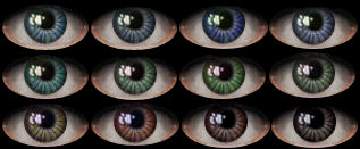
 Seductive Eyes
 Seductive Eyes


snapshot_9085f019_1085f1fe.jpg - width=200 height=279
snapshot_9085f019_3085f1fb.jpg - width=218 height=294
snapshot_9085f019_7085f1e1.jpg - width=218 height=283
snapshot_9085f019_7085f1e5.jpg - width=201 height=269
snapshot_9085f019_9085f1cb.jpg - width=222 height=278
snapshot_9085f019_f085f1c1.jpg - width=219 height=276

|
SeductiveEyes.rar
Download
Uploaded: 16th Nov 2005, 42.6 KB.
846 downloads.
|
||||||||
|
c2e013ed_SeductiveEyeBlue.rar
Download
Uploaded: 15th Nov 2005, 7.2 KB.
634 downloads.
|
||||||||
|
b5c3c955_SeductiveEyeGrn.rar
Download
Uploaded: 15th Nov 2005, 7.2 KB.
623 downloads.
|
||||||||
|
a202ee8d_SeductiveEyeGrey.rar
Download
Uploaded: 15th Nov 2005, 6.7 KB.
593 downloads.
|
||||||||
|
382456ee_SeductiveLgtBlue.rar
Download
Uploaded: 15th Nov 2005, 7.3 KB.
650 downloads.
|
||||||||
|
917d5739_SeductiveEyeTeal.rar
Download
Uploaded: 15th Nov 2005, 7.2 KB.
610 downloads.
|
||||||||
|
40d6d6f8_SeductiveEyeBrn.rar
Download
Uploaded: 15th Nov 2005, 7.1 KB.
710 downloads.
|
||||||||
| For a detailed look at individual files, see the Information tab. | ||||||||
Install Instructions
1. Download: Click the download link to save the .rar or .zip file(s) to your computer.
2. Extract the zip, rar, or 7z file.
3. Place in Downloads Folder: Cut and paste the .package file(s) into your Downloads folder:
- Origin (Ultimate Collection): Users\(Current User Account)\Documents\EA Games\The Sims™ 2 Ultimate Collection\Downloads\
- Non-Origin, Windows Vista/7/8/10: Users\(Current User Account)\Documents\EA Games\The Sims 2\Downloads\
- Non-Origin, Windows XP: Documents and Settings\(Current User Account)\My Documents\EA Games\The Sims 2\Downloads\
- Mac: Users\(Current User Account)\Documents\EA Games\The Sims 2\Downloads
- Mac x64: /Library/Containers/com.aspyr.sims2.appstore/Data/Library/Application Support/Aspyr/The Sims 2/Downloads
- For a full, complete guide to downloading complete with pictures and more information, see: Game Help: Downloading for Fracking Idiots.
- Custom content not showing up in the game? See: Game Help: Getting Custom Content to Show Up.
- If you don't have a Downloads folder, just make one. See instructions at: Game Help: No Downloads Folder.
Loading comments, please wait...

Uploaded: 15th Nov 2005 at 5:27 PM
Updated: 16th Nov 2005 at 8:39 PM




-
by Belle_Ange_16 15th Nov 2005 at 9:25pm
The Skintone and Outfit shown in pics is not included. more...
-
by Belle_Ange_16 23rd Nov 2005 at 10:44pm
Intriguing Eyes...Enjoy :) more...
-
by Belle_Ange_16 23rd May 2006 at 5:14pm
She comes packaged in maxis undies and the shortest hair shown in pics...the other hair is a donation item from more...
-
by Belle_Ange_16 1st Nov 2005 at 7:03pm
The dress shown in pics is not included, you can get it here . more...
-
by Belle_Ange_16 13th Dec 2005 at 11:08pm
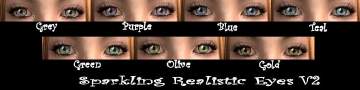
A different version of my Sparkling Realistic Eye set...I added more shading to the white part of the eye and more...
-
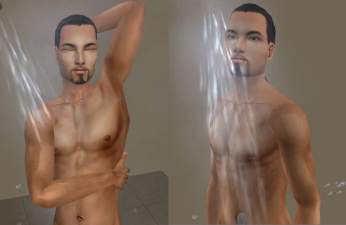
(by Request) Antonio- Exotic Male Sim
by Belle_Ange_16 17th Feb 2006 at 5:12am
The outfit and necklace are not included you can get the outfit here ( page 7 of clothing), and more...
-
-
-
by Belle_Ange_16 17th Dec 2005 at 2:52pm
It took me a while to make these...they aren't perfect but I think they turned out well. more...
-
by Belle_Ange_16 9th Jul 2007 at 5:27pm
New realistic eye set...hope you all like them. more...
