
 Sign in to Mod The Sims
 Flags
Flags
 Flags
Flags


flag1.jpg - width=763 height=252
Harey1.jpg - width=611 height=341
flag2.JPG - width=731 height=260
flags1.JPG - width=702 height=276
flag3.JPG - width=382 height=326
United States
United Kingdom
Canada
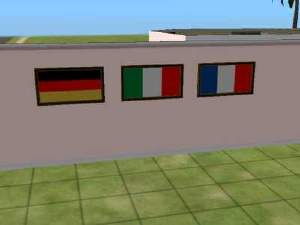
Italy
Harley Flag....
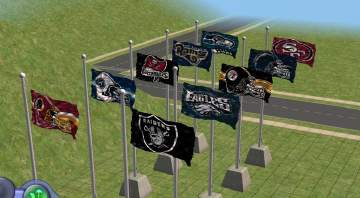
You might want to scroll down the thread, there are other Flags....
You will find them under the "Two Dogs and an Olive" by Mixt Hupp, CEP required for the maxis recolors to show up in game. You can download it here:
http://www.modthesims2.com/showthread.php?t=92541
Credits are due to Numenor, RGiles and Quaxi.
My other downloads you can find here:
http://www.modthesims2.com/member.php?u=13188
I added some more requests.....
This custom content if it is not clothing, may require a seperate download to work properly. This is available at Colour Enable Package (CEP) by Numenor.
|
AustralianFlag.rar
Download
Uploaded: 22nd Nov 2005, 98.3 KB.
279 downloads.
|
||||||||
|
MustangFlag.rar
Download
Uploaded: 22nd Nov 2005, 109.9 KB.
216 downloads.
|
||||||||
|
PatriotsFlag.rar
Download
Uploaded: 22nd Nov 2005, 125.4 KB.
247 downloads.
|
||||||||
|
MichiganFlag.rar
Download
Uploaded: 22nd Nov 2005, 110.5 KB.
198 downloads.
|
||||||||
|
RedWingsFlag.rar
Download
Uploaded: 22nd Nov 2005, 178.6 KB.
210 downloads.
|
||||||||
|
Flags.rar
Download
Uploaded: 21st Nov 2005, 812.4 KB.
928 downloads.
|
||||||||
| For a detailed look at individual files, see the Information tab. | ||||||||
Install Instructions
1. Download: Click the download link to save the .rar or .zip file(s) to your computer.
2. Extract the zip, rar, or 7z file
3. Place in Downloads Folder: Cut and paste the .package file(s) into your Downloads folder:
- Origin (Ultimate Collection): Users\(Current User Account)\Documents\EA Games\The Sims™ 2 Ultimate Collection\Downloads\
- Non-Origin, Windows Vista/7/8/10: Users\(Current User Account)\Documents\EA Games\The Sims 2\Downloads\
- Non-Origin, Windows XP: Documents and Settings\(Current User Account)\My Documents\EA Games\The Sims 2\Downloads\
- Mac: Users\(Current User Account)\Documents\EA Games\The Sims 2\Downloads
- Mac x64:
/Library/Containers/com.aspyr.sims2.appstore/Data/Library/Application Support/Aspyr/The Sims 2/Downloads
Need more information?
- For a full, complete guide to downloading complete with pictures and more information, see: Game Help: Downloading for Fracking Idiots.
- Custom content not showing up in the game? See: Game Help: Getting Custom Content to Show Up.
- If you don't have a Downloads folder, just make one. See instructions at: Game Help: No Downloads Folder.
Loading comments, please wait...

-

by dtb 17th Jul 2005 at 4:41pm
 5
3.6k
1
5
3.6k
1
-
by maree464 25th Nov 2005 at 8:43am
17
8.1k
2
-
by SeXyBaBe05 13th Jan 2006 at 5:51pm
18
6.7k
1
-
by SeXyBaBe05 14th Jan 2006 at 4:33pm
14
5.4k
-
by Mirjam 25th Jan 2006 at 9:31am
8
6.7k
1
-
by Elaxx 27th Feb 2006 at 5:11pm
3
7.1k
1
-
by Sirella 20th Apr 2006 at 7:59pm
3
5.4k
1
-
-
-
by Cinnamon 13th Sep 2006 at 1:35pm
20
17.6k
5

-

-


Black Eyed Peas/Fergie....Posters
by maree464 31st Dec 2005 at 2:32am
You will need the big poster mesh by Qortex. Thank you Qortex..... more...
12
8.7k
1
-


-
-


-


Nirvana Posters..........For Terry.
by maree464 2nd Jan 2006 at 5:18am
You will need the big poster mesh by Qortex. Thank you Qortex..... more...
19
15.1k
11
-

-
-
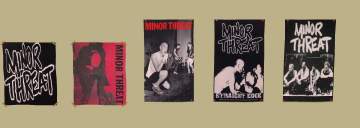
Social Distortion and Minor Threat Posters (Request)
by maree464 14th Feb 2006 at 3:37pm
These are maxis recolors except for 2 that you will find under: "We Call It FootBall" Poster. more...
1
4k
3
-
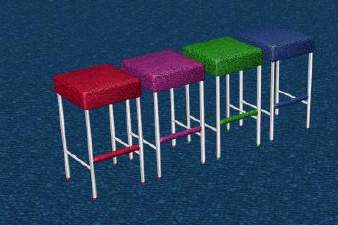

Packs Needed
| Expansion Pack | |
|---|---|
 | Nightlife |