Sign in to Mod The Sims
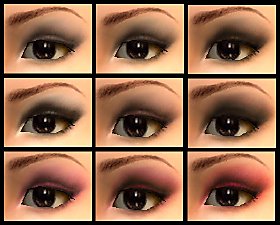
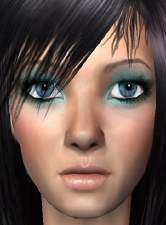
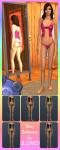
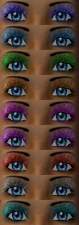
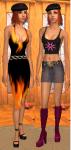
 Christmasy Eyeshadow
 Christmasy Eyeshadow

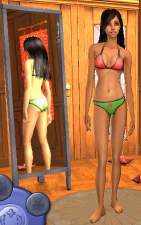
christmas shadow.jpg - width=297 height=432
*IF YOU REPOST IN ANY WAY, PLEASE GIVE ME CREDIT!*
Hope you've enjoyed my 3 part Christmas set! have a merry ChrismaHanaKwansaKa & stay safe this holiday season!
Enjoy & best holiday wishes

Christmasy Set:
#1/3 - Dress - http://www.modthesims2.com/showthread.php?t=112988
#2/3 - Bikini - http://www.modthesims2.com/showthread.php?t=112991
|
LiLLiXX10_Xmas_shadow.zip
Download
Uploaded: 20th Dec 2005, 36.0 KB.
465 downloads.
|
||||||||
| For a detailed look at individual files, see the Information tab. | ||||||||
Install Instructions
1. Download: Click the download link to save the .rar or .zip file(s) to your computer.
2. Extract the zip, rar, or 7z file.
3. Place in Downloads Folder: Cut and paste the .package file(s) into your Downloads folder:
- Origin (Ultimate Collection): Users\(Current User Account)\Documents\EA Games\The Sims™ 2 Ultimate Collection\Downloads\
- Non-Origin, Windows Vista/7/8/10: Users\(Current User Account)\Documents\EA Games\The Sims 2\Downloads\
- Non-Origin, Windows XP: Documents and Settings\(Current User Account)\My Documents\EA Games\The Sims 2\Downloads\
- Mac: Users\(Current User Account)\Documents\EA Games\The Sims 2\Downloads
- Mac x64: /Library/Containers/com.aspyr.sims2.appstore/Data/Library/Application Support/Aspyr/The Sims 2/Downloads
- For a full, complete guide to downloading complete with pictures and more information, see: Game Help: Downloading for Fracking Idiots.
- Custom content not showing up in the game? See: Game Help: Getting Custom Content to Show Up.
- If you don't have a Downloads folder, just make one. See instructions at: Game Help: No Downloads Folder.
Loading comments, please wait...

Uploaded: 20th Dec 2005 at 7:46 AM
Updated: 20th Dec 2005 at 8:28 AM
-

by Barcelonista 30th Nov 2005 at 10:20pm
-
by Barcelonista 9th Dec 2005 at 9:32pm
-
by BloodyAngel 27th Jun 2006 at 11:45pm
-
by Simlova1991 3rd Jul 2006 at 11:19pm
-
-
by oldenBuffy 19th Jan 2007 at 11:44pm
-
by steamed-pepsi 4th Feb 2007 at 10:54pm
-
-
by Daniel123dj 26th Sep 2007 at 4:54pm
-
by ShojoAngel 18th Apr 2009 at 7:17pm


-
-
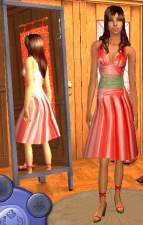
-
-
Enhanced skin tone with a lower back tattoo
by LiLLiXX10 20th Dec 2005 at 7:26am
Hello everyone! my first skintone...and not too bad if i do say so myself! more...
-
-

-
-
-
-