
 Sign in to Mod The Sims
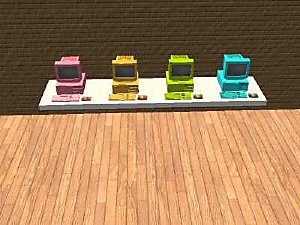
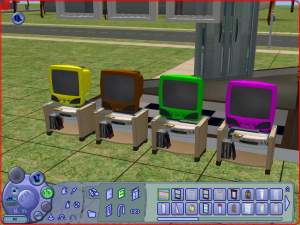
 As requested: 3 more recolors of expensive comp.!


snapshot_50fcdff3_10fe581b.jpg - width=400 height=300
snapshot_50fcdff3_30fe5771.jpg - width=400 height=300
snapshot_50fcdff3_b0fe5806.jpg - width=400 height=300
snapshot_50fcdff3_f0fe5782.jpg - width=400 height=300
snapshot_50fcdff3_70fe57ed.jpg - width=400 height=300
snapshot_50fcdff3_f0fe580f.jpg - width=400 height=300
snapshot_50fcdff3_b0fe577c.jpg - width=400 height=300
please comment with requests for more recolors, and what you think!
thanks,
Reeya
This custom content if it is not clothing, may require a seperate download to work properly. This is available at Colour Enable Package (CEP) by Numenor.
|
mts2__expensivecomputerwhite.rar
Download
Uploaded: 15th Feb 2006, 70.2 KB.
789 downloads.
|
||||||||
|
mts2__expensivecomputerbabylightgreen.rar
Download
Uploaded: 15th Feb 2006, 76.4 KB.
552 downloads.
|
||||||||
|
mts2__expensivecomputermauve.rar
Download
Uploaded: 15th Feb 2006, 104.0 KB.
621 downloads.
|
||||||||
|
AllExpensiveComps.rar
Download
Uploaded: 15th Feb 2006, 250.6 KB.
2,018 downloads.
|
||||||||
| For a detailed look at individual files, see the Information tab. | ||||||||
Install Instructions
1. Download: Click the download link to save the .rar or .zip file(s) to your computer.
2. Extract the zip, rar, or 7z file
3. Place in Downloads Folder: Cut and paste the .package file(s) into your Downloads folder:
- Origin (Ultimate Collection): Users\(Current User Account)\Documents\EA Games\The Sims™ 2 Ultimate Collection\Downloads\
- Non-Origin, Windows Vista/7/8/10: Users\(Current User Account)\Documents\EA Games\The Sims 2\Downloads\
- Non-Origin, Windows XP: Documents and Settings\(Current User Account)\My Documents\EA Games\The Sims 2\Downloads\
- Mac: Users\(Current User Account)\Documents\EA Games\The Sims 2\Downloads
- Mac x64:
/Library/Containers/com.aspyr.sims2.appstore/Data/Library/Application Support/Aspyr/The Sims 2/Downloads
Need more information?
- For a full, complete guide to downloading complete with pictures and more information, see: Game Help: Downloading for Fracking Idiots.
- Custom content not showing up in the game? See: Game Help: Getting Custom Content to Show Up.
- If you don't have a Downloads folder, just make one. See instructions at: Game Help: No Downloads Folder.
Loading comments, please wait...
Uploaded: 15th Feb 2006 at 1:44 AM
Updated: 29th Jan 2009 at 3:29 PM by -Maylin-


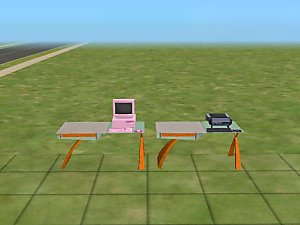
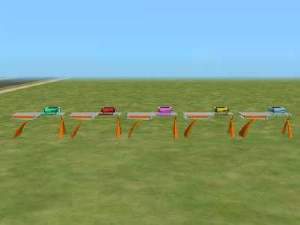
-
-
by xolilree92ox 28th Jan 2006 at 1:04am
This is a pink recolor of the DJ booth. more...
 +1 packs
5 7.2k 4
+1 packs
5 7.2k 4 Nightlife
-
recolor of maxis pinball machine- pink!
by xolilree92ox 25th Jan 2006 at 12:47am
This is the recolor of the blue maxis pinball machine (the shark one). I recolored it to pink. more...
7
7k
1
-
Recolor of MimiRose's Adult Lace Nighties
by xolilree92ox 27th Jan 2006 at 12:00am
This is a recolor of MimiRose's adult lace nighties. They are also available for young adults. more...
-
Recolor of Expensive Computers!
by xolilree92ox 14th Feb 2006 at 12:44am
Here are 5 recolors of the expensive computers. more...
8
13.8k
1
-
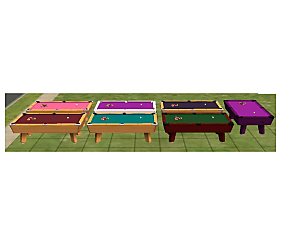
by xolilree92ox 28th Jan 2006 at 1:28am
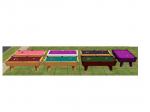
here are recolors of the pool table for university. more...
+1 packs
10 10.1k 1 University
-
by xolilree92ox 28th Jan 2006 at 1:14am
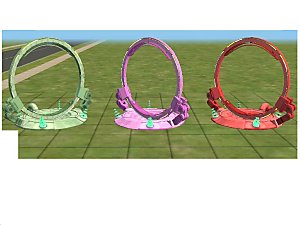
here are some recolors of the dance sphere. since it was introduced in nightlife, it requires nightlife. more...
+1 packs
5 12k 7 Nightlife
-
by xolilree92ox 26th Jan 2006 at 11:49pm
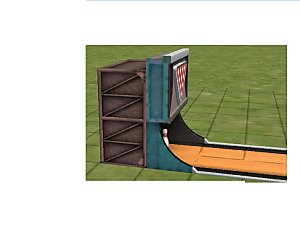
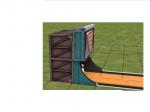
Here's a recolor of the maxis bowling lane. The color of the wood has NOT changed. more...
+1 packs
2 8.5k 2 Nightlife
-
by xolilree92ox 29th Jan 2006 at 8:26pm
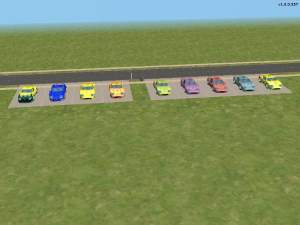
Here are 11 recolors of the Maxis sports car. There are also 10 recolors of the structure of that car. more...
+1 packs
8 10.8k Nightlife
-
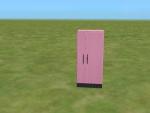
recolor of refrigerator-- Pink!
by xolilree92ox 25th Jan 2006 at 10:22pm
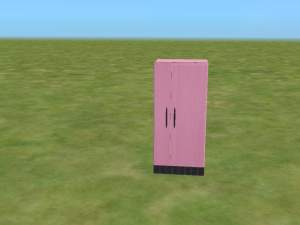
Here's a pink recolor of the expensive fridge. Tell me if it doesn't work for you. more...
4
5.3k


