Sign in to Mod The Sims
 Default Restore Foundations
 Default Restore Foundations


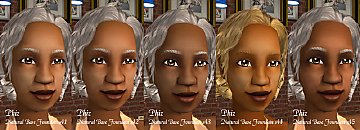
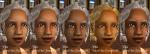
DefaultRestore_F1.jpg - width=567 height=480
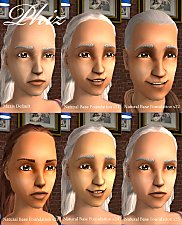
DefaultRestore_F2.jpg - width=567 height=480
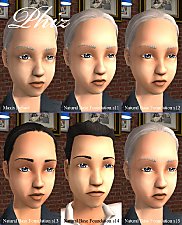
DefaultRestore_F3.jpg - width=567 height=480
DefaultRestore_F4.jpg - width=567 height=480
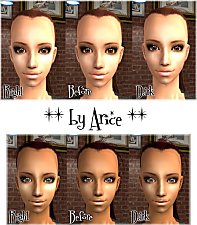
They are useful as a foundation on older sims, restoring their youthful appearance without any wrinkles.
They can also be used on custom skins, if you want to give your sim the same appearance as the maxis default adult sim.
These foundations can be used on all skintones including custom skintones.
They are for female teens, adults and elders only.
|
DefaultRestoreF4.rar
Download
Uploaded: 14th Apr 2006, 365.0 KB.
695 downloads.
|
||||||||
|
DefaultRestoreF3.rar
Download
Uploaded: 14th Apr 2006, 389.3 KB.
704 downloads.
|
||||||||
|
DefaultRestoreF2.rar
Download
Uploaded: 14th Apr 2006, 386.9 KB.
733 downloads.
|
||||||||
|
DefaultRestoreF1.rar
Download
Uploaded: 14th Apr 2006, 384.0 KB.
774 downloads.
|
||||||||
| For a detailed look at individual files, see the Information tab. | ||||||||
Install Instructions
1. Download: Click the download link to save the .rar or .zip file(s) to your computer.
2. Extract the zip, rar, or 7z file.
3. Place in Downloads Folder: Cut and paste the .package file(s) into your Downloads folder:
- Origin (Ultimate Collection): Users\(Current User Account)\Documents\EA Games\The Sims™ 2 Ultimate Collection\Downloads\
- Non-Origin, Windows Vista/7/8/10: Users\(Current User Account)\Documents\EA Games\The Sims 2\Downloads\
- Non-Origin, Windows XP: Documents and Settings\(Current User Account)\My Documents\EA Games\The Sims 2\Downloads\
- Mac: Users\(Current User Account)\Documents\EA Games\The Sims 2\Downloads
- Mac x64: /Library/Containers/com.aspyr.sims2.appstore/Data/Library/Application Support/Aspyr/The Sims 2/Downloads
- For a full, complete guide to downloading complete with pictures and more information, see: Game Help: Downloading for Fracking Idiots.
- Custom content not showing up in the game? See: Game Help: Getting Custom Content to Show Up.
- If you don't have a Downloads folder, just make one. See instructions at: Game Help: No Downloads Folder.
Loading comments, please wait...
Uploaded: 14th Apr 2006 at 12:11 AM
-
-
-
by Barcelonista 22nd Jan 2006 at 11:27pm
-
-
-
-

-
Rich Blush + Glowing Concealer
by im_a_disaster 21st May 2006 at 12:37am
-
-

-
Inheritance Skintones - testing
by phiz 26th May 2006 at 11:42pm
This is a set of three skintones which match the maxis skintones in game. They have no anatomical features. more...
-
-
-
-
-
-