
 Sign in to Mod The Sims
 New Mesh: "Majestic Splendor" Painting
 New Mesh: "Majestic Splendor" Painting


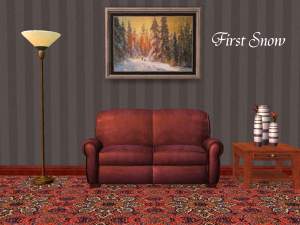
justmoi_MESH_Painting14_MajesticSplendor.jpg - width=600 height=450
justmoi_Painting_14MajesticSplendor_StormOnGalilee.jpg - width=600 height=450
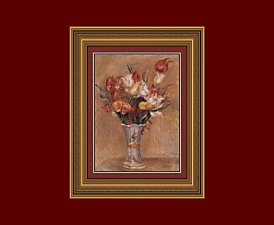
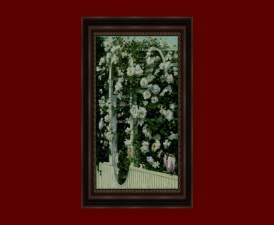
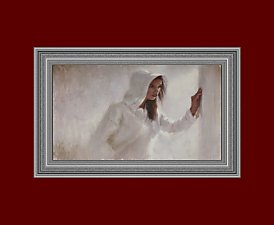
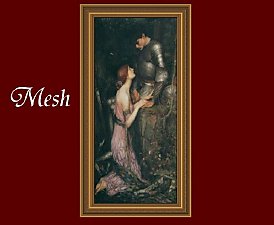
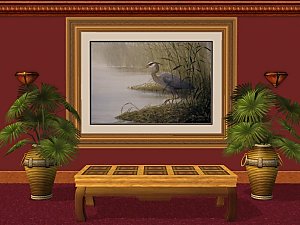
 "Majestic Splendor" was made for a request and I hope the person likes it. For that reason too, I'm not making too many recolours for the moment until I know for sure that it's the right size and shape.
No expansion is required for the mesh. It costs $3,150 and comes with a room rating of 10 to satisfy your fortune Sims.
The mesh is colour enabled and you may recolour at will but please link back to this post for the original mesh. Feel free to post recolours on another site but please don't post the mesh - just link to this thread. And please do not post on pay sites.
According to SimPE, face count = 154 and vertex count = 224.
The mesh works fine in my game but please let me know if you have any problems with it in your game.
This is a new mesh, and means that it's a brand new self contained object that usually does not require a specific Pack (although this is possible depending on the type). It may have Recolours hosted on MTS - check below for more information.
|
justmoi_Painting_14MajesticSplendor_StormOnGalilee.rar
Download
Uploaded: 22nd May 2006, 86.8 KB.
12,111 downloads.
|
||||||||
|
justmoi_MESH_Painting14_MajesticSplendor.rar
Download
Uploaded: 22nd May 2006, 98.4 KB.
15,863 downloads.
|
||||||||
| For a detailed look at individual files, see the Information tab. | ||||||||
Install Instructions
1. Download: Click the download link to save the .rar or .zip file(s) to your computer.
2. Extract the zip, rar, or 7z file.
3. Place in Downloads Folder: Cut and paste the .package file(s) into your Downloads folder:
- Origin (Ultimate Collection): Users\(Current User Account)\Documents\EA Games\The Sims™ 2 Ultimate Collection\Downloads\
- Non-Origin, Windows Vista/7/8/10: Users\(Current User Account)\Documents\EA Games\The Sims 2\Downloads\
- Non-Origin, Windows XP: Documents and Settings\(Current User Account)\My Documents\EA Games\The Sims 2\Downloads\
- Mac: Users\(Current User Account)\Documents\EA Games\The Sims 2\Downloads
- Mac x64: /Library/Containers/com.aspyr.sims2.appstore/Data/Library/Application Support/Aspyr/The Sims 2/Downloads
- For a full, complete guide to downloading complete with pictures and more information, see: Game Help: Downloading for Fracking Idiots.
- Custom content not showing up in the game? See: Game Help: Getting Custom Content to Show Up.
- If you don't have a Downloads folder, just make one. See instructions at: Game Help: No Downloads Folder.
Loading comments, please wait...



Uploaded: 22nd May 2006 at 3:45 PM
-
-
-
-
-
-

by justmoi 22nd Jan 2006 at 8:06pm
 8
7.1k
4
8
7.1k
4
-
-
-
-


-
Grey Study with 3 Different Fabric Options
by justmoi 24th Apr 2005 at 11:22pm
The main pieces of this set consist of a grey desk, grey bookcase, and grey desk chair which can be more...
12
10.5k
1
-
-
New Mesh: "Sentiments" Painting
by justmoi 21st May 2006 at 5:17pm
I made this square painting as a companion piece to the "Geometry 101" painting that came with Open For Business. more...
+1 packs
1 4.2k 2 Open for Business
-
New Mesh: "Majestic Grace" Painting
by justmoi 20th May 2006 at 9:18pm
justmoi's "Majestic Grace" Update 2006-05-21: By request, I've moved the mesh up a little on the wall so more...
8
19.7k
23
-

-
New Mesh "Majestic Glamour" Painting
by justmoi 14th Jan 2008 at 3:32am
This is going to be the last mesh in my "Majestic" series (I'm starting another series that's more enjoyable at more...
10
38.7k
57
-
-


New Mesh: "Perfect Circle" Painting
by justmoi 27th Dec 2005 at 7:38am
justmoi's Perfect Circle I wanted a round picture frame for my game and I hadn't seen any with a more...
11
14.7k
9
-
-
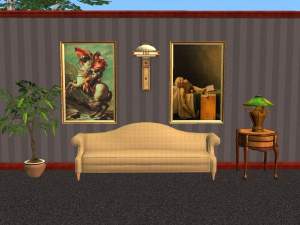

Napoleon and Death of Marat (Request)
by justmoi 18th Jan 2005 at 5:22am
UPDATE: These objects have been updated using the latest version of SimPE and should be compatible with the University more...
13
6.2k
3


