Sign in to Mod The Sims
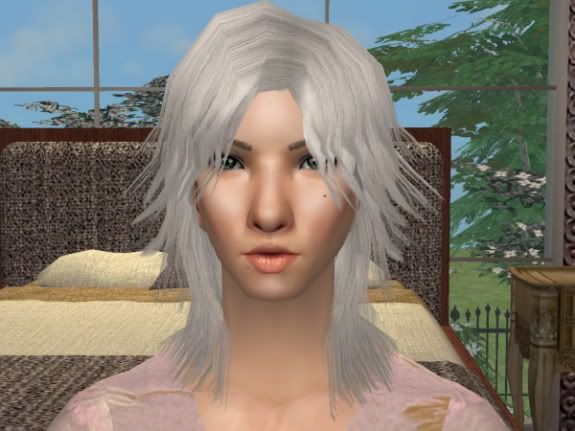
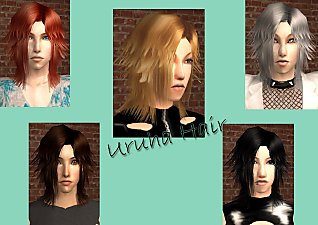
 alpha edit and retexture of Sshodan's "Uruha Hair"
 alpha edit and retexture of Sshodan's "Uruha Hair"
SCREENSHOTS


04.jpg - width=575 height=431
07.jpg - width=575 height=431
10.jpg - width=575 height=431
11.jpg - width=575 height=431
01.jpg - width=575 height=431
02.jpg - width=575 height=431
08.jpg - width=575 height=431
09.jpg - width=575 height=431
Downloaded 1,357 times
302 Thanks
15 Favourited
38,300 Views
Say Thanks!
Thanked!
Hi everyone.  I have received permission from gracious Sshodan and Seomi to upload these alpha edits/retextures. A very big thank you to both of you, your creations are wonderful. ^__^ You will need Sshodan's mesh (below, you will find a link to it). There are four colors included in the zip file- brown, red, blond, and black. If anyone would like additional recolors, just ask.
This is my first upload (those who post at S2C will know me as utsukushii), so I hope I have not forgotten anything. Special thanks to everyone who gave me feedback at S2C, you guys are great and I truly appreciate it.
 Alright! I have now added five additional colors: blue, vibrant red, (Aya? :D) pink, silver, and a darker shade of black. I hope you all enjoy them.
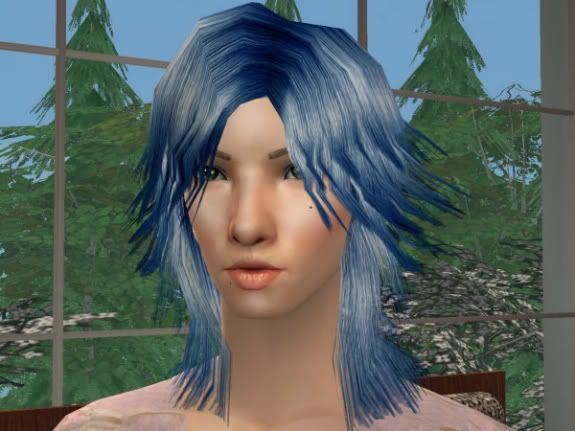
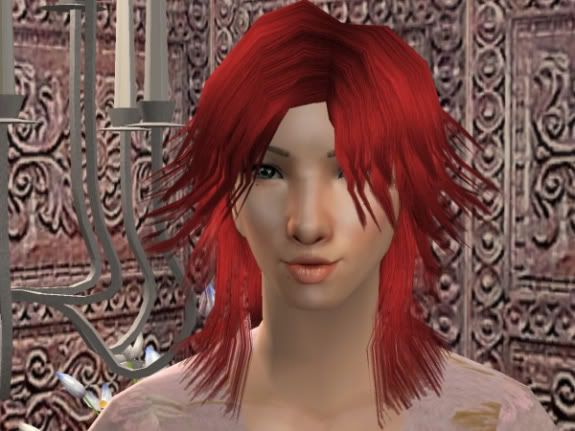
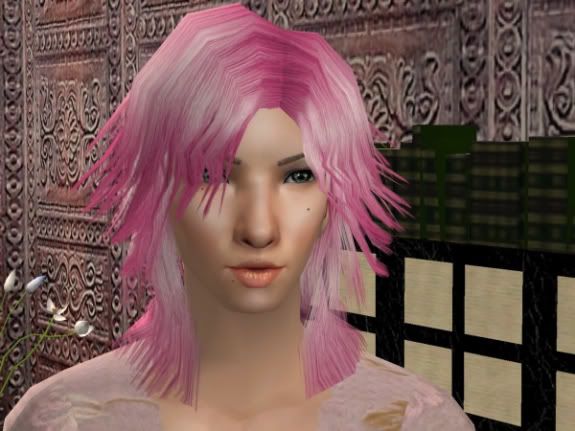
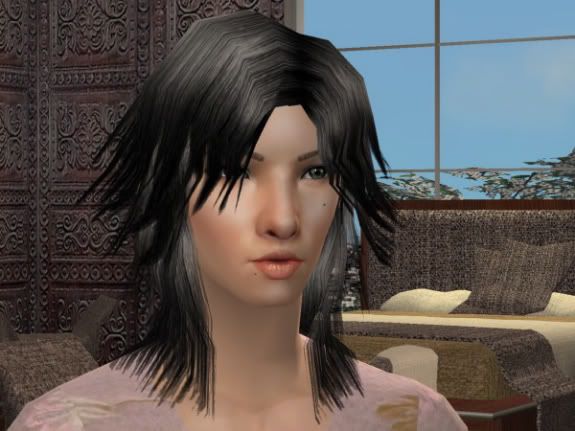
 I have received permission from gracious Sshodan and Seomi to upload these alpha edits/retextures. A very big thank you to both of you, your creations are wonderful. ^__^ You will need Sshodan's mesh (below, you will find a link to it). There are four colors included in the zip file- brown, red, blond, and black. If anyone would like additional recolors, just ask.
This is my first upload (those who post at S2C will know me as utsukushii), so I hope I have not forgotten anything. Special thanks to everyone who gave me feedback at S2C, you guys are great and I truly appreciate it.
 Alright! I have now added five additional colors: blue, vibrant red, (Aya? :D) pink, silver, and a darker shade of black. I hope you all enjoy them.
This is a new mesh recolour, and means that you will need to download the particular mesh itself in order for this to show up in your game. See the Meshes Needed section or read the text for more information.
|
recolors.zip
Download
Uploaded: 30th Sep 2006, 5.37 MB.
7,233 downloads.
|
||||||||
|
utsukushii_hair.zip
Download
Uploaded: 28th Sep 2006, 4.86 MB.
8,091 downloads.
|
||||||||
| For a detailed look at individual files, see the Information tab. | ||||||||
Install Instructions
Basic Download and Install Instructions:
1. Download: Click the download link to save the .rar or .zip file(s) to your computer.
2. Extract the zip, rar, or 7z file.
3. Place in Downloads Folder: Cut and paste the .package file(s) into your Downloads folder:
1. Download: Click the download link to save the .rar or .zip file(s) to your computer.
2. Extract the zip, rar, or 7z file.
3. Place in Downloads Folder: Cut and paste the .package file(s) into your Downloads folder:
- Origin (Ultimate Collection): Users\(Current User Account)\Documents\EA Games\The Sims™ 2 Ultimate Collection\Downloads\
- Non-Origin, Windows Vista/7/8/10: Users\(Current User Account)\Documents\EA Games\The Sims 2\Downloads\
- Non-Origin, Windows XP: Documents and Settings\(Current User Account)\My Documents\EA Games\The Sims 2\Downloads\
- Mac: Users\(Current User Account)\Documents\EA Games\The Sims 2\Downloads
- Mac x64: /Library/Containers/com.aspyr.sims2.appstore/Data/Library/Application Support/Aspyr/The Sims 2/Downloads
- For a full, complete guide to downloading complete with pictures and more information, see: Game Help: Downloading for Fracking Idiots.
- Custom content not showing up in the game? See: Game Help: Getting Custom Content to Show Up.
- If you don't have a Downloads folder, just make one. See instructions at: Game Help: No Downloads Folder.
Meshes needed
This download requires one or more meshes to work properly. Please check the Description tab for information about the meshes needed, then download them below:| MTS cannot guarantee any off-site links will be available |
| Uruha Hair by Sshodan |
Loading comments, please wait...
Author

Download Details
Packs:
None, this is Sims 2 base game compatible!
Uploaded: 28th Sep 2006 at 1:51 AM
Updated: 30th Sep 2006 at 9:57 PM
Uploaded: 28th Sep 2006 at 1:51 AM
Updated: 30th Sep 2006 at 9:57 PM
Tags
Other Download Recommendations:
-
-
Seomi Retextures of Sshodan's 'Guilty' Hair - Bright Streaks and Bi-coloured style added!
by schuldig_seiben 8th Jul 2006 at 11:18am
-
-
-
-
-
-
Retextures of Sshodan's Kudou Hair
by Mötley Crüe 13th Sep 2007 at 9:15pm
-
-