
 Sign in to Mod The Sims
 Let Go Eyes
 Let Go Eyes


LetGo1.jpg - width=200 height=200
LetGo2.jpg - width=800 height=600
LetGo3.jpg - width=800 height=600
LetGo4.jpg - width=800 height=600
LetGo5.jpg - width=800 height=600
LetGo6.jpg - width=800 height=600

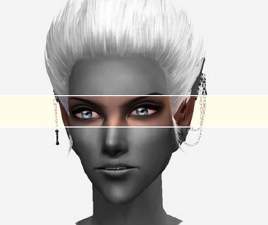
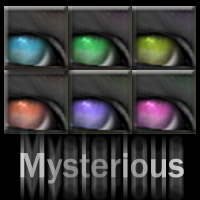
This is the fifth and final post to my Song Series. If you want to check out the rest, just use these links: Hollow, Polaris, Name, Silence.
Fear not
 There will be more eyes from me. Just not with song names...
 Think you'll survive?
The eyes belong to me, the song is by Frou Frou. Imogen Heap has such an amazing voice. And this song is just so amazing...
I know I've said this before, but I really like these eyes.
Of all the eyes I've done, I I think these may be my favourites
 And I'm thrilled with how the pictures came out! They are the best I've taken, ever! I guess I was inspired.
Thanks to jmtmom I have defaults! I'm so happy

Do you want them?
See my signature for terms of use.
I really hope you'll like these, because I love them!
See ya' :D
|
LetGoEyes.zip
Download
Uploaded: 14th Oct 2006, 59.0 KB.
2,183 downloads.
|
||||||||
| For a detailed look at individual files, see the Information tab. | ||||||||
Install Instructions
1. Download: Click the download link to save the .rar or .zip file(s) to your computer.
2. Extract the zip, rar, or 7z file.
3. Place in Downloads Folder: Cut and paste the .package file(s) into your Downloads folder:
- Origin (Ultimate Collection): Users\(Current User Account)\Documents\EA Games\The Sims™ 2 Ultimate Collection\Downloads\
- Non-Origin, Windows Vista/7/8/10: Users\(Current User Account)\Documents\EA Games\The Sims 2\Downloads\
- Non-Origin, Windows XP: Documents and Settings\(Current User Account)\My Documents\EA Games\The Sims 2\Downloads\
- Mac: Users\(Current User Account)\Documents\EA Games\The Sims 2\Downloads
- Mac x64: /Library/Containers/com.aspyr.sims2.appstore/Data/Library/Application Support/Aspyr/The Sims 2/Downloads
- For a full, complete guide to downloading complete with pictures and more information, see: Game Help: Downloading for Fracking Idiots.
- Custom content not showing up in the game? See: Game Help: Getting Custom Content to Show Up.
- If you don't have a Downloads folder, just make one. See instructions at: Game Help: No Downloads Folder.
Loading comments, please wait...


Uploaded: 14th Oct 2006 at 8:41 PM
Updated: 19th Apr 2007 at 9:06 PM


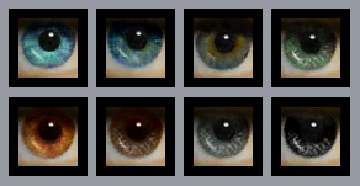
-
-

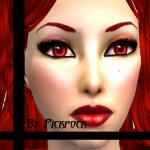
Blood! Oh the terror! AKA - Three masks ^^
by pickpock 17th Jun 2006 at 1:43pm
Hey everyone! more...
 42
77.6k
78
42
77.6k
78
-

-
-
-
-
-
-
-

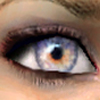
Realism Galore! - 4 Eye Sets - 2 Defaults
by pickpock 3rd May 2007 at 8:43pm
Edit: I'm featured!!? *checks the date so it's not April 1st again, then faints from the shock* Hi! more...
About Me
This is the profile of the slightly mad creator who thinks she's a penguin *honk*
Give me fish or comments if you want me to love you ^^
New Policy as of July :)
Feel free to do anything with my eyes and other CC as long as you credit. A link to my profile here or on Insim is fine.
The only exceptions are: NO PAYSITES!
and don't upload my CC by it's own on your site. Using my altered textures is fine. But if I want all my stuff available somewhere, I'll be the one to post it.
If you want to PM me and tell me what you use it for it would be great, but it's not something you have to do.
I sometimes (okay, pretty often) change backgrounds and details with photoshop (like hair for example) on my pics, but I never mess with the stuff that I'm uploading.
Sometimes I'm at the site quite a lot, and sometimes it'll go weeks inbetween, all depending on RL.