
 Sign in to Mod The Sims
 Suave Eyebrows ~ 7 Colors
 Suave Eyebrows ~ 7 Colors


infocard_suavebrows.PNG - width=444 height=226
suave brows.JPG - width=350 height=458
~ ~ ~ ~ ~ ~ ~ ~ ~ ~ ~ ~ ~ ~ ~ ~ ~ ~ ~ ~ ~ ~ ~ ~ ~
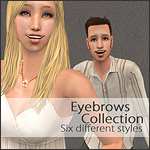
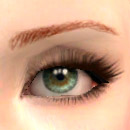
For your most charming, graceful sims, I present to you my little collection of these bold and tidy eyebrows. (I also present to you my first upload, and I hope that I do this all right. c: ) They come in the colors blonde, dark blonde, red (orange-ish), dark red, brown, dark brown, and black, to match a variety of hair colors. They're a little cartoony, but that's only how I add my unique little twist to the mix in your downloads folder. ;D
I'm not sure if you will need expansion packs, I don't see why you would have to, but if you run across any problems please let me know.
I'd appreciate it if you took a few seconds of your minute and clicked the thank button! n_n
EDIT: The shadows under the blonde eyebrows are due to the default skin replacement that I use, not the brows themselves. c:~ ~ ~ ~ ~ ~ ~ ~ ~ ~ ~ ~ ~ ~ ~ ~ ~ ~ ~ ~ ~ ~ ~ ~ ~
|
Suave Brows by Izi.zip
Download
Uploaded: 19th Jan 2007, 116.7 KB.
2,793 downloads.
|
||||||||
| For a detailed look at individual files, see the Information tab. | ||||||||
Install Instructions
1. Download: Click the download link to save the .rar or .zip file(s) to your computer.
2. Extract the zip, rar, or 7z file.
3. Place in Downloads Folder: Cut and paste the .package file(s) into your Downloads folder:
- Origin (Ultimate Collection): Users\(Current User Account)\Documents\EA Games\The Sims™ 2 Ultimate Collection\Downloads\
- Non-Origin, Windows Vista/7/8/10: Users\(Current User Account)\Documents\EA Games\The Sims 2\Downloads\
- Non-Origin, Windows XP: Documents and Settings\(Current User Account)\My Documents\EA Games\The Sims 2\Downloads\
- Mac: Users\(Current User Account)\Documents\EA Games\The Sims 2\Downloads
- Mac x64: /Library/Containers/com.aspyr.sims2.appstore/Data/Library/Application Support/Aspyr/The Sims 2/Downloads
- For a full, complete guide to downloading complete with pictures and more information, see: Game Help: Downloading for Fracking Idiots.
- Custom content not showing up in the game? See: Game Help: Getting Custom Content to Show Up.
- If you don't have a Downloads folder, just make one. See instructions at: Game Help: No Downloads Folder.
Loading comments, please wait...
Uploaded: 19th Jan 2007 at 8:07 AM
Updated: 20th Jan 2007 at 4:51 AM
-
-
Victor's Splendiferous Drooltastic Eyebrows
by HystericalParoxysm 24th Apr 2006 at 8:13am
 22
51.5k
63
22
51.5k
63
-
by lidiqnata 20th Feb 2007 at 9:04pm
16
29.3k
16
-
by lidiqnata 25th Feb 2007 at 10:17am
11
29.7k
21
-
by ShojoAngel 19th Jun 2007 at 2:38pm
7
24.4k
21
-
by zoej 18th Sep 2007 at 10:32pm
33
119.9k
219
-
-
by TheAquaLlama 14th Mar 2008 at 5:11pm
14
63.2k
96
-
by -Shady- 14th Jun 2008 at 3:23pm
31
215.8k
212
-
by -Shady- 26th Nov 2008 at 6:31pm
24
110.1k
138

-
The Improved Mustache ~ 7 Colors by Izi
by Izi 21st Jan 2007 at 10:17am
The Improved Mustache ~ ~ ~ ~ ~ ~ ~ ~ ~ ~ ~ ~ ~ ~ ~ ~ ~ more...
9
21.7k
14
-
"The Outlaw" Mustache ~ 9 Colors by Izi *now color binned*
by Izi 29th Jan 2007 at 4:05am
The Improved Mustache (last updated feb 2nd, 2007) ~ ~ ~ ~ ~ ~ ~ ~ ~ ~ ~ ~ more...
11
18.7k
8
