Sign in to Mod The Sims
 Adobe Beam & Post: 2 new meshes.
 Adobe Beam & Post: 2 new meshes.


02.jpg - width=800 height=532
2007-02-13_130345.jpg - width=608 height=596
2007-02-13_131247.jpg - width=674 height=469
inside.jpg - width=700 height=492
inside1.jpg - width=700 height=471
03.jpg - width=607 height=424

As requested by TwiztidChild36, I have created a decorative post and a beam for inside or outside your Adobe house.
*Special thanks to Inge Jones and Echo who helped me to fix the BHAV: beams and posts don't disappear when you zoom close to them. (I also fix those beams:http://www.modthesims2.com/member/s...ad.php?t=219490)

Beam: Faces 75 Vertices 80
Post: Faces 188 Vertices 222
For getting a larger one, add as much beam as you want ( for my pictures I used 3 beams)

You can find them under Decorative/Sculpture.
Hope you like them!
-Maylin-
*Do not post my creations to the exchange!
*Recolor my meshes is allowed (free only) but please link back to my post for original meshes.
Do not include my meshes with your recolor zip files.
*Including in a house lot is allowed (free only) with credits and link.
*And please forgive my bad english, it's not my native language
This is a new mesh, and means that it's a brand new self contained object that usually does not require a specific Pack (although this is possible depending on the type). It may have Recolours hosted on MTS - check below for more information.
|
Adobe Post.zip
Download
Uploaded: 13th Feb 2007, 48.0 KB.
5,353 downloads.
|
||||||||
|
Adobe Beam.zip
Download
Uploaded: 13th Feb 2007, 43.6 KB.
5,637 downloads.
|
||||||||
| For a detailed look at individual files, see the Information tab. | ||||||||
Install Instructions
1. Download: Click the download link to save the .rar or .zip file(s) to your computer.
2. Extract the zip, rar, or 7z file.
3. Place in Downloads Folder: Cut and paste the .package file(s) into your Downloads folder:
- Origin (Ultimate Collection): Users\(Current User Account)\Documents\EA Games\The Sims™ 2 Ultimate Collection\Downloads\
- Non-Origin, Windows Vista/7/8/10: Users\(Current User Account)\Documents\EA Games\The Sims 2\Downloads\
- Non-Origin, Windows XP: Documents and Settings\(Current User Account)\My Documents\EA Games\The Sims 2\Downloads\
- Mac: Users\(Current User Account)\Documents\EA Games\The Sims 2\Downloads
- Mac x64: /Library/Containers/com.aspyr.sims2.appstore/Data/Library/Application Support/Aspyr/The Sims 2/Downloads
- For a full, complete guide to downloading complete with pictures and more information, see: Game Help: Downloading for Fracking Idiots.
- Custom content not showing up in the game? See: Game Help: Getting Custom Content to Show Up.
- If you don't have a Downloads folder, just make one. See instructions at: Game Help: No Downloads Folder.
Loading comments, please wait...



Uploaded: 13th Feb 2007 at 3:33 PM
Updated: 12th Oct 2008 at 12:18 PM
#Beam, #Post, #Adobe houses, #decorative, #sculpture
-
-
by CamyLee Jinn 12th Mar 2006 at 3:45pm
 4
7.1k
4
7.1k
-
-
-
-
-
by -Maylin- 8th Feb 2007 at 10:12pm
31
38.2k
40
-
-
by -Maylin- 12th Nov 2007 at 7:06pm
25
39.9k
51
-




-
BIP Nursery Set: 5 new meshes!
by -Maylin- updated 22nd Jul 2010 at 8:41pm
Hi all, Here is my new nursery set containing 5 meshes: The hammock: Location: more...
 47
124.6k
233
47
124.6k
233
-
-
-
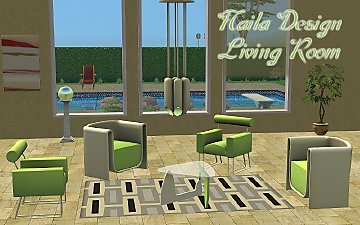
Naila Design: New Living Room Set
by -Maylin- 30th Sep 2009 at 5:56pm
Hi all, Here is my new modern living room set: It contains six new meshes more...
-
-
-
-
-
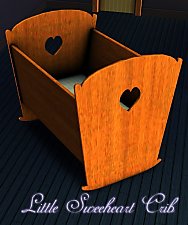

Little Sweetheart crib: new mesh.
by -Maylin- 11th Jan 2010 at 7:16pm
Hi all, Just a little crib for baby sims in plain wood or any other material you want. more...
52
105.8k
192
-