Sign in to Mod The Sims
 Forever 21 Tops
 Forever 21 Tops
SCREENSHOTS


48807934-02.jpg - width=328 height=400
48807934-04.jpg - width=328 height=400
forever21topback.JPG - width=400 height=300
forever21topbackblue.JPG - width=400 height=300
forever21topfront.JPG - width=427 height=606
forever21topfrontblue.JPG - width=466 height=576
Downloaded 960 times
244 Thanks
8 Favourited
24,064 Views
Say Thanks!
Thanked!
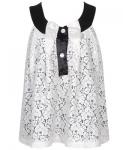
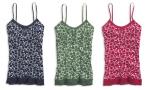
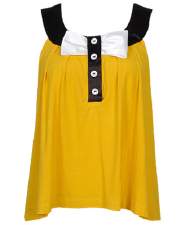
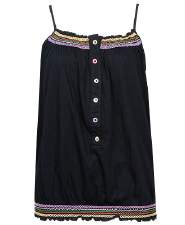
These are Forever 21 Tops in Black and Blue. I hope you like them. You can find the bottom I'm using in the picture here http://hairs.xmsims.com/sims2/ehtm/...s/bottoms11.htm
Additional Credits:
Thanks to Xmsims for the hair and Bottom.
http://hairs.xmsims.com/sims2/ehtm/hair/hair79.htm - Hair
http://hairs.xmsims.com/sims2/ehtm/...s/bottoms11.htm - Bottom
Additional Credits:
Thanks to Xmsims for the hair and Bottom.
http://hairs.xmsims.com/sims2/ehtm/hair/hair79.htm - Hair
http://hairs.xmsims.com/sims2/ehtm/...s/bottoms11.htm - Bottom
Advertisement:
This is a Maxis Recolour which means that it is a recolour of an item that already exists in your game. Please check the Pack requirements to see which game pack it recolours.
|
forever21tops.rar
Download
Uploaded: 18th Feb 2008, 218.8 KB.
4,999 downloads.
|
||||||||
| For a detailed look at individual files, see the Information tab. | ||||||||
Install Instructions
Basic Download and Install Instructions:
1. Download: Click the download link to save the .rar or .zip file(s) to your computer.
2. Extract the zip, rar, or 7z file.
3. Place in Downloads Folder: Cut and paste the .package file(s) into your Downloads folder:
1. Download: Click the download link to save the .rar or .zip file(s) to your computer.
2. Extract the zip, rar, or 7z file.
3. Place in Downloads Folder: Cut and paste the .package file(s) into your Downloads folder:
- Origin (Ultimate Collection): Users\(Current User Account)\Documents\EA Games\The Sims™ 2 Ultimate Collection\Downloads\
- Non-Origin, Windows Vista/7/8/10: Users\(Current User Account)\Documents\EA Games\The Sims 2\Downloads\
- Non-Origin, Windows XP: Documents and Settings\(Current User Account)\My Documents\EA Games\The Sims 2\Downloads\
- Mac: Users\(Current User Account)\Documents\EA Games\The Sims 2\Downloads
- Mac x64: /Library/Containers/com.aspyr.sims2.appstore/Data/Library/Application Support/Aspyr/The Sims 2/Downloads
- For a full, complete guide to downloading complete with pictures and more information, see: Game Help: Downloading for Fracking Idiots.
- Custom content not showing up in the game? See: Game Help: Getting Custom Content to Show Up.
- If you don't have a Downloads folder, just make one. See instructions at: Game Help: No Downloads Folder.
Advertisement:
Loading comments, please wait...
Author
Download Details
Packs:
None, this is Sims 2 base game compatible!
Uploaded: 18th Feb 2008 at 2:36 PM
Uploaded: 18th Feb 2008 at 2:36 PM
Tags
Other Download Recommendations:
-

by kimkimcachoo 25th May 2007 at 7:30pm
 4
30.9k
11
4
30.9k
11
-
-

-
by kimkimcachoo 30th May 2007 at 7:35am
9
59.1k
43
-

by the black steed 1st Oct 2007 at 10:08pm
-
-
-
-
-

More downloads by rosamine:
See more