
 Sign in to Mod The Sims
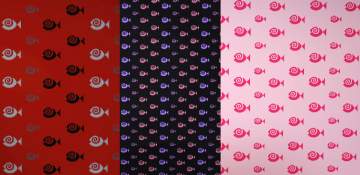
 TS3 Custom Patterns - Retropop!
 TS3 Custom Patterns - Retropop!


Retropop - Azteca Nouveau.jpg - width=1280 height=757
Retropop - Doodlebug.jpg - width=1280 height=757
Retropop - Flower Power.jpg - width=1280 height=757
Retropop - Foxy Boxy.jpg - width=1280 height=757
Retropop - Groovy Garden.jpg - width=1280 height=757
Retropop - Peacocky.jpg - width=1280 height=757
Retropop - Undulation.jpg - width=1280 height=757
Retropop - Archfiend.jpg - width=1280 height=757

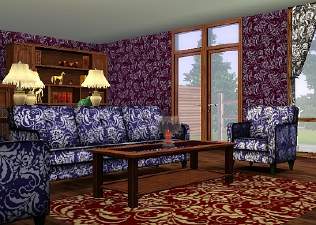
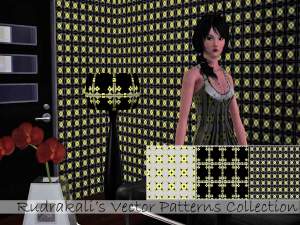
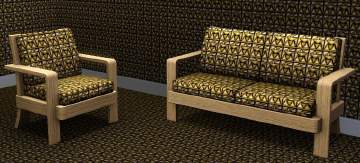
Yes, folks, it's true - these are fully custom patterns for The Sims 3. These are not just colour-slidered versions of the ones that come with the game - they're fully separate, unique, and full of kickassitude and win.
Groovy retro patterns inspired by real retro/vintage wallpaper and fabric designs. Suitable for wallpapers, bedspreads, and really funky clothes - or whatever your heart desires! All patterns have 4 colour options and show up in Abstract.
But how did you do it?!
Magic and pancakes!
Get out those vector editors because it is tedious, time-consuming, and about as much fun as poking yourself in the eye with a sharp stick over the course of several hours. But if you're just a glutton for punishment, here's a tutorial.
Version 1
These can be considered version 1 - smaller file sizes coming soon! These are also highly experimental and may not be perfect - if they blow up your computer, eat all your gummi bears, or make a pass at your sister, well, don't be too surprised. I've used 'em myself and had others test them so they do work.
How do I use them?!
See here: http://www.sims2wiki.info/wiki.php?...g_Package_Files
Do what it says. No whining about RARs - you should know this stuff by now!
Special thanks go to:
Delphy, for putting up with my "it doesn't work" - "no, it still doesn't work" - "now I found a bug" - "hey, it crashed" - for hours on end.
All you crazy cats who figured out the back-end gubbins. You know who you are.
Silent and Emino, for testing.
|
TS3 Patterns - Retropop.rar
Download
Uploaded: 3rd Jun 2009, 576.7 KB.
17,586 downloads.
|
||||||||
| For a detailed look at individual files, see the Information tab. | ||||||||
Install Instructions
1. Click the download button, or the filename, to download the file to your computer.
2. Extract the zip, rar, or 7z file. Now you will have either a .package or a .sims3pack file.
For Package files:
1. Cut and paste the file into your Documents\Electronic Arts\The Sims 3\Mods\Packages folder. If you do not already have this folder, you should read the full guide to Package files first: Sims 3:Installing Package Fileswiki, so you can make sure your game is fully patched and you have the correct Resource.cfg file.
2. Run the game, and find your content where the creator said it would be (build mode, buy mode, Create-a-Sim, etc.).
For Sims3Pack files:
1. Cut and paste it into your Documents\Electronic Arts\The Sims 3\Downloads folder. If you do not have this folder yet, it is recommended that you open the game and then close it again so that this folder will be automatically created. Then you can place the .sims3pack into your Downloads folder.
2. Load the game's Launcher, and click on the Downloads tab. Find the item in the list and tick the box beside it. Then press the Install button below the list.
3. Wait for the installer to load, and it will install the content to the game. You will get a message letting you know when it's done.
4. Run the game, and find your content where the creator said it would be (build mode, buy mode, Create-a-Sim, etc.).
Extracting from RAR, ZIP, or 7z: You will need a special program for this. For Windows, we recommend 7-Zip and for Mac OSX, we recommend Keka. Both are free and safe to use.
Need more help?
If you need more info, see:
- For package files: Sims 3:Installing Package Fileswiki
- For Sims3pack files: Game Help:Installing TS3 Packswiki
Loading comments, please wait...



Uploaded: 3rd Jun 2009 at 2:01 AM
Updated: 3rd Jun 2009 at 2:38 PM


-
Hair of the Girl on the Inside of the Jewel Case
by HystericalParoxysm 19th Apr 2005 at 7:14am
Well, I saw this thread: ... more...
-

Lance Creager (No CC, No Sliders!)
by HystericalParoxysm 22nd Mar 2012 at 9:17pm
A brilliant, artistic soul - and completely cc-free! more...
-
William Morris African Marigold Wall and Floor Set (3 Colourways)
by HystericalParoxysm 6th Nov 2006 at 3:32pm
Yeah, I'm gonna be on a big Morris kick for a while. more...
 3
12.2k
14
3
12.2k
14
-


Asylum Challenge: Whitebrook Mental Health Center
by HystericalParoxysm 10th Jul 2008 at 7:28pm
:here: Whitebrook - For Mind, Body, and Spirit: Whitebrook Mental Health Center is a inpatient treatment center for sims more...
+14 packs
9 33.4k 18 Family Fun
 University
 Glamour Life
 Nightlife
 Celebration
 Open for Business
 Pets
Pets
 H&M Fashion
 Teen Style
 Seasons
 Kitchen & Bath
 Bon Voyage
 Free Time
 Ikea Home
-
Highlighted OfB "Emo Hair" Recolours
by HystericalParoxysm 9th Mar 2006 at 10:46am
Certainly one of my favourite parts of the new expansion, the "emo" hairstyle for women immediately struck me as needing more...
-
William Morris Windrush Wall and Floor Set
by HystericalParoxysm 4th Nov 2006 at 6:05pm
A beautiful rich, bold floral William Morris design in deep purples and mauves combined with a lovely decorative carved border, more...
7
12.8k
14
-
Alphonse Mucha Autumn Lady Wall and Floor Set
by HystericalParoxysm 6th Nov 2006 at 3:25pm
I cannot tell you how much I adore Art Nouveau, and nobody's work says Art Nouveau more than the master more...
15
21k
16
-

by HystericalParoxysm 8th Aug 2006 at 7:21am
Annoyed that I deleted your requests? Miffed that I answered your dumb question with a cheeky answer? Pissed more...
59
36.9k
19
-
by HystericalParoxysm 11th Apr 2007 at 4:28pm
Though shy and aloof, Adam is an incredibly driven Fortune sim. more...
-

by HystericalParoxysm 21st Sep 2007 at 2:52pm
So, I've been building, and building means I end up landscaping though I'm terrible at it, and I was shocked... more...
68
105.5k
194


