
 Sign in to Mod The Sims
 Indoor Plants 2
 Indoor Plants 2


small.jpg - width=200 height=200
boxesrow.jpg - width=419 height=620
greenmaniaroom.jpg - width=800 height=568
outside.jpg - width=820 height=453
Here you have the good old philodendron and palm, half size.
The flowerbox has lost its base. And the other hanging pot got pulled down, the flowery one.
These latter two have a recolor each as well. So overall 6 plants again. Feel free to recolor any of my stuff by the way, if you'd like more variation.
Like the previous ones, these have some dark parts too, sorry about that.
All cost 60§ and are in the Plants category. (duh)
Pots are recolorable with Create A Style.
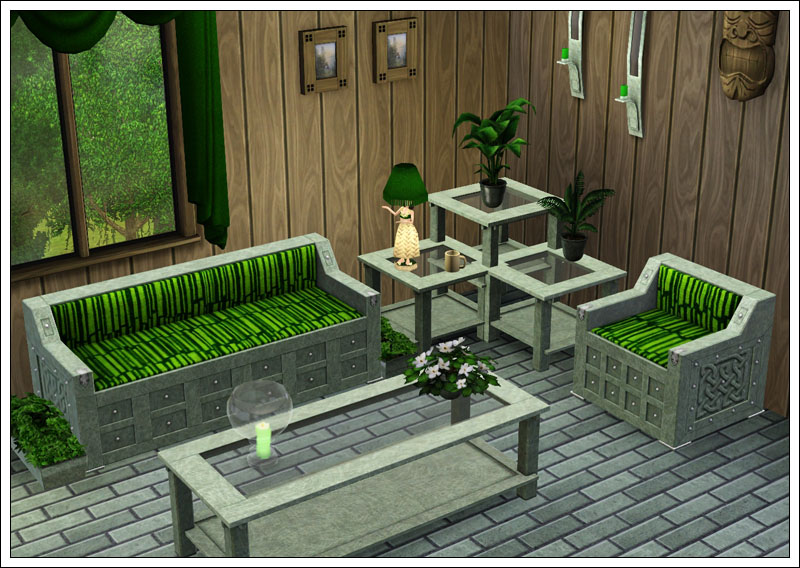
Polygon Counts:
Philodendron: 780 faces, 612 vertices
Palm: 898 faces, 775 vertices
Flowerbox white/green: 768 faces, 633 vertices
Flowerpot white/red: 444 faces, 322 vertices
Additional Credits:
As usual, thanks to
Inge and Peter Jones for S3PE and S3OC,
Wes Howe for the Object Tool
DeluxeDesigns for the tutorial.
This is a new mesh, and means that it's a brand new self contained object that usually does not require a specific Pack (although this is possible depending on the type). It may have Recolours hosted on MTS - check below for more information.
|
IndoorPlants2.rar
Download
Uploaded: 3rd Sep 2009, 379.7 KB.
27,899 downloads.
|
||||||||
| For a detailed look at individual files, see the Information tab. | ||||||||
Install Instructions
1. Click the download button, or the filename, to download the file to your computer.
2. Extract the zip, rar, or 7z file. Now you will have either a .package or a .sims3pack file.
For Package files:
1. Cut and paste the file into your Documents\Electronic Arts\The Sims 3\Mods\Packages folder. If you do not already have this folder, you should read the full guide to Package files first: Sims 3:Installing Package Fileswiki, so you can make sure your game is fully patched and you have the correct Resource.cfg file.
2. Run the game, and find your content where the creator said it would be (build mode, buy mode, Create-a-Sim, etc.).
For Sims3Pack files:
1. Cut and paste it into your Documents\Electronic Arts\The Sims 3\Downloads folder. If you do not have this folder yet, it is recommended that you open the game and then close it again so that this folder will be automatically created. Then you can place the .sims3pack into your Downloads folder.
2. Load the game's Launcher, and click on the Downloads tab. Find the item in the list and tick the box beside it. Then press the Install button below the list.
3. Wait for the installer to load, and it will install the content to the game. You will get a message letting you know when it's done.
4. Run the game, and find your content where the creator said it would be (build mode, buy mode, Create-a-Sim, etc.).
Extracting from RAR, ZIP, or 7z: You will need a special program for this. For Windows, we recommend 7-Zip and for Mac OSX, we recommend Keka. Both are free and safe to use.
Need more help?
If you need more info, see:
- For package files: Sims 3:Installing Package Fileswiki
- For Sims3pack files: Game Help:Installing TS3 Packswiki
Loading comments, please wait...
Uploaded: 3rd Sep 2009 at 5:18 PM
Updated: 29th Dec 2009 at 7:18 PM
-

by lemoncandy 3rd Aug 2009 at 2:36am
 56
92.4k
159
56
92.4k
159
-

-
-
-
by lemoncandy 1st Oct 2009 at 8:20pm
44
95k
204
-
by lemoncandy 26th Oct 2009 at 5:06pm
64
128.9k
206
-
by lemoncandy 27th Oct 2009 at 5:25pm
41
85.2k
89
-
by armiel 29th Jan 2011 at 6:08pm
21
38.9k
91
-
by Lisen801 15th Jun 2012 at 2:43pm
37
69.6k
262
-

-
3 more plants [Updated for WA]
by lemoncandy 14th Sep 2009 at 8:00pm
EDIT 29/11/2009. These objects became broken with the patch 1.6.6 and the expansion and caused the "blue lot syndrome". more...
43
107k
162
-
by lemoncandy 1st Jul 2009 at 9:28pm
Here is another starter house (price under 16000), designed for a single, but it can accomodate two if you change more...
4
13.3k
15
-
Indoor Plants 1 [Updated for WA]
by lemoncandy 30th Aug 2009 at 10:57pm
EDIT 29/11/2009. These objects became broken with the patch 1.6.6 and the expansion and caused the "blue lot syndrome". more...
93
145.9k
218
-
-
by lemoncandy 11th Jul 2009 at 8:15pm
This is a split-level house with an indoor pool and a roof terrace. more...
21
14.5k
10
-
by lemoncandy 5th Aug 2009 at 11:40pm
This is a small pond with a wooden cabin on legs above it. more...
3
10.8k
11
-
Follow the white rabbit - more clutter
by lemoncandy 17th Aug 2009 at 5:37pm
After the unexpected popularity of my "Useless Objects ", I felt obliged to create more clutter that peeps can stuff more...
47
85.6k
110
-
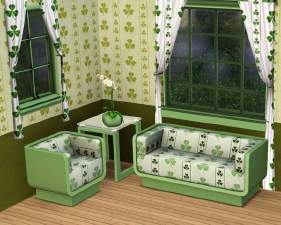
by lemoncandy 16th Jul 2009 at 12:24am
This is two kinds of patterns based on a three leaf clover shape. more...
6
13.7k
18
-
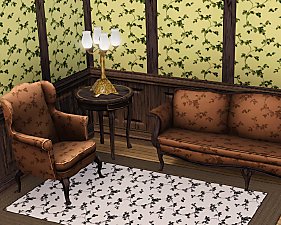
Don't leaf home - 6 more patterns
by lemoncandy 15th Jul 2009 at 12:39am
I wasn't all satisfied with my leaf patterns so I decided to make some more, traditional ones. more...
14
17.9k
43
-
by lemoncandy 10th Oct 2009 at 3:58pm
I really-really wanted a glassy door for kitchens, patios, balconies and such. more...
116
170.3k
368
About Me
IMPORTANT
I haven't touched any of this work for over a year, so please consider it all as unsupported. I guess most of it won't be working with the game's new expansions and patches. Sorry.