
 Sign in to Mod The Sims
 ~Beautiful Beach Home 2 of 3/5~
 ~Beautiful Beach Home 2 of 3/5~


Screenshot-5.jpg - width=790 height=583
Screenshot-11.jpg - width=973 height=739
Screenshot-13.jpg - width=956 height=636
Screenshot-12.jpg - width=951 height=715
Screenshot-9.jpg - width=880 height=557
Screenshot-14.jpg - width=1024 height=768
Screenshot-10.jpg - width=783 height=505
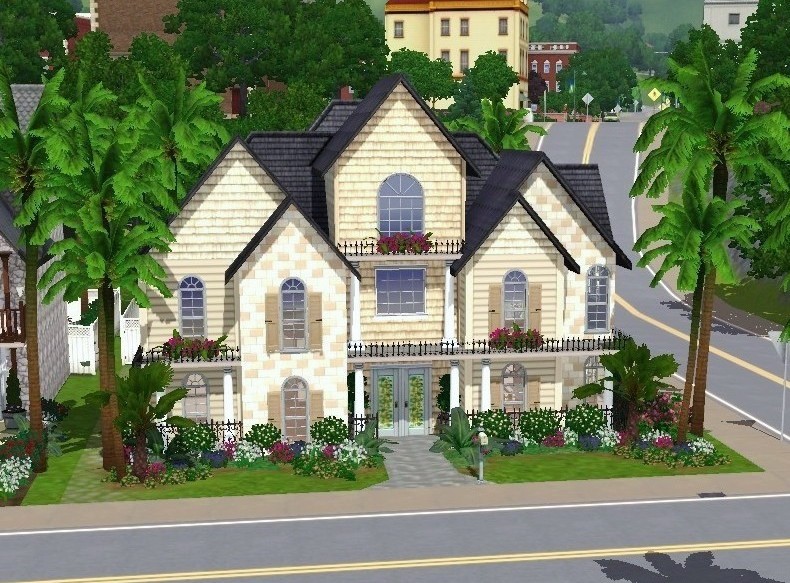
Well this is my second home that matches quite well with my first white one (see my page). This home has a fully landscaped yard and pool area. It has stunning white pillars wth beautiful ocean views, inside is designed to be a very upscale home for the people who like the finer things in life.

The reason for the 3/5 is im trying to decide if i should have 5 homes that go together or just 3. Tell me what you think.
Price:
212,900 Furnished
112,100 Unfurnished
Lot size:
20X30
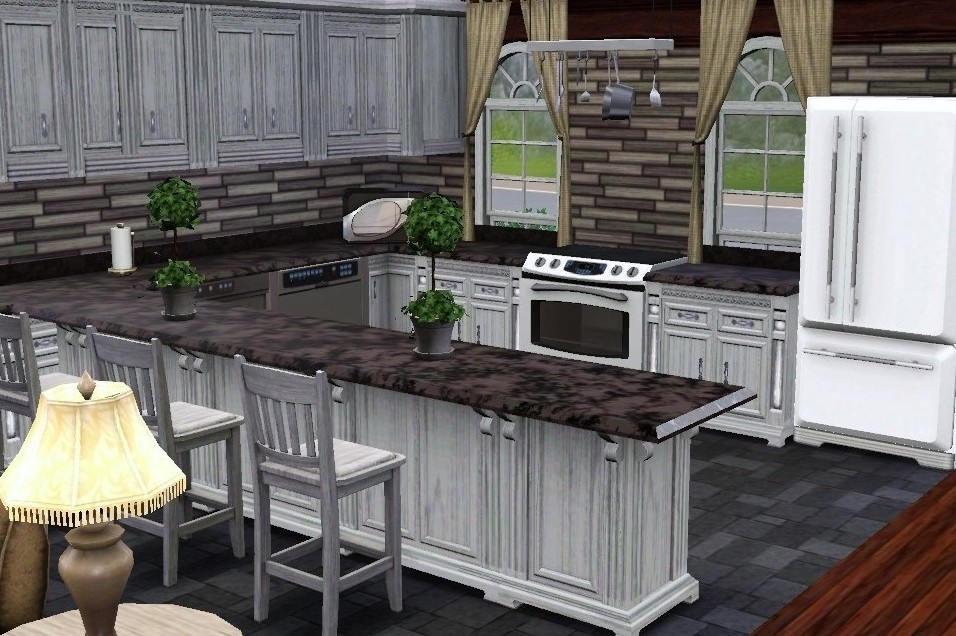
Kitchen.
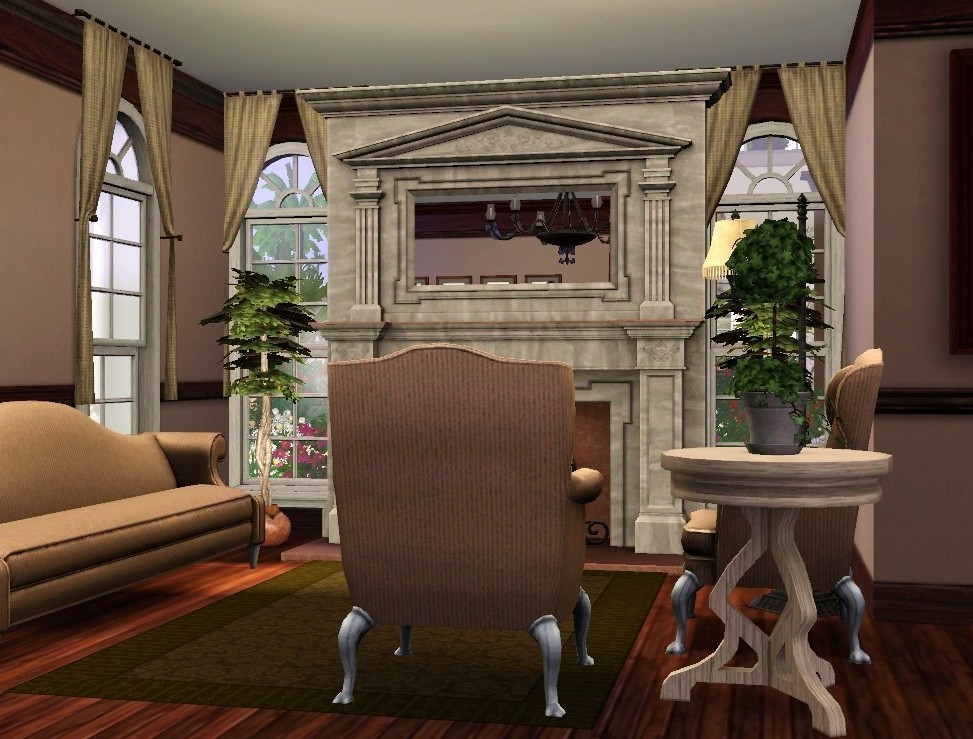
Formal living room.
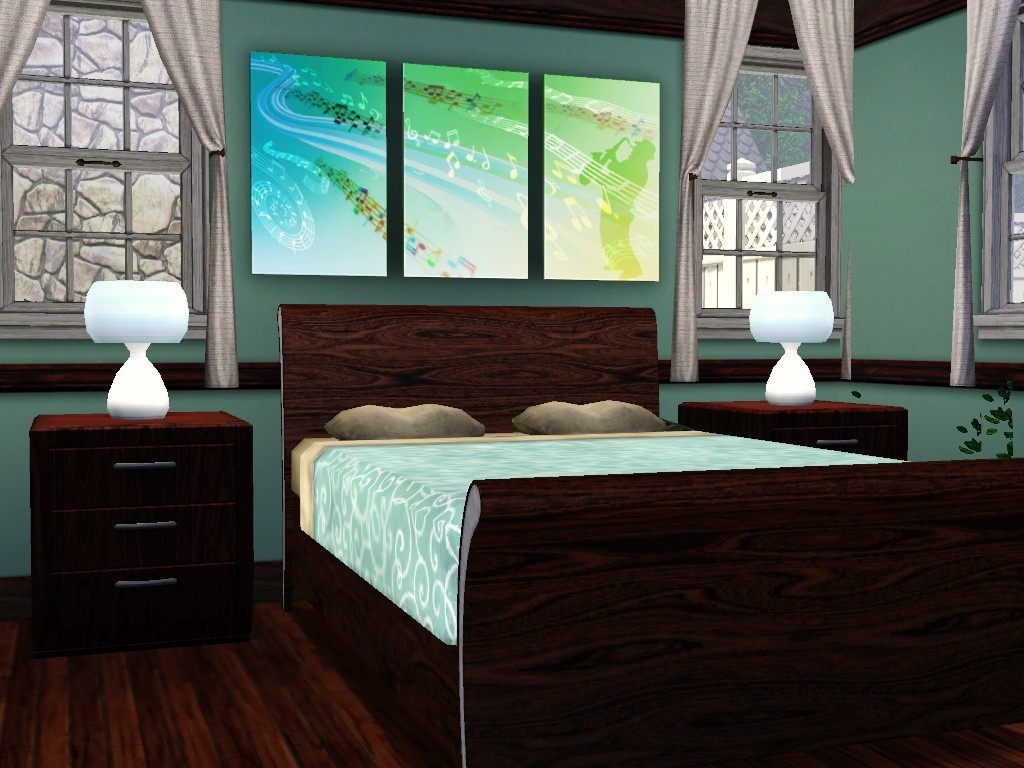
High end bedroom.(plasma included in price)
If you enjoy this home in your game, or think it looks nice online, Please press the thanks buttom and leave a comment. (:
Lot Size: 2x3
Lot Price: 212,900
| Filename | Type | Size |
|---|---|---|
| beach home 2.rar | rar | |
| fhb.Sims3Pack | sims3pack | 3610857 |
|
beach home 2.rar
Download
Uploaded: 6th Oct 2009, 2.47 MB.
2,163 downloads.
|
||||||||
| For a detailed look at individual files, see the Information tab. | ||||||||
Install Instructions
1. Click the file listed on the Files tab to download the file to your computer.
2. Extract the zip, rar, or 7z file.
2. Select the .sims3pack file you got from extracting.
3. Cut and paste it into your Documents\Electronic Arts\The Sims 3\Downloads folder. If you do not have this folder yet, it is recommended that you open the game and then close it again so that this folder will be automatically created. Then you can place the .sims3pack into your Downloads folder.
5. Load the game's Launcher, and click on the Downloads tab. Select the house icon, find the lot in the list, and tick the box next to it. Then press the Install button below the list.
6. Wait for the installer to load, and it will install the lot to the game. You will get a message letting you know when it's done.
7. Run the game, and find your lot in Edit Town, in the premade lots bin.
Extracting from RAR, ZIP, or 7z: You will need a special program for this. For Windows, we recommend 7-Zip and for Mac OSX, we recommend Keka. Both are free and safe to use.
Need more help?
If you need more info, see Game Help:Installing TS3 Packswiki for a full, detailed step-by-step guide!
Loading comments, please wait...

Uploaded: 6th Oct 2009 at 2:39 AM
-
by toyou1214 15th Jun 2009 at 7:00pm
 2
7.5k
3
2
7.5k
3
-
-
-
by toyou1214 21st Jul 2009 at 2:55am
7
12k
9
-
by toyou1214 28th Jul 2009 at 4:32am
5
20k
12
-
-
-
by toyou1214 1st Dec 2009 at 2:51am
6
13.1k
9
-
by toyou1214 24th Dec 2009 at 5:58pm
11
37.9k
51
-
~The Cottage That Started it All~
by toyou1214 4th Jun 2010 at 11:58pm
+1 packs
10 15.7k 18 World Adventures


-
~The Hillside Retreat~ -Waterfalls!
by toyou1214 17th Aug 2010 at 7:48am
BASE GAME AND AMBITIONS ONLY! more...
+1 packs
20 22.5k 25 Ambitions
-
-
-
-
-
-
-
~The Mini Series. THREE 1X1 Homes!~
by toyou1214 24th Jul 2011 at 12:47am
Three adorable homes that were created together for a unique look! more...
+2 packs
30 36k 87 World Adventures
Ambitions
-
-

About Me
Also be sure to visit mysimrealty.com
Enjoy!
Tyu.