
 Sign in to Mod The Sims
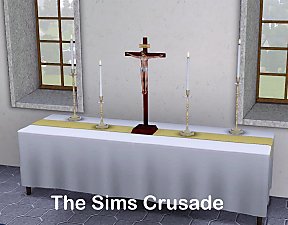
 Painted Golden Wooden Jeweled Wall Crosses
 Painted Golden Wooden Jeweled Wall Crosses
.jpg?cb=1270455052)
.jpg?cb=1270455052)
.jpg?cb=1270600970)
Screenshot-4 (2).jpg - width=800 height=500
Screenshot-3 (2).jpg - width=800 height=500
Screenshot-4 (2).jpg - width=800 height=500
The crosses have 2 channels. First channel is the gold wood, second channel is the jewels. They are found under decorative/Wall Hangings, and cost 90 simoleons. Default colors can be seen in the inline pic. Some various color options can be seen in the thumbnail.
Mesh Details:
LOD 1:
Poly Count:
620
Vertex Count:
696
LOD 2:
Poly Count:
528
Vertex Count:
633
LOD 3:
Poly Count:
420
Vertex Count:
540
LOD 4:
Poly Count:
374
Vertex Count:
494
.jpg)
.jpg)
Polygon Counts:
620
This is a new mesh, and means that it's a brand new self contained object that usually does not require a specific Pack (although this is possible depending on the type). It may have Recolours hosted on MTS - check below for more information.
|
Packages_Gold_Wooden_Jeweled_Wall_Crosses_jimTNW.zip
Download
Uploaded: 7th Apr 2010, 1.71 MB.
7,106 downloads.
|
||||||||
| For a detailed look at individual files, see the Information tab. | ||||||||
Install Instructions
1. Click the file listed on the Files tab to download the file to your computer.
2. Extract the zip, rar, or 7z file. Now you will have either a .package or a .sims3pack file.
For Package files:
1. Cut and paste the file into your Documents\Electronic Arts\The Sims 3\Mods\Packages folder. If you do not already have this folder, you should read the full guide to Package files first: Sims 3:Installing Package Fileswiki, so you can make sure your game is fully patched and you have the correct Resource.cfg file.
2. Run the game, and find your content where the creator said it would be (build mode, buy mode, Create-a-Sim, etc.).
For Sims3Pack files:
1. Cut and paste it into your Documents\Electronic Arts\The Sims 3\Downloads folder. If you do not have this folder yet, it is recommended that you open the game and then close it again so that this folder will be automatically created. Then you can place the .sims3pack into your Downloads folder.
2. Load the game's Launcher, and click on the Downloads tab. Find the item in the list and tick the box beside it. Then press the Install button below the list.
3. Wait for the installer to load, and it will install the content to the game. You will get a message letting you know when it's done.
4. Run the game, and find your content where the creator said it would be (build mode, buy mode, Create-a-Sim, etc.).
Extracting from RAR, ZIP, or 7z: You will need a special program for this. For Windows, we recommend 7-Zip and for Mac OSX, we recommend Keka. Both are free and safe to use.
Need more help?
If you need more info, see:
- For package files: Sims 3:Installing Package Fileswiki
- For Sims3pack files: Game Help:Installing TS3 Packswiki
Loading comments, please wait...
Uploaded: 7th Apr 2010 at 12:49 PM
-

by cmomoney 15th Feb 2010 at 11:56pm
 16
57.4k
228
16
57.4k
228
-
-

by cmomoney 8th Apr 2010 at 7:45pm
20
57.6k
152
-
by Lisen801 30th Sep 2010 at 6:23pm
47
81k
144
-
-
by TheJim07 30th Jul 2016 at 12:55pm
4
8.5k
34
-
by TheJim07 28th Sep 2016 at 5:24pm
3
17k
29
-
by TheJim07 8th Nov 2016 at 8:33pm
1
12k
32
-
by PharaohHound 11th Aug 2020 at 7:58pm
7
6.2k
32
-
by aisquared 29th Jul 2025 at 6:48pm
2
1.6k
3

-
More Options For Calla Lillies
by joninmobile 18th Dec 2009 at 7:10pm
I've made two huge improvements to the Calla Lillies. more...
34
30.4k
63
-
Original Art by me: "Night Jazz" recolor of Handle and spout
by joninmobile 16th Mar 2008 at 10:37pm
Here is an original painting by me called "Night Jazz" that I made using the gimp.This is a recolor of more...
 3
5.6k
3
3
5.6k
3
-
by joninmobile 28th Jun 2010 at 8:07pm
I really like the decorative dumpster that came with The Sims 3, so I decided to convert it for Sims more...
34
66.7k
178
-

Reflection! Hippy, Hippy Shades In my 3 favorite colors
by joninmobile 7th Sep 2009 at 2:11am
I've learned how to successfully make parts of something reflective! more...
16
23.4k
48
-
by joninmobile 24th Feb 2008 at 7:24pm
Here is a large set of tile called "Argyle". I hope y'all enjoy these! more...
2
6k
11
-

by joninmobile updated 17th Aug 2009 at 8:29am
In the winter of 2007, my mother was diagnosed with MS. more...
26
39.7k
49
-
Nightlife Halter Top Outfits Now for Elders Too!
by joninmobile 29th Oct 2007 at 12:52am
Well I just learned how to make adult clothes for elders.So I give you the three Nightlife Halter Top more...
-
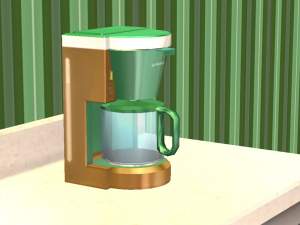
*Updated Holiday coffee pot now with a st. patty's day orange green and white one!
by joninmobile 11th Mar 2008 at 12:56am
Here is a festive Christmas coffee pot.It is recolored from the maxis coffee maker from the base game.It is colored more...
3
10.8k
11
-
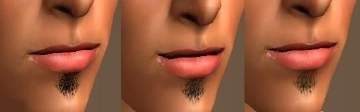
Updated Soul Patch Stubbles in 3 dark shades Now Binned!
by joninmobile updated 15th Apr 2009 at 7:30am
Here are some soul patch stubbles. I like soul patches alot, I even have one myself. more...
12
36.7k
52
-
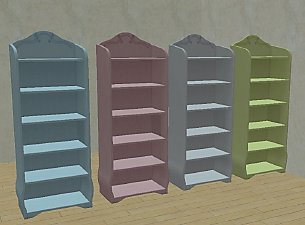
*Fixed Empty Thumbnails Problem!* Teen Style Bookshelf Emptied With Extra Slots in Leesester style
by joninmobile updated 14th Jan 2010 at 4:30am
Most of the credit for this goes to Leesester at mts for coming up with this impressive idea to empty more...
+1 packs
18 26.1k 46 Teen Style


About Me
I hope you enjoy all the downloads I've brought to you over the years. It's been fun. Being a part of The Sims community has had it's ups and downs for me, but I keep on truckin' nonetheless. Lots and lots of drama, lots of pain and sorrow, but lots of laughs, and good times too. Made so many new friends over the years, and it all started by uploading to MTS way back in 2006. Have fun with my creations, that's what they're here for!
~ Jon