
 Sign in to Mod The Sims
 VIP Deluxe Door - Single
 VIP Deluxe Door - Single


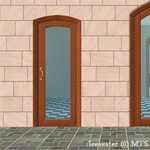
VIP_DeluxeArch.jpg - width=800 height=685
VIP_DeluxeDoor.jpg - width=800 height=685


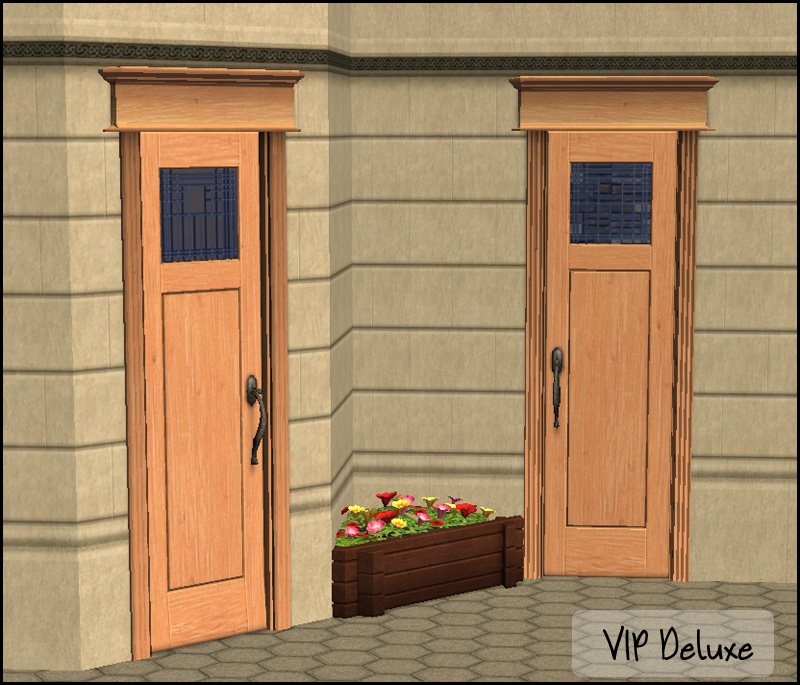
The files contain no textures and are linked to there base game double door counterparts. Each one has a linked diagonal, and there is a door as well as an arch included.
...maybesomethingdunno was offering bonus points for being linked to the originals and slaved....wonder how I can redeem those bonus points...in chocolate?
Polygon Counts:
VIP Door - 1104
VIP Arch - 412
This is a new mesh, and means that it's a brand new self contained object that usually does not require a specific Pack (although this is possible depending on the type). It may have Recolours hosted on MTS - check below for more information.
|
HL_VIPDeluxe.rar
Download
Uploaded: 11th Feb 2011, 547.3 KB.
7,457 downloads.
|
||||||||
| For a detailed look at individual files, see the Information tab. | ||||||||
Install Instructions
1. Download: Click the download link to save the .rar or .zip file(s) to your computer.
2. Extract the zip, rar, or 7z file.
3. Place in Downloads Folder: Cut and paste the .package file(s) into your Downloads folder:
- Origin (Ultimate Collection): Users\(Current User Account)\Documents\EA Games\The Sims™ 2 Ultimate Collection\Downloads\
- Non-Origin, Windows Vista/7/8/10: Users\(Current User Account)\Documents\EA Games\The Sims 2\Downloads\
- Non-Origin, Windows XP: Documents and Settings\(Current User Account)\My Documents\EA Games\The Sims 2\Downloads\
- Mac: Users\(Current User Account)\Documents\EA Games\The Sims 2\Downloads
- Mac x64: /Library/Containers/com.aspyr.sims2.appstore/Data/Library/Application Support/Aspyr/The Sims 2/Downloads
- For a full, complete guide to downloading complete with pictures and more information, see: Game Help: Downloading for Fracking Idiots.
- Custom content not showing up in the game? See: Game Help: Getting Custom Content to Show Up.
- If you don't have a Downloads folder, just make one. See instructions at: Game Help: No Downloads Folder.
Loading comments, please wait...


Uploaded: 11th Feb 2011 at 5:23 PM
-
by Bluegenie2 4th Jun 2005 at 8:15am
 13
18.1k
12
13
18.1k
12
-
-
by simsistic 21st Oct 2005 at 4:59am
14
42k
34
-
by legendarydairy 7th Jan 2006 at 11:00pm
3
9.8k
2
-
-
-
by HugeLunatic updated 20th Jul 2022 at 1:31pm
21
33.1k
68
-
-
-


-
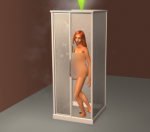
by HugeLunatic 18th Nov 2021 at 6:43pm
The basic, simple shower from TS3 base game. It has a sliding door (see pic!) and frosted glass. more...
+1 packs
16 15.1k 65 Seasons
-
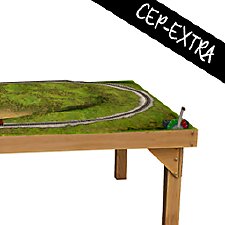
by HugeLunatic 27th Mar 2019 at 6:57pm
Was wondering why I had no recolors for this, apparently it wasn't recolorable? :bunny: Now the frame is more...
+1 packs
3 7.9k 14 Free Time
-
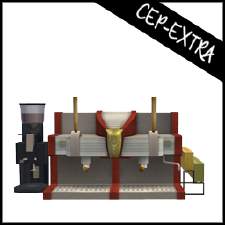
by HugeLunatic updated 17th Sep 2019 at 8:48pm
The original Espresso Machine had the counter base and counter top as the two recolorable subsets so that it could more...
+1 packs
8 11.7k 36 University
-
by HugeLunatic 8th Sep 2012 at 7:44pm
A new lamp add on set to match the base game table lamp "Ilistara Table Lamp". more...
25
27k
61
-
by HugeLunatic 5th Nov 2013 at 10:38pm
Just a little thing I wanted for my game, as I actually like the door counterpart. more...
+1 packs
6 11.7k 33 Pets
Pets
-
by HugeLunatic 24th Feb 2018 at 6:49pm
Sometimes you need something a little bit less formal for your sims dining out experience. more...
+1 packs
14 9.5k 37 Nightlife
-
by HugeLunatic 7th Apr 2013 at 1:57pm
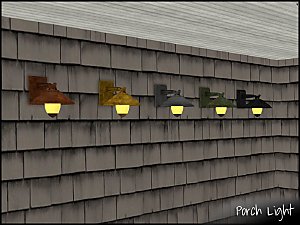
A simple, contemporary porch lamp to add light to your entry. Comes in both a wall and ceiling variety. more...
10
14.2k
33
-
by HugeLunatic 14th Feb 2014 at 9:26pm
Boomerang is a new map I made in sc4, with the intent of using this as the base for my more...
13
8.6k
20
-
Zecutine's Step Away With Me Stairs Requires Open
by HugeLunatic 11th Feb 2018 at 11:55pm
Open underneath version of the H&M Zecutine's Step Away With Me Stairs. more...
+1 packs
5 18.9k 38 H&M Fashion
-
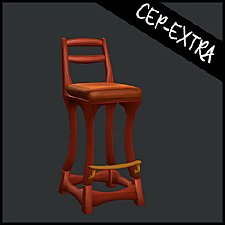
Art Nouveau Bar Stool [CEP-Extra]
by HugeLunatic 8th Oct 2021 at 7:32pm
I'm probably the only simmer who likes this bar stool. more...
7
2.3k
12


About Me
Pet Stories || Dog Agility Items? || Castaway Stories || Holy Simoly Extras
4esf Archive || Holy Simoly Archive || CEP-Extras List || Buyable Game Objects
lunie content from GoS/s2a
 Installation of CEP Extras
-the package with pfiles appended to the name will go into your cep extras folder where your game is installed (typically c drive, you do you)
-the other goes in CEP extra folder in documents.
The following locations are what I am aware of, beyond that you'll have to do some searching.
Downloads Folder:
C:\Users\<user>\Documents\EA Games\The Sims 2 Legacy
C:\Users\<user>\Documents\EA Games\The Sims 2 Ultimate Collection
With multiple launchers, the location for your game install will vary.
C:\Program Files\EA GAMES\The Sims 2 Legacy\TSData\Res\Catalog\zCEP-EXTRA
C:\Program Files\EA GAMES\The Sims 2\TSData\Res\Catalog\zCEP-EXTRA
C:\Program Files (x86)\EA GAMES\The Sims 2\TSData\Res\Catalog\zCEP-EXTRA