
 Sign in to Mod The Sims
 ZTE Blade
 ZTE Blade


promo.jpg - width=960 height=600
TS3 2011-10-10 11-30-07-43.jpg - width=800 height=500
TS3 2011-10-10 11-31-31-72.jpg - width=800 height=500
This should work on the latest TS3 patches. And like what I've said in my other cellphone submissions, this will replace your default TS3 phone - you'll have to disable or delete any other phone mods before installing.
UPDATE: Added version with the dialer screen per anak_ponti's suggestion.
Polygon Counts:
Polys: 420
Verts: 212
Additional Credits:
Special thanks to EsmeraldaF for helping me with the TS3 glasses issue, to my pals at GTAForums (Sergei, Good, scarface2k_gtasa and all the other guys out there), and to Crissi and Rachel at American Girl Playthings.
This is a new mesh, and means that it's a brand new self contained object that usually does not require a specific Pack (although this is possible depending on the type). It may have Recolours hosted on MTS - check below for more information.
|
ZTE_Blade-v127.rar
| ZTE Blade for TS3 Pets/v1.26.x incl. revised phone screen version
Download
Uploaded: 23rd Oct 2011, 923.5 KB.
3,308 downloads.
|
||||||||
|
ZTE_Blade_dialer.rar
| ZTE Blade, phone screen version.
Download
Uploaded: 20th Oct 2011, 320.8 KB.
2,688 downloads.
|
||||||||
|
blade.rar
| ZTE Blade, regular version
Download
Uploaded: 10th Oct 2011, 1.54 MB.
5,402 downloads.
|
||||||||
| For a detailed look at individual files, see the Information tab. | ||||||||
Install Instructions
1. Click the download button, or the filename, to download the file to your computer.
2. Extract the zip, rar, or 7z file. Now you will have either a .package or a .sims3pack file.
For Package files:
1. Cut and paste the file into your Documents\Electronic Arts\The Sims 3\Mods\Packages folder. If you do not already have this folder, you should read the full guide to Package files first: Sims 3:Installing Package Fileswiki, so you can make sure your game is fully patched and you have the correct Resource.cfg file.
2. Run the game, and find your content where the creator said it would be (build mode, buy mode, Create-a-Sim, etc.).
For Sims3Pack files:
1. Cut and paste it into your Documents\Electronic Arts\The Sims 3\Downloads folder. If you do not have this folder yet, it is recommended that you open the game and then close it again so that this folder will be automatically created. Then you can place the .sims3pack into your Downloads folder.
2. Load the game's Launcher, and click on the Downloads tab. Find the item in the list and tick the box beside it. Then press the Install button below the list.
3. Wait for the installer to load, and it will install the content to the game. You will get a message letting you know when it's done.
4. Run the game, and find your content where the creator said it would be (build mode, buy mode, Create-a-Sim, etc.).
Extracting from RAR, ZIP, or 7z: You will need a special program for this. For Windows, we recommend 7-Zip and for Mac OSX, we recommend Keka. Both are free and safe to use.
Need more help?
If you need more info, see:
- For package files: Sims 3:Installing Package Fileswiki
- For Sims3pack files: Game Help:Installing TS3 Packswiki
Loading comments, please wait...

Uploaded: 10th Oct 2011 at 9:31 PM
Updated: 23rd Oct 2011 at 8:59 AM
#android, #smartphone, #cellphone, #zte, #blade, #netphone, #orange, #san francisco, #orange san francisco
-
-
by damnedcitizen 9th Oct 2009 at 10:33pm
 24
35.5k
52
24
35.5k
52
-
by blakegriplingph updated 23rd Oct 2011 at 9:48am
22
36.5k
19
-
Samsung Galaxy Y - Update added for University Life
by blakegriplingph updated 13th Mar 2013 at 9:14am
+1 packs
33 51.7k 77 University Life
-

by blakegriplingph 12th Jul 2012 at 3:36pm
19
41.1k
68
-
by blakegriplingph 11th Oct 2012 at 3:31pm
80
159.6k
365
-
by blakegriplingph updated 3rd Mar 2014 at 12:12am
+1 packs
11 17.6k 39 University Life
-
by blakegriplingph 5th Apr 2014 at 4:32pm
+1 packs
4 15.1k 23 University Life
-
by blakegriplingph 10th Jul 2014 at 1:52am
+1 packs
52 56.6k 126 University Life
-

by blakegriplingph 6th Oct 2014 at 3:36am
+1 packs
5 27.4k 29 University Life


-


by blakegriplingph 21st Nov 2014 at 6:21am
How come EA never thought of this pair besides Mary Janes? more...
-
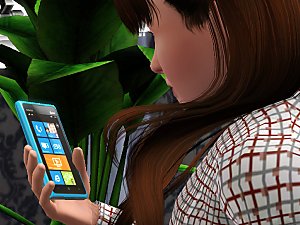

by blakegriplingph 11th Apr 2012 at 2:42pm
Live more. Do more. And probably pay more. more...
35
52.2k
123
-

by blakegriplingph updated 3rd Mar 2014 at 12:12am
Your fast lane to Android, except for the fact that it doesn't look like one. more...
+1 packs
11 17.6k 39 University Life
-
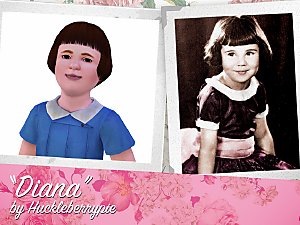

by blakegriplingph 18th Jul 2015 at 1:44pm
Whatever happened to Baby Peggy? more...
-

by blakegriplingph 12th Jul 2012 at 3:36pm
2 cores or 4 cores, the choice is yours. more...
19
41.1k
68
-

by blakegriplingph updated 23rd Oct 2011 at 9:48am
Comes with music. Well, probably. more...
22
36.5k
19
-

Samsung Galaxy Y - Update added for University Life
by blakegriplingph updated 13th Mar 2013 at 9:14am
For some people, a phone that can only talk and text just won't cut it. more...
+1 packs
33 51.7k 77 University Life
-
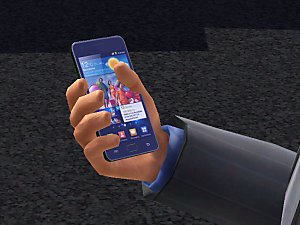

-

by blakegriplingph updated 5th Oct 2014 at 4:18am
Can't buy the real thing? Then maybe this one will cut it for you. Sort of. more...
 +1 packs
10 17.7k 34
+1 packs
10 17.7k 34 University
-


Patent T-Strap Pointy School Shoes
by blakegriplingph 14th Sep 2014 at 4:09am
Who says school shoes can't be cute and pretty? more...


About Me
Not much to say, but I mod games as a hobby for more than three years and counting, and I'm also an occasional parodist and a pop culture critic. I first started modding back in my high school days, when I got myself a copy of the original Sims game, as well as a rather obscure Harley-Davidson racing game that used Targas for textures. I don't know how to make 3D models at that time, so I made do with some texture edits with billboards and various other assets.
It was in 2007 when I fell in love with the Grand Theft Auto series - the games were known for being highly customisable, so I decided to join in the scene and learn the ropes of GTA editing; this was when I made friends with several veteran modders. This also paved the way for some more modding adventures, which got me more into making mods for TS2 and eventually TS3.
TERMS OF USE:
Feel free to redistribute and/or modify my works, but please credit me whenever possible. You may post them at The Exchange, but I strongly advise that you upload them somewhere else.