
 Sign in to Mod The Sims
 Roans - Complete Marking Set
 Roans - Complete Marking Set


Blue roan.jpg - width=1080 height=713
Roans2.jpg - width=1142 height=713
Roans1.jpg - width=1280 height=668
Red roan.jpg - width=1280 height=668
Roan thumb.jpg - width=300 height=300

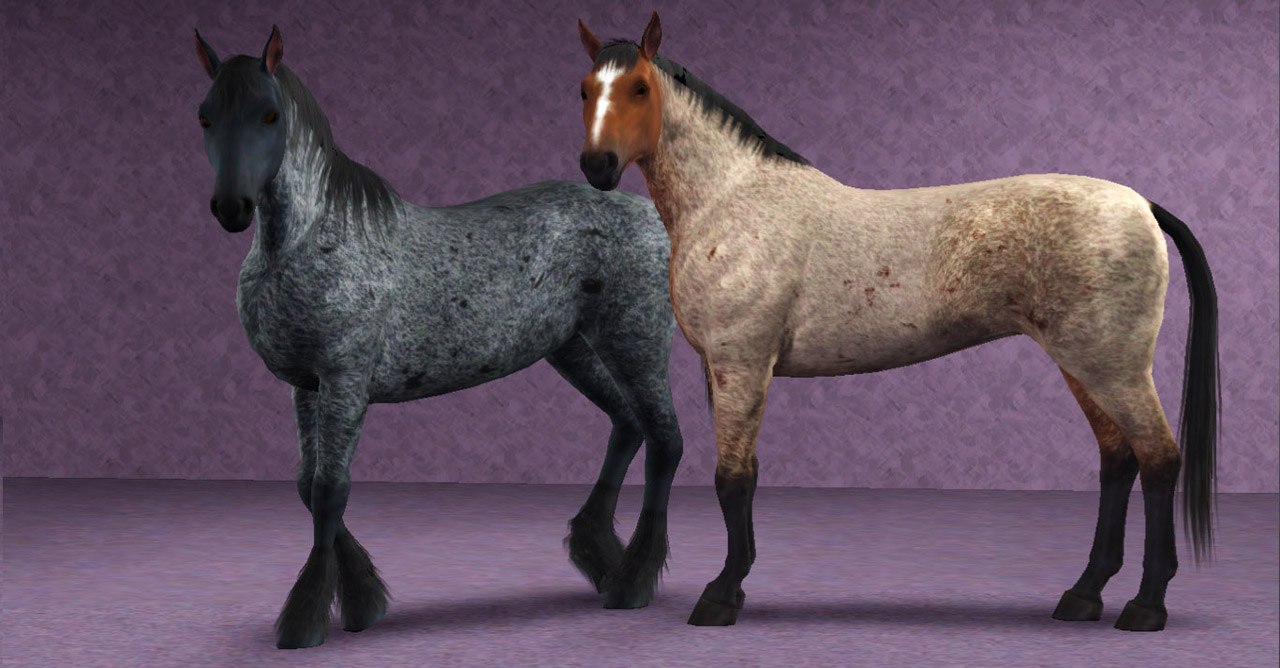
As there are a lot of screenshots required, the additional required screenshots are included in the first comments of the thread.
The 2 regions appear for horses only, the 4 markings are enabled for all species.
Terms of use
You may:
- Use these markings in your pictures and stories. A small link and credit would be greatly appreciated, but is not required
- Upload pets created with these markings to free sites only, with link to this page and a credit
You may not:
- Steal by claiming as your own, reuploading them anywhere, or by filesharing
- Clone or modify these markings in any way
- Package these markings with pet uploads. For pet uploads, please link to this page.
Want to make your own markings?
Head over to my Custom Pet Markings Tutorial.
Additional Credits:
I cannot give enough thanks to Batqueen23. She has been amazing to work with, testing all of the regions and markings when I needed a second opinion. She has been my best cheerleader, and has given me a gentle poke whenever I needed that too. Bat, you rock! Please check out her site.
A big thanks to everyone in General and Creation chat for their encouragement and support.
Created with: S3PE S3OC Adobe Photoshop CS5
|
PharaohHound_Roanmarkingset.zip
Download
Uploaded: 30th Apr 2012, 1.17 MB.
34,691 downloads.
|
||||||||
| For a detailed look at individual files, see the Information tab. | ||||||||
Install Instructions
1. Click the download button, or the filename, to download the file to your computer.
2. Extract the zip, rar, or 7z file. Now you will have either a .package or a .sims3pack file.
For Package files:
1. Cut and paste the file into your Documents\Electronic Arts\The Sims 3\Mods\Packages folder. If you do not already have this folder, you should read the full guide to Package files first: Sims 3:Installing Package Fileswiki, so you can make sure your game is fully patched and you have the correct Resource.cfg file.
2. Run the game, and find your content where the creator said it would be (build mode, buy mode, Create-a-Sim, etc.).
For Sims3Pack files:
1. Cut and paste it into your Documents\Electronic Arts\The Sims 3\Downloads folder. If you do not have this folder yet, it is recommended that you open the game and then close it again so that this folder will be automatically created. Then you can place the .sims3pack into your Downloads folder.
2. Load the game's Launcher, and click on the Downloads tab. Find the item in the list and tick the box beside it. Then press the Install button below the list.
3. Wait for the installer to load, and it will install the content to the game. You will get a message letting you know when it's done.
4. Run the game, and find your content where the creator said it would be (build mode, buy mode, Create-a-Sim, etc.).
Extracting from RAR, ZIP, or 7z: You will need a special program for this. For Windows, we recommend 7-Zip and for Mac OSX, we recommend Keka. Both are free and safe to use.
Need more help?
If you need more info, see:
- For package files: Sims 3:Installing Package Fileswiki
- For Sims3pack files: Game Help:Installing TS3 Packswiki
Loading comments, please wait...



-
Lots of Spots - Custom Pet Markings
by PharaohHound 24th Feb 2012 at 6:38pm
 +1 packs
40 125.4k 260
+1 packs
40 125.4k 260 Pets
Pets
Create-A-Pet » Genetics » Dogs
-
by tachyglossus 7th Mar 2012 at 12:35pm
+1 packs
8 19.5k 18 Pets
-
Stupendous Splotches - 9 Markings
by PharaohHound 11th Mar 2012 at 12:20pm
+1 packs
29 148.5k 219 Pets
-
by PharaohHound 14th May 2012 at 4:13pm
+1 packs
24 65.7k 126 Pets
-
-
by PharaohHound 30th Jul 2013 at 5:58pm
+1 packs
16 55.9k 94 Pets
Create-A-Pet » Genetics » Dogs
-
-
-
-
by aspenrose 31st Jul 2023 at 9:06pm
+1 packs
4 3.9k 25 Pets
Create-A-Pet » Genetics » Cats


-
14 Tulip Street - A Modern Bachelor Retreat
by PharaohHound 24th Sep 2016 at 11:06pm
Looking for a place to escape? Located at 14 Tulip Street, this studio-style bachelor pad offers big style without a more...
+3 packs
3 10.4k 25 Pets
 Supernatural
 Seasons
-
Shih-Tzus in pet clip (requested)
by PharaohHound 26th Apr 2009 at 12:37am
As requested, here's five adorable little Shih-Tzus. more...
-
Nova Scotia Duck-Tolling Retriever
by PharaohHound 3rd Nov 2008 at 4:20am
As requested, here's a breed very close to my heart, the Nova Scotia Duck-Tolling Retriever. more...
-
by PharaohHound 5th Jan 2015 at 10:25pm
These big beauties are ready for a good home with a loving Sim family! more...
-
by PharaohHound 11th Sep 2019 at 1:31pm
Looking for a sweet little family home which is big on charm? Look no further than The Granny Smith! more...
+3 packs
4.3k 9 Generations
Pets
Seasons
Generations
Pets
Seasons
-
by PharaohHound 14th May 2012 at 4:13pm
Primitive markings for your dun and buckskin horses. more...
+1 packs
24 65.7k 126 Pets
-
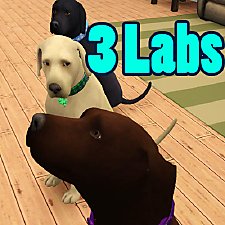
by PharaohHound 16th Dec 2011 at 5:22pm
3 lovable Labs for your Sims to cherish. more...
-
The ultimate terrier collection (Part 1)
by PharaohHound 20th Feb 2009 at 6:44pm
Well, maybe not quite "ultimate", but I've included just about all the "simable" breeds that I haven't made already. more...
-
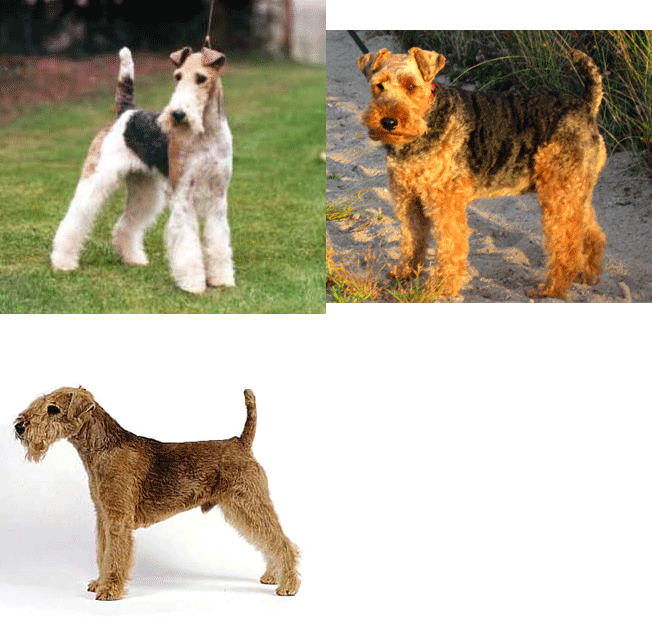
by PharaohHound 7th Nov 2008 at 12:19am
Here are three small terriers: the Lakeland Terrier, the Welsh Terrier and the Wire Fox Terrier. more...
-
Missis and Oliver - English Cocker Spaniels
by PharaohHound 24th Dec 2011 at 5:51pm
Two darling English Cocker Spaniels more...


Packs Needed
| Expansion Pack | |
|---|---|
 | Pets |
About Me
I'm pretty chill about stuff overall, with some boundaries:
- Please do not reupload my content unmodified anywhere else.
- Do not include my content with lots.
- Don't use any of my content as a base (including pets) or as CC (e.g. patterns used in a lot) in uploads for pay/donation
- If using my pets as a base, please credit me and link back to the original post
- If in the future I create any items worth recolouring, I welcome recolours provided they respect the previous policies.