
 Sign in to Mod The Sims
 CoolSims 77
 CoolSims 77
SCREENSHOTS


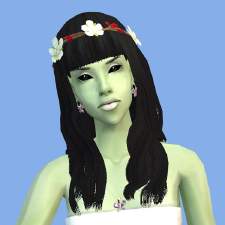
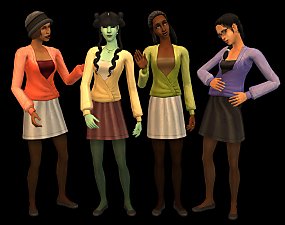
68a_coolsims77.jpg - width=1024 height=768
68b_coolsims77.jpg - width=1024 height=768
68c_coolsims77.jpg - width=1024 height=768
68d_coolsims77.jpg - width=1024 height=768
68e_coolsims77.jpg - width=300 height=225
Downloaded 26,671 times
454 Thanks
110 Favourited
39,605 Views
Say Thanks!
Thanked!
- four natural colours + one grey for elders (included in the black file)
- available for all ages (Toddler - Elder)
- binned, family linked and compressed
Credits:
- mesh by CoolSims
- texture by Remi (Pooklet, NuiTR, Simgaroop, Neena and Nymphy)
- hair colours by Remi (brown edited by me)
Additional Credits:
Quick Easy Hair Binner by CatOfEvilGenius
- available for all ages (Toddler - Elder)
- binned, family linked and compressed
Credits:
- mesh by CoolSims
- texture by Remi (Pooklet, NuiTR, Simgaroop, Neena and Nymphy)
- hair colours by Remi (brown edited by me)
Additional Credits:
Quick Easy Hair Binner by CatOfEvilGenius
Advertisement:
This is a new mesh recolour, and means that you will need to download the particular mesh itself in order for this to show up in your game. See the Meshes Needed section or read the text for more information.
|
wwwcoolsimsnet_fhair77_mesh.7z
| mesh
Download
Uploaded: 24th Feb 2015, 1.14 MB.
9,483 downloads.
|
||||||||
|
CoolSims77.7z
| recolours
Download
Uploaded: 20th Dec 2013, 1.34 MB.
17,180 downloads.
|
||||||||
| For a detailed look at individual files, see the Information tab. | ||||||||
Install Instructions
Basic Download and Install Instructions:
1. Download: Click the download link to save the .rar or .zip file(s) to your computer.
2. Extract the zip, rar, or 7z file.
3. Place in Downloads Folder: Cut and paste the .package file(s) into your Downloads folder:
1. Download: Click the download link to save the .rar or .zip file(s) to your computer.
2. Extract the zip, rar, or 7z file.
3. Place in Downloads Folder: Cut and paste the .package file(s) into your Downloads folder:
- Origin (Ultimate Collection): Users\(Current User Account)\Documents\EA Games\The Sims™ 2 Ultimate Collection\Downloads\
- Non-Origin, Windows Vista/7/8/10: Users\(Current User Account)\Documents\EA Games\The Sims 2\Downloads\
- Non-Origin, Windows XP: Documents and Settings\(Current User Account)\My Documents\EA Games\The Sims 2\Downloads\
- Mac: Users\(Current User Account)\Documents\EA Games\The Sims 2\Downloads
- Mac x64: /Library/Containers/com.aspyr.sims2.appstore/Data/Library/Application Support/Aspyr/The Sims 2/Downloads
- For a full, complete guide to downloading complete with pictures and more information, see: Game Help: Downloading for Fracking Idiots.
- Custom content not showing up in the game? See: Game Help: Getting Custom Content to Show Up.
- If you don't have a Downloads folder, just make one. See instructions at: Game Help: No Downloads Folder.
Meshes needed
This download requires one or more meshes to work properly. Please check the Description tab for information about the meshes needed, then download them below:| MTS cannot guarantee any off-site links will be available |
| coolsims.net/?show=item&type=s2hair&id=77 (non-MTS link) |
Advertisement:
Loading comments, please wait...
Author

Download Details
Packs:
None, this is Sims 2 base game compatible!
Uploaded: 20th Dec 2013 at 1:02 PM
Updated: 24th Feb 2015 at 5:29 PM
Uploaded: 20th Dec 2013 at 1:02 PM
Updated: 24th Feb 2015 at 5:29 PM
Hair Style:
– Natural Colours
– Maxis-Match
Maxis Flags:
– Not Applicable
Bin Type:
– Binned
Age:
– Toddler
– Child
– Teen
– Young Adult
– Adult
– Elder
Tags
Other Download Recommendations:



More downloads by Artemida:
See more
-
-
-
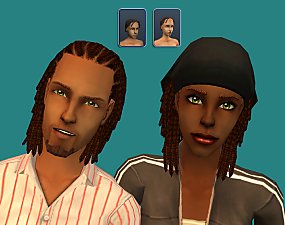
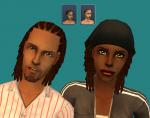
Wild Cornrows (default + custom)
by Artemida 12th Jul 2015 at 11:50am
Default replacement of hairdreadlockshort (males&females) + non-default version (males). All ages. Maxis Match more...
 11
30.6k
137
11
30.6k
137
-
-

-
-
-
-

-


About Me
I have stopped uploading at ModTheSims. It is too much of a hassle.
For my new creations visit my Tumblr page:
In the middle of Nowhere
For my new creations visit my Tumblr page:
In the middle of Nowhere