
 Sign in to Mod The Sims
 Flow Tank and Flares (default + custom)
 Flow Tank and Flares (default + custom)


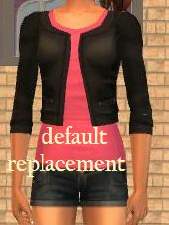
90a_flaresflowtank.jpg - width=1024 height=768
90b_flaresflowtank.jpg - width=1024 height=768
90c_flaresflowtank.jpg - width=1024 height=768
Texture replacement of tfbodyflaresflowtank:
- for teen females
- Base Game compatible
(2)
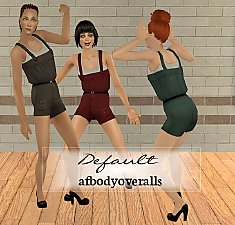
Texture replacement of yfbodyflaresflowtank:
- for young adults
-
 texture linked to the teen default replacement (1) which is required for these to show up in your game. It also requires University.
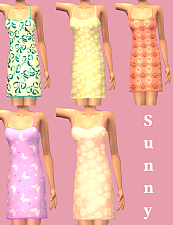
Edit: I've added custom recolours:
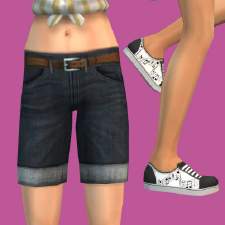
(3) for teen females; Base Game compatible
(4) for adults and young adults; require University
Recommended downloads: mesh edits by CatOfEvilGenius
Credits:
- textures by needlecream (ghanima, aquilegia) and Maxis; shoes by Trapping
- patterns by sugary & Anomalin, svartedauden, o2bqueen and o2bqueen & kevincz
Additional Credits:
Files compressed with jfade's Compressorizer.
|
afFlaresFlowTank.7z
| (4) custom recolours, for adults and YA, require University
Download
Uploaded: 26th Mar 2014, 1,000.7 KB.
4,439 downloads.
|
||||||||
|
tfFlaresFlowTank.7z
| (3) custom recolours, for teens, Base Game compatible
Download
Uploaded: 26th Mar 2014, 1,000.7 KB.
4,752 downloads.
|
||||||||
|
DEFAULT_yfbodyflaresflowtank.7z
| (2) replacement for young adults, requires (1) and University
Download
Uploaded: 25th Mar 2014, 1.3 KB.
5,157 downloads.
|
||||||||
|
DEFAULT_tfbodyflaresflowtank.7z
| (1) replacement for teens, Base Game compatible
Download
Uploaded: 25th Mar 2014, 998.4 KB.
6,092 downloads.
|
||||||||
| For a detailed look at individual files, see the Information tab. | ||||||||
Install Instructions
1. Download: Click the download link to save the .rar or .zip file(s) to your computer.
2. Extract the zip, rar, or 7z file.
3. Place in Downloads Folder: Cut and paste the .package file(s) into your Downloads folder:
- Origin (Ultimate Collection): Users\(Current User Account)\Documents\EA Games\The Sims™ 2 Ultimate Collection\Downloads\
- Non-Origin, Windows Vista/7/8/10: Users\(Current User Account)\Documents\EA Games\The Sims 2\Downloads\
- Non-Origin, Windows XP: Documents and Settings\(Current User Account)\My Documents\EA Games\The Sims 2\Downloads\
- Mac: Users\(Current User Account)\Documents\EA Games\The Sims 2\Downloads
- Mac x64: /Library/Containers/com.aspyr.sims2.appstore/Data/Library/Application Support/Aspyr/The Sims 2/Downloads
- For a full, complete guide to downloading complete with pictures and more information, see: Game Help: Downloading for Fracking Idiots.
- Custom content not showing up in the game? See: Game Help: Getting Custom Content to Show Up.
- If you don't have a Downloads folder, just make one. See instructions at: Game Help: No Downloads Folder.
Loading comments, please wait...

Uploaded: 25th Mar 2014 at 4:39 PM
Updated: 26th Apr 2015 at 9:41 PM - custom recolours
#maxis, #maxis match, #default, #replacement, #flow tank, #flares, #sheer, #needlecream, #pattern




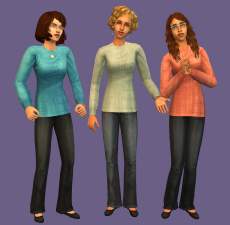
-
-
-
by Artemida 16th Oct 2010 at 3:17pm
Aleja Szekspira 3, Werona A fully furnished house for a family of four [in my game: parents + twin teenage more...
 +14 packs
3 9.7k 4
+14 packs
3 9.7k 4 Happy Holiday
 Family Fun
 University
 Glamour Life
 Nightlife
 Celebration
 Open for Business
 Pets
Pets
 Teen Style
 Seasons
 Bon Voyage
 Free Time
 Ikea Home
 Apartment Life
-
Decorative House Armoire & Touch of Teak Tansu Dresser
by Artemida 31st May 2014 at 12:21pm
Recolours of 2 Base Game dressers more...
8
14.4k
59
-
-
-
-
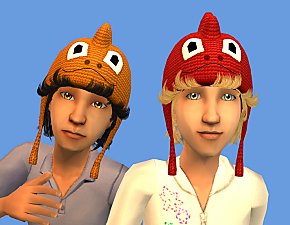
Monster Mash Beanie (default + custom)
by Artemida updated 6th Jun 2015 at 11:15am
Default replacement of hairdragon + non-default version. Toddlers and children. Unisex. Maxis Match more...
4
15.8k
55
-
-


About Me
For my new creations visit my Tumblr page:
In the middle of Nowhere