
 Sign in to Mod The Sims
 Deco Objects as Playable Toys
 Deco Objects as Playable Toys


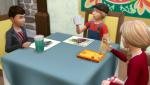
DecoToysPlaying.jpg - width=1366 height=768
LlamaandDenny.jpg - width=1366 height=1134
UnicornandRocket.jpg - width=1366 height=1134
DennyBlue1.jpg - width=600 height=600
DennyPink1.jpg - width=600 height=600
DennyRed1.jpg - width=600 height=600
 and improved!
It always annoyed me that I had to make custom thumbnails since the game created ones wouldn't line up properly, but after learning how it's done I decided my toys need an upgrade! I deleted my custom thumbnails for the packages and realigned their settings. This means the packages are smaller and the thumbs are now game generated and seamless.
Unfortunately I couldn't find a program that is capable of changing the tags to include the toddler related skills yet, but these are just catalogue descriptions. All the toys work as they should

------------------------------------------------------------------------------------------------------------------------------------------------------------------
I made some more toys out of some decorative objects.
I thought the Llama was pretty cute, but I hardly ever use it because it's just too big, same with Denny the Dinosaur, so I decided they might make cute toys instead. Both of them use the medium detail meshes to lower their polycount, tweaked slightly to make them look a little better.
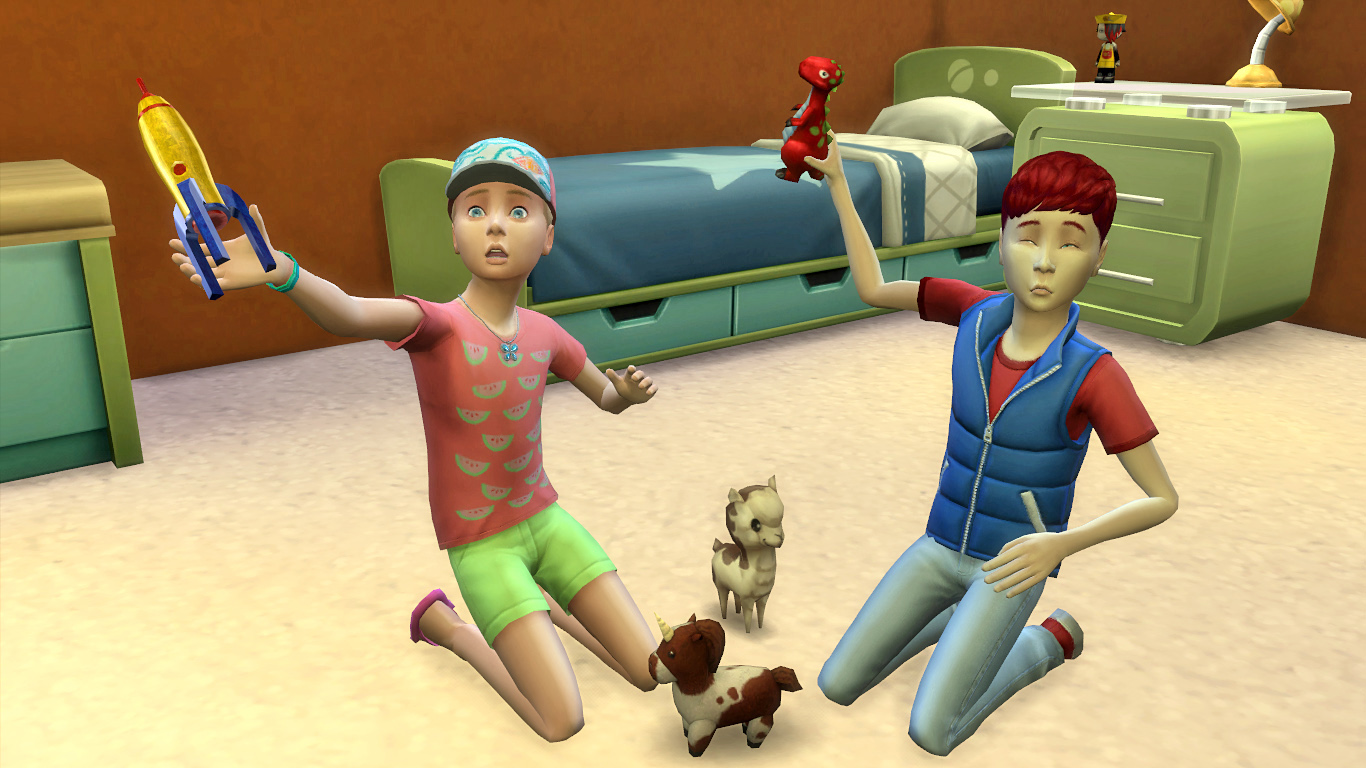
I changed Denny's eyes though, he looked a little more drowsy than daring to me, so I opened them. Left a bit of the eyelid though, he looked like he'd seen a ghost without them :P
I changed his colours to make them stand out more too, they looked a little dull, especially with the much smaller size.
Here's the line-up...Mine on the left, EA's on the right:
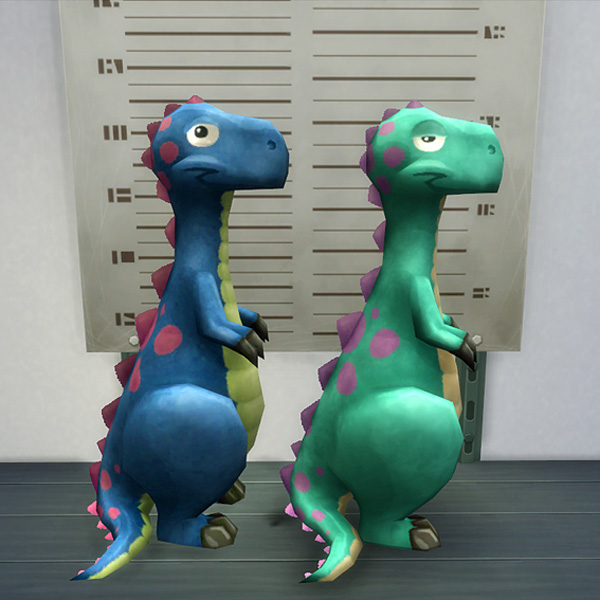
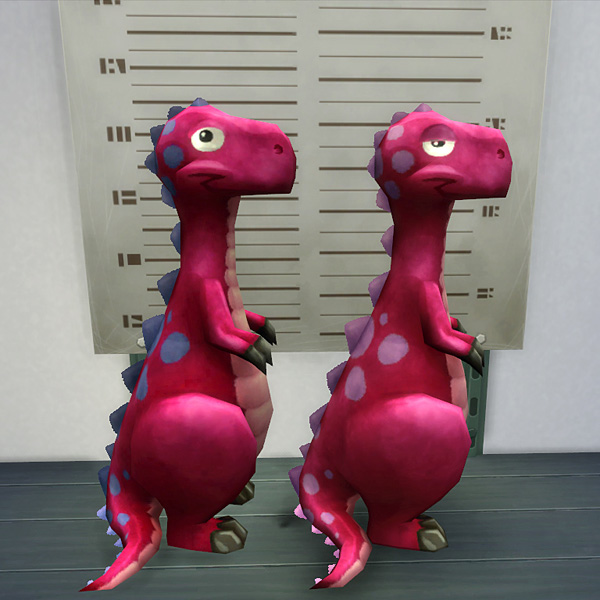
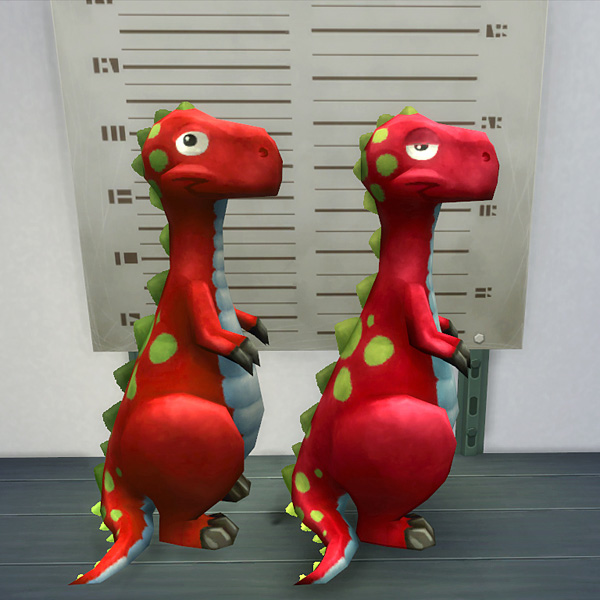
The unicorn's long tail clipped the kid's hand and didn't look good, so I edited the mesh and gave it a little bob-tail, like a foal would have

Lastly, I made the rocket...I wasn't sure about it's safety since the kids smack themselves in the face with their toys every two seconds! But I couldn't deny the future astronauts a special toy, so...I made the pointy spike retractable, got a little spring under it and everything...so it's now totally safe...I swear!!

For the shadow detail meshes I use the lowest ones, these still look fine.
I'm trying to keep the polycounts as low as possible so you can fill your toy stores properly.
All toys are well within the polycount range of the EA in game toys (the highest there being 738), so they shouldn't cause problems.
P.S. If you'd like to use these as deco objects and don't want your sims to pick them up you can use the "bb.moveobjects on" cheat:
When in buy mode, with the cheat on, put the toy down where you want it (literally put it down), pick it up again and move it away. It will float. Hold down the alt key and move it back where you want it. Now your sims won't be able to "reach" it.
Made a few recolours for each, hope you like 'em!
They can be found in the catalog under Kids/Toys:
- Denny the Dinosaur: 65§
- Llama Toy: 65§
- Rocket Toy: 165§
- Unicorn Toy: 165§
Enjoy!
Polygon Counts:
Denny Dino Toy: 409
Llama Toy: 408
Rocket Toy: 472
Unicorn Toy: 438
Additional Credits:
Made with Milkshape and TSRW
This is a new mesh, and means that it's a brand new self contained object that usually does not require a specific Pack (although this is possible depending on the type). It may have Recolours hosted on MTS - check below for more information.
|
DB_DecoAsToys.rar
| ALL toys merged into one package file
Download
Uploaded: 30th Oct 2017, 780.3 KB.
10,182 downloads.
|
||||||||
|
DB_UnicornToy.rar
Download
Uploaded: 30th Oct 2017, 124.9 KB.
2,609 downloads.
|
||||||||
|
DB_RocketToy.rar
Download
Uploaded: 30th Oct 2017, 88.7 KB.
2,228 downloads.
|
||||||||
|
DB_LlamaToy.rar
Download
Uploaded: 30th Oct 2017, 177.9 KB.
2,220 downloads.
|
||||||||
|
DB_DennyDinoToy.rar
Download
Uploaded: 30th Oct 2017, 381.6 KB.
2,315 downloads.
|
||||||||
| For a detailed look at individual files, see the Information tab. | ||||||||
Install Instructions
1. Download: Click the File tab to see the download link. Click the link to save the .rar or .zip file(s) to your computer.
2. Extract: Use 7zip (Windows) to extract the file(s) from the .rar or .zip file(s).
3. Cut and paste the file(s) into your Mods folder
Need more information?
- My Documents\Electronic Arts\The Sims 4\Mods\
- Anyone can use both .rar and .zip files easily! On Windows, use 7zip!
- If you don't have a Mods folder, just make one.
Loading comments, please wait...
Uploaded: 29th May 2015 at 2:22 AM
Updated: 21st Jun 2018 at 9:32 PM
-
-
by K9DB 9th May 2015 at 8:26pm
 33
31.9k
168
33
31.9k
168
-
by plasticbox 12th May 2015 at 12:33am
41
37.8k
215
-
by K9DB 17th May 2015 at 12:58am
18
19.9k
118
-
-
-
by K9DB updated 27th Oct 2017 at 7:39pm
22
31.8k
148
-
-
-

by Lauren_Cheerio 3rd Jun 2022 at 12:55am
+1 packs
3 4.1k 15 Dream Home Decorator


-

-
-
-
Animated Solar System Night Light and Deco
by K9DB updated 1st Feb 2020 at 3:21pm
The solar system school projects made into a night light and card-less deco objects more...
+1 packs
18 20.8k 112 Parenthood
-
-
Cosy Jumpsuit Sleepwear for kids in a variety of patterns
by K9DB 11th Jan 2016 at 11:53am
Warm cosy full body pyjama set for kids in a variety of patterns more...
+1 packs
12 18.4k 64 Spooky Stuff
-

-
-
-


About Me
Going through my mods now...and wow, just about everything is majorly different..and I am majorly annoyed, lol! It might take a while, but I'll get it done!