
 Sign in to Mod The Sims
 Craftable Pottery
 Craftable Pottery


potteryblob_01.jpg - width=940 height=700
potteryblob_02.jpg - width=940 height=700
potteryblob_03.jpg - width=940 height=700
potteryblob_04.jpg - width=940 height=700
potteryblob_05.jpg - width=940 height=700
potteryblob_06_notifications.jpg - width=940 height=700
pottery-objects_no-recolour-in-game.jpg - width=940 height=700
pottery-objects-2.jpg - width=940 height=700
pottery-objects_overview.jpg - width=940 height=700
pottery-objects_cat-1.jpg - width=900 height=675
pottery-objects_cat-2.jpg - width=900 height=675



Update 2016-01-24: Updated with French and Spanish strings added.
Update 2015-12-20: Re-uploaded to include the missing strings for languages other than US-English (oops). Thanks for the heads-up!

Pottery Blob:
The blob costs 25§ and is in Hobbies > Creative (this is a different blob than the Maxis one, it only looks the same). Sims gain a little bit of fun and Handiness skill from using it; they also have vaguely appropriate thought balloons while doing so. They will put it in their inventory when they stop molding but aren’t done yet.
Crafting:
There are two possible outcomes, success (the blob goes poof and the sim has the item they were crafting in their inventory) and failure (the blob also goes poof, but they only get a pile of shards in return ‒ currently the Woodworking “fail” pile for small statues). High Handiness skill, the Creative and Creative Visionary trait, as well as Focused and Inspired moods bend the chance towards a successful outcome; the Clumsy trait and Stressed, Angry, Uncomfortable, Sad, Dazed moods detract from it. This varies a little between the objects (e.g. for the Flower vases, the Inspired trait is more useful than for plates; on the other hand Focused is more useful for plates than for vases since I consider molding plates more boring).
Other than that, the interactions are time-based (randomised min and max time; the minimum time is lowest for the plates and highest for the vases). Sims can socialise while molding the blob, so they are not always super effective at getting anything done =P .. but this is meant to be a hobby anyway, not a money-making scheme. With a maximum profit of 10§ for the vases, the latter would be a little difficult anyway.
Molding does not have a Resume action; progress gets stored nevertheless (you just need to re-select the interaction again). It doesn’t matter whether or not you remember which interaction it was, as the progress simply counts up to 100 (this means it is possible to start a plate and finish a vase).
Craftable items:
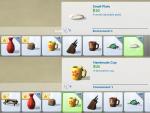
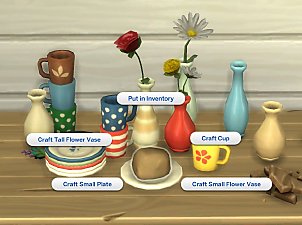
- Decorative Plate ‒ value 20§, 20 possible colour variants | No Handiness skill required
- Decorative Cup ‒ value 25§, 24 possible colour variants | Handiness level 2 and up
- Small Flower Vase ‒ value 35§, 20 possible colour variants | Handiness level 3 and up
- Tall Flower Vase ‒ value 35§, 20 possible colour variants | Handiness level 3 and up
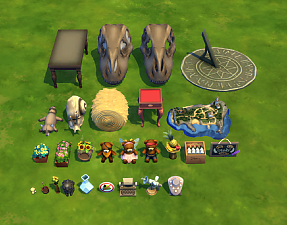
Plate and cup are stackable (the plates can also be used to put other small deco items on them, like candles or plants); the vases can hold gardening flowers (the small vase is basically this one in more colours, the tall one is, well, taller, and only holds one flower). On the “objects_overview” screenshot the flowers still sit a little too low in the vases, but I fixed that afterwards ‒ the first two screenshots show the vases as uploaded.
Note that the items are not recolourable in game; this is on purpose ‒ they are somewhat colour coordinated and many of them also match the Functional Tea Pot I made, but in order to have a really matching set or collect all of them, sims will have to make a lot of pottery. Plates are weighted 3:1 towards plain white plates, cups and vases are random. I like that kind of random element, that’s why I made it work like this.
Made and tested with game version 1.13.
Known issue: The fade-out of the blob when it disappears (i.e. after an item has been crafted, not when sims just put it away to do something else) is not timed very elaborately ‒ most of the time one can still see the blob sticking to the sim’s hand while it fades. In my game the animation seemed to hang for a bit when I turned off visibility earlier than it is now, that’s why I left it like this.
Localisation:
English, Dutch (ElenaInTheSIms), French (MiniMimi), Spanish (gato_24). Thanks for the contributions! If you want to add another language, see this tutorial on how to translate existing mods.
Polygon Counts:
Blob: no model included
Cup, high poly: 118V/144F
Cup, low poly: 62V/72F
Plate, high poly: 97V/110F
Plate, low poly: 81V/94F
Vase, high poly: 77V/112F
Vase, low poly: 68V/30F
Terms of Use: Since this was asked in the comments, I really want these objects to be obtainable only by crafting. I would like to ask that people do not distribute clones (copies) in public that have been made buyable or copyable in game -- you can of course edit them for personal use or share them privately, but please do not share “cheaty” edits in public. Thanks.
blender, paint.net, TSRW/Milkshape, Notepad++, s4pe.
This is a new mesh, and means that it's a brand new self contained object that usually does not require a specific Pack (although this is possible depending on the type). It may have Recolours hosted on MTS - check below for more information.
|
pbox_pottery.zip
Download
Uploaded: 24th Jan 2016, 236.2 KB.
48,855 downloads.
|
||||||||
| For a detailed look at individual files, see the Information tab. | ||||||||
Install Instructions
1. Download: Click the File tab to see the download link. Click the link to save the .rar or .zip file(s) to your computer.
2. Extract: Use 7zip (Windows) to extract the file(s) from the .rar or .zip file(s).
3. Cut and paste the file(s) into your Mods folder
Need more information?
- My Documents\Electronic Arts\The Sims 4\Mods\
- Anyone can use both .rar and .zip files easily! On Windows, use 7zip!
- If you don't have a Mods folder, just make one.
Loading comments, please wait...


Uploaded: 20th Dec 2015 at 4:51 PM
Updated: 22nd Feb 2016 at 1:49 PM
-
-
by Simroku 4th Oct 2017 at 11:46pm
 18
25.6k
58
18
25.6k
58
-
by Sigma1202 updated 5th Aug 2019 at 3:43am
46
49.9k
237
-
-
by MiraiMayonaka updated 13th Oct 2021 at 5:08pm
58
66.5k
190
-
-
-
-
-


-
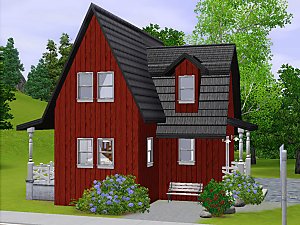
Wee Barnoid #12 – Starter house (under 21.000§) – No CC
by plasticbox 15th Aug 2009 at 10:42pm
A small country house, furnished for 4 sims (two of them a couple), with fireplace and two driveways. more...
 8
16.5k
19
8
16.5k
19
-
by plasticbox 13th Sep 2015 at 5:00pm
A simple, small starter house for up to three sims: two bedrooms, one bathroom, living room and eat-in kitchen, plus more...
12
15.5k
61
-
by plasticbox 3rd May 2015 at 6:52pm
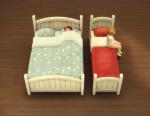
A matching single and double bed frame, re-meshed from the Maxis “Rustic Dream Bed” with the three original + five more...
12
48.5k
157
-
Fewer Stalkbys | Impatient Stalkbys
by plasticbox updated 31st Jul 2015 at 4:03pm
This attempts to tone down the amount of visitors (both neighbours and relationships) that are stalking the active household all more...
98
97.2k
329
-
Small “Industrial” Coffee Table
by plasticbox 14th Apr 2015 at 10:16pm
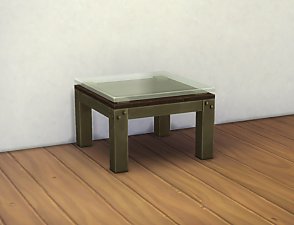
A small coffee table that matches the two-tile “Industrial” Coffee Table (Maxis, Base Game). more...
6
11.5k
71
-
Newbie Road 115 -- Mini Starter
by plasticbox updated 5th Apr 2008 at 5:57pm
Requires Seasons. more...
 +1 packs
5 12.8k 28
+1 packs
5 12.8k 28 Seasons
-
by plasticbox 24th Oct 2014 at 6:54pm
These are two uploads rolled into one: 1. more...
18
72.9k
157
-
by plasticbox updated 6th May 2015 at 2:55pm
These are texture-referencing emtpified versions of the Maxis “ModPod” and “Teen Dreams” bed frames, plus a custom white colour option more...
21
40.6k
107
-
Newbie Road 44 [NL] - Under 10.000
by plasticbox 28th Feb 2006 at 11:53pm
Title: Newbie Road 44 [NL] - Under 10.000 Category: Lots & Housing > Residential > Starter Homes Cost: 10.000 more...
+1 packs
10 11k 3 Nightlife
-
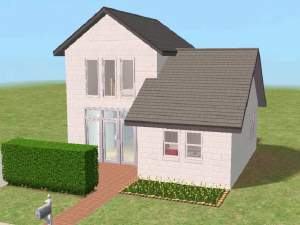
Newbie Road 30 [NL] - Starter House
by plasticbox 17th Dec 2005 at 3:42pm
Title: Newbie Road 30 [NL] Category: Lots & Housing > Residential > Starter Homes Cost: 19.982 Lot size: 2x3 more...
+1 packs
7 9.7k 5 Nightlife


About Me
– Feel free to recycle, you don’t need to ask.
– For the attribution, please link to the upload you’re using wherever possible (instead of my profile). This is particularly important with edits made for/with different games or game versions.
– If you use my stuff in something you make, please upload the result to a free, accessible, noncommercial site with no more restrictions than these. Code must remain open source; meshes and other material must remain re-usable.
Please do not redistribute any unmodified files – link to the upload post instead.