
 Sign in to Mod The Sims
 A Trash Pit for All Seasons, with Effects & Recolours
 A Trash Pit for All Seasons, with Effects & Recolours


sdTrashPit_Clean.jpg - width=1279 height=781
Clean Trash Pit Recolours
sdTrashPit_ControlContinuousEffects.jpg - width=1181 height=1023
Continuous Trash Pit Effects
sdTrashPit_DishDisposal.jpg - width=820 height=980
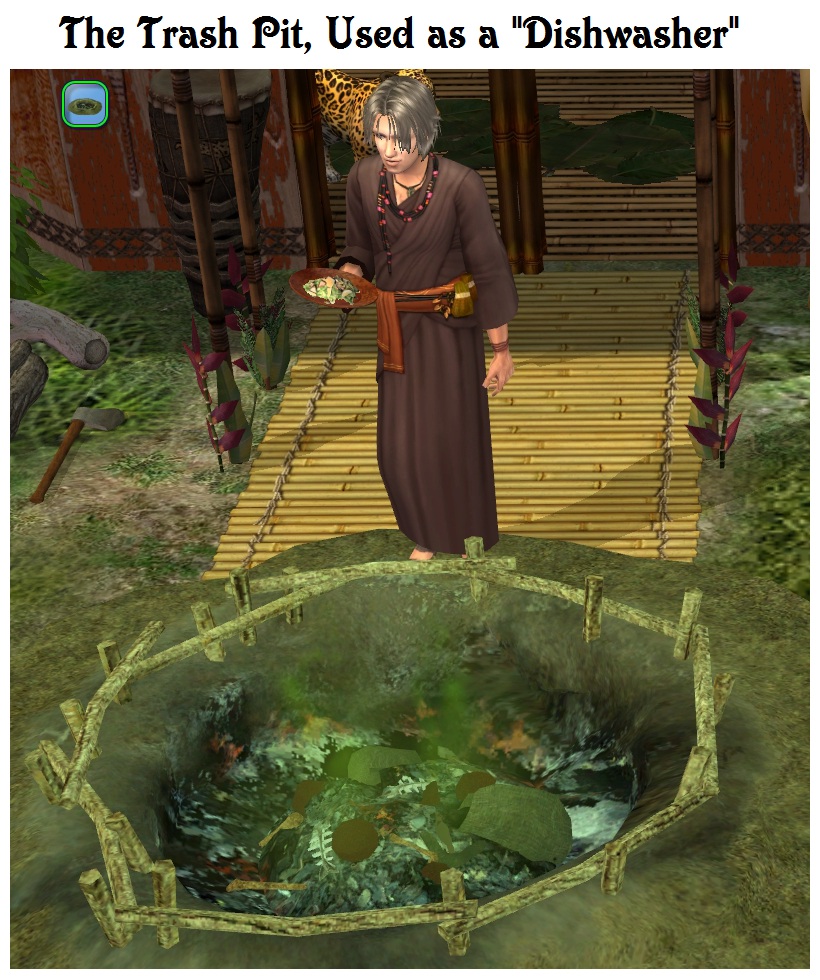
The Trash Pit as Dishwasher
sdTrashPit_Modern.jpg - width=1279 height=775
Modern Trash Pit Contents & Recolours
sdTrashPit_NewspaperDisposal.jpg - width=850 height=680
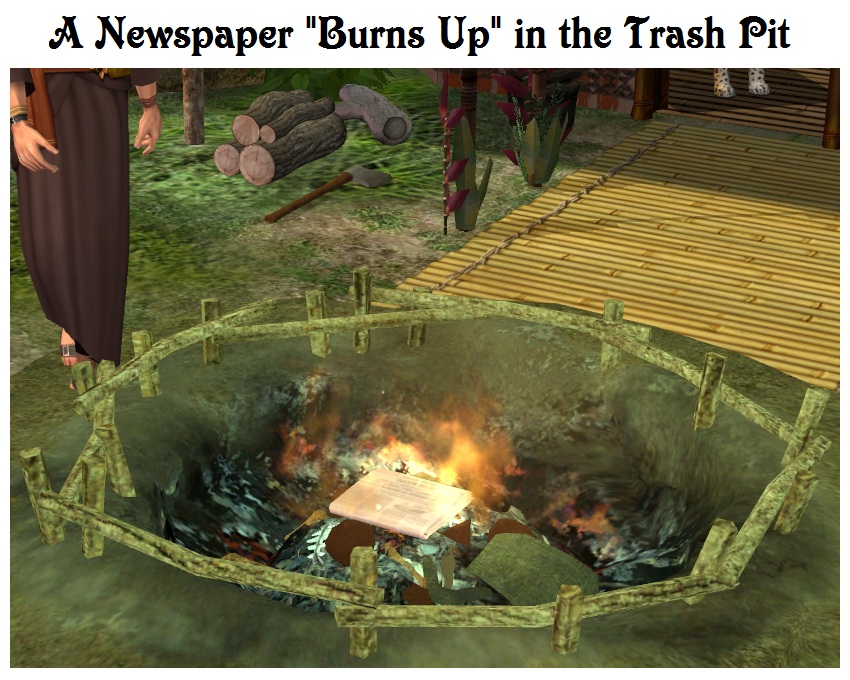
A Newspaper Burns Up in the Trash Pit
sdTrashPit_Temperate.jpg - width=1280 height=782
Temperate Trash Pit Contents & Traditional Pit Recolours
sdTrashPit_Themes.jpg - width=1278 height=776
Trash Pit in Temperate, Tropical & Modern Themes
sdTrashPit_Tropical.jpg - width=1279 height=967
Tropical Trash Pit Contents & Traditional Pit Recolours
sdTrashPit_FenceRecolours.jpg - width=1200 height=840
Trash Pit Fence Recolours
sdTrashPit_Title.jpg - width=900 height=900
A Trash Pit for All Seasons, with Effects & Recolours
sdTrashPit_BagDisposal.jpg - width=920 height=980
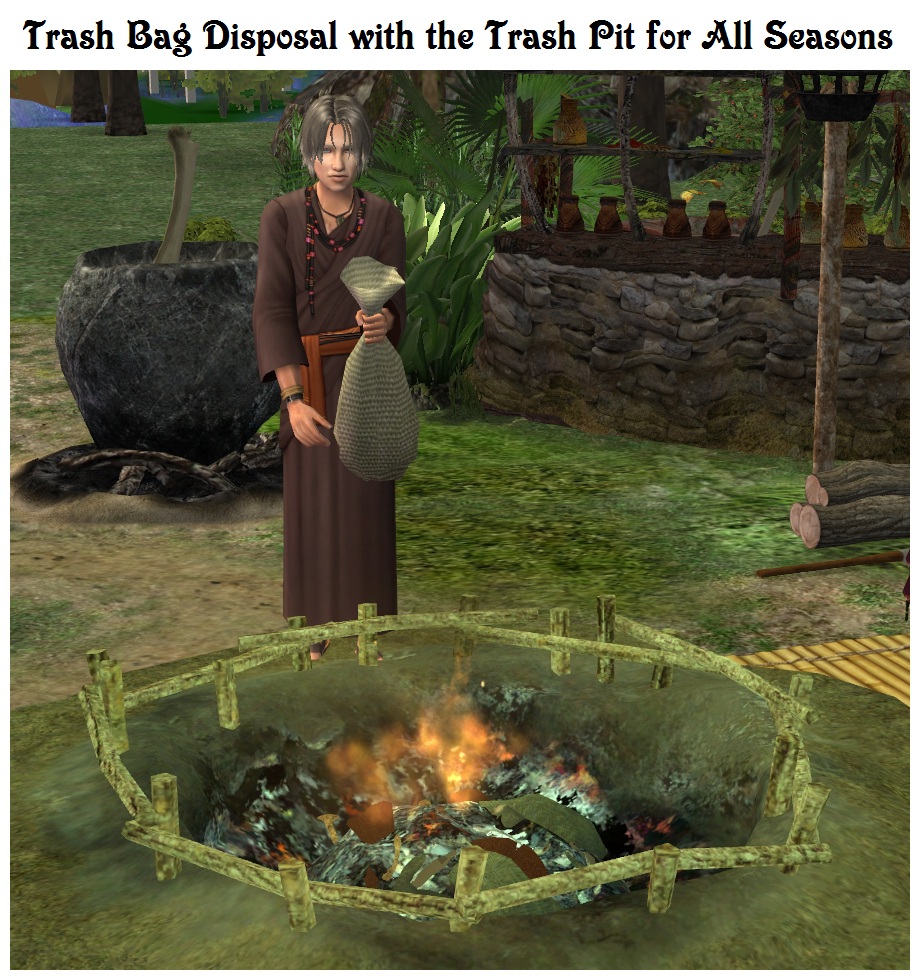
Trash Bag Disposal with the Trash Pit for All Seasons
sdTrashPit_SelectDisposalEffect.jpg - width=1280 height=1024
Trash Pit Disposal Effects
sdTrashPit_Composters.jpg - width=1490 height=840
A Trash Pit for All Seasons, with Composters


The current download file is significantly improved from that released earlier today, July 12th.
Description
Although based on the mesh and some textures from Castaway Stories, the Trash Pit for All Seasons is an original Sims 2 creation that has been optimized for maximum flexibility and minimum resource use, with the following features:
1) The Trash Pit has been designed to completely replace the disposal functions of community and residential trash cans or barrels. The default cans or barrels may be optionally removed from any particular lot if so desired. Please note that this Trash Pit does not work as a default replacement trash can.
2) Like "Ye Olde Cooper" trash barrels, the Trash Pit is invulnerable to Sim or animal vandalism. In addition, the pit cannot be salvaged or eaten from.
3) The player may optionally configure the Trash Pit as a cheat object, similar to Ye Olde Cooper's Barrels for Brigands. Depending on the Mode menu selection, Sims will automatically dispose of bills and/or homework if the Trash Pit is the closest table surface to the mailbox.
4) If "Trash All" is selected, almost any single tile object that can put on a table, on the ground or in the hand can be placed in the pit during buy or build mode. The item will be disposed of when the game enters Run mode, without receiving money for the item. Sims are immune to disposal.
5) If Seasons composters are located on the lot, the Trash Pit will automatically transfer two trash points to the nearest non-full composter for each piece of trash deposited in the pit. In this way no trash will go to waste, even if Sims do not specifically select an item for composting. Depending on your game scenario, you may find it more authentic for Sims to use the pit instead of using a composter directly.
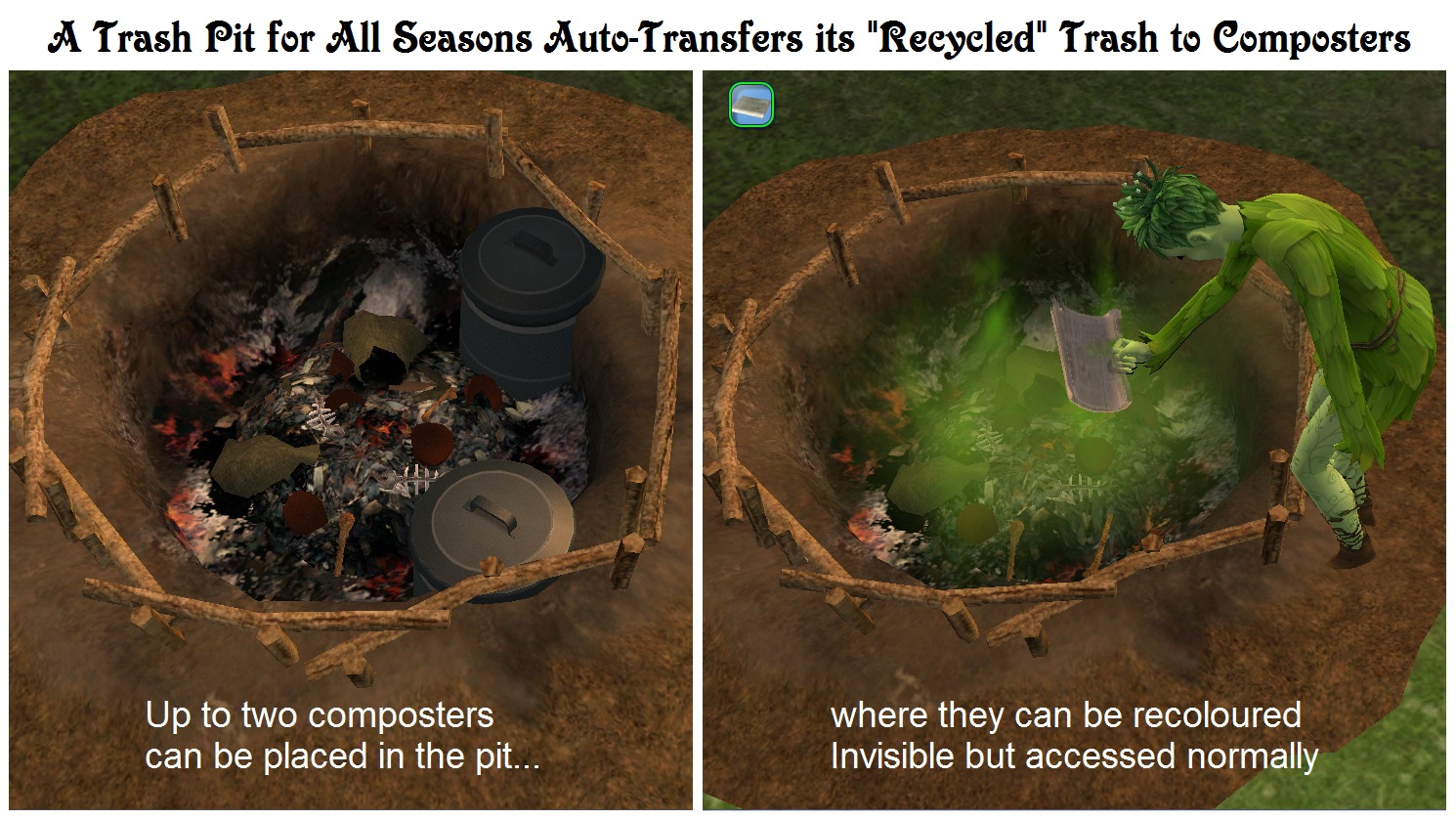
6) For primitive or pre-modern scenarios, one or two Seasons composters may be placed in the Pit itself and recoloured Invisible with the included recolour (the red "composter" light will remain completely invisible in this location). It will then appear that Sims are depositing items for composting in the pit when they are actually placing them a hidden composter. To place a composter in the correct slot, press the letter "m" up to six times so that it moves to the front of the pit.
7) Most other single-tile ground based objects can also be placed in the Trash Pit as decor. To prevent the item from being deleted it cannot be left in the first Trash Pit slot - by pressing the letter "m" you can cycle through any other open slots to a special deco slot or one of the composter slots (the "m" key toggle is not available in basegame). You will know it when the object is in the non-deleting deco slot because it will rotate by 90 degrees when placed correctly. A decorative object must be placed while in the "Trash All" mode, but once it is positioned then the Trash Pit can be set to whatever mode is desired.
8) By default the pit will only be used as a dishwasher if the lot does not contain a sink or dishwashing appliance. However, the Trash Pit may be selected to act as a regularly used dishwasher by menu option.
9) To add a bit of appropriate colour, up to eight Continuous Effects may be invoked by menu option. By default the pit produces Flies and a Big Stink. Note that no matter what the state of the Trash Pit, it has no effect on the environmental score.
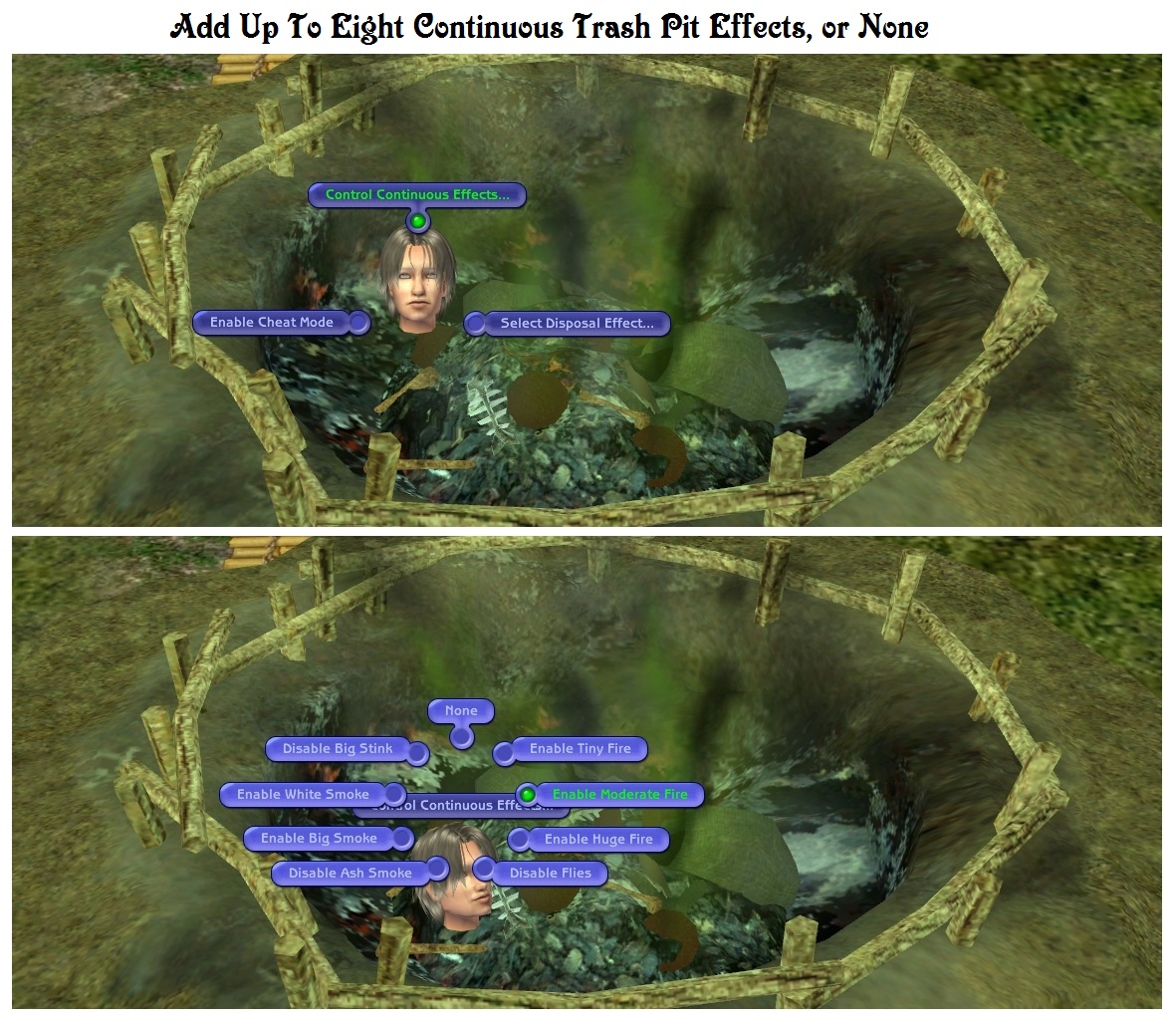
Continuous Effects List
Tiny Fire, Moderate Fire, Huge Fire, Flies, Ash Smoke, Big Smoke, White Smoke, Big Stink.
10) When disposal occurs, the object simply fades away, but the player may select between one of five optional Disposal Effects that will occur during the disappearance. The default disposal effect is a small fire.
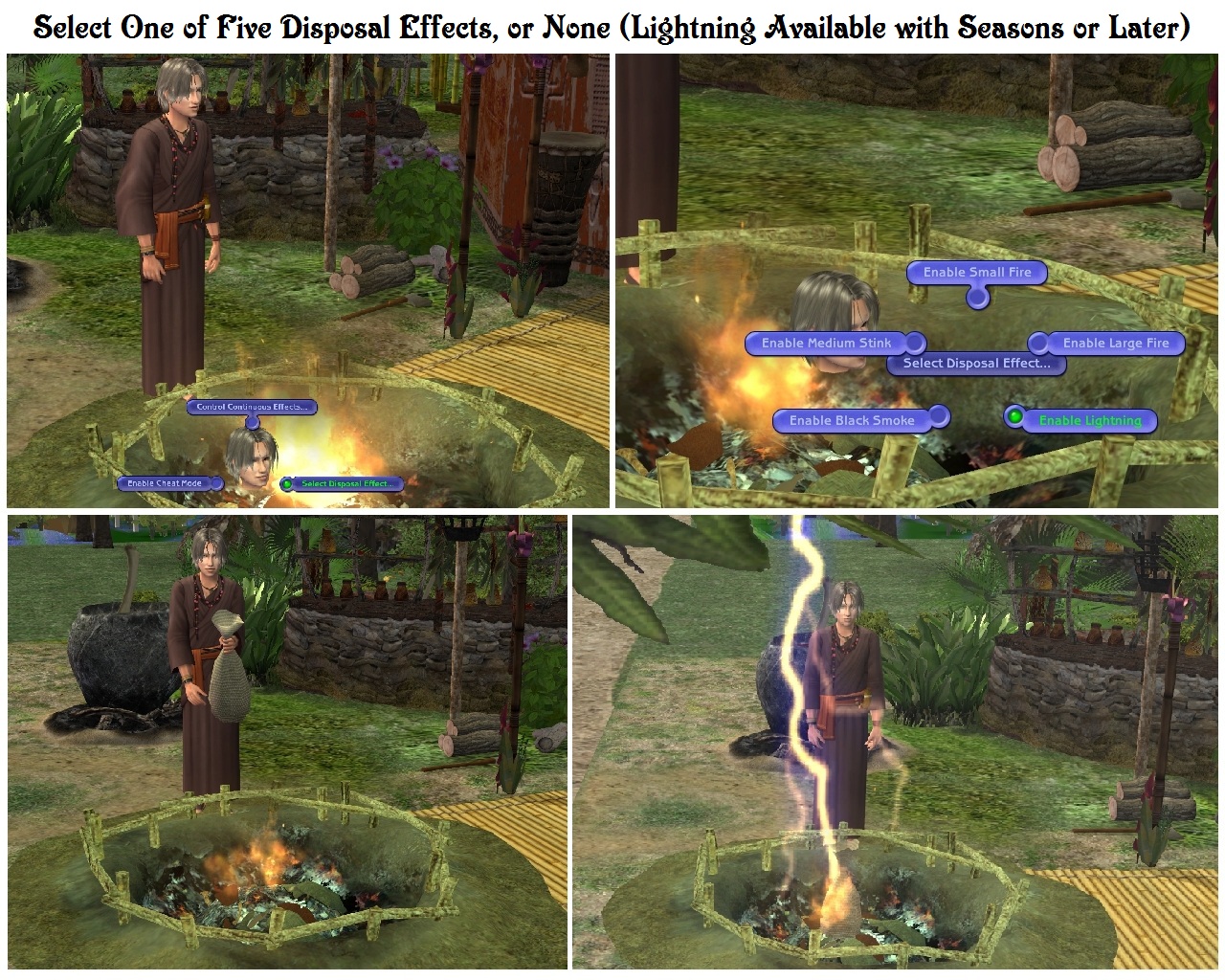
Disposal Effects List
Small Fire, Large Fire, Lightning, Black Smoke, Medium Stink.
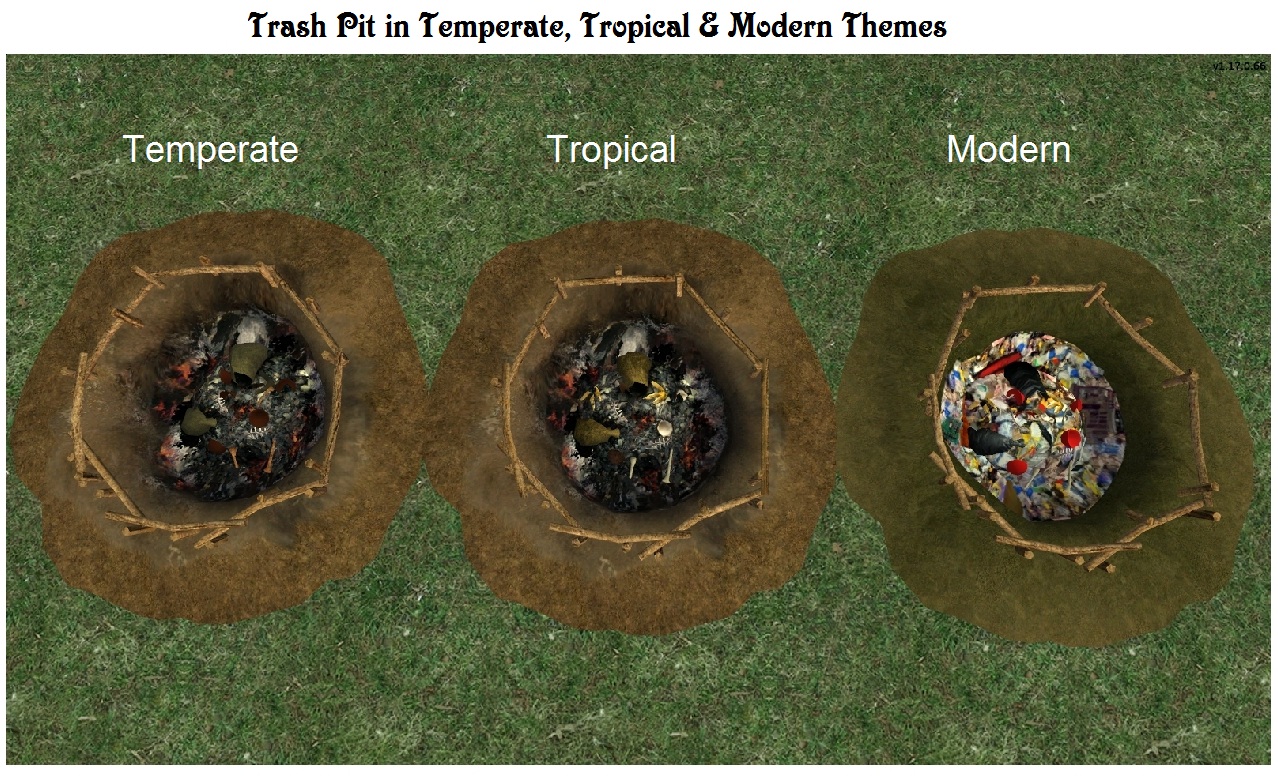
11) This object has two recolourable subsets: Contents and Pit. The Contents subset consists of the trash pile itself and a surrounding fence, supplied with 23 recolours in tropical, temperate and modern themes. In addition, there are 11 fence recolours in which the trash pile itself is invisible.
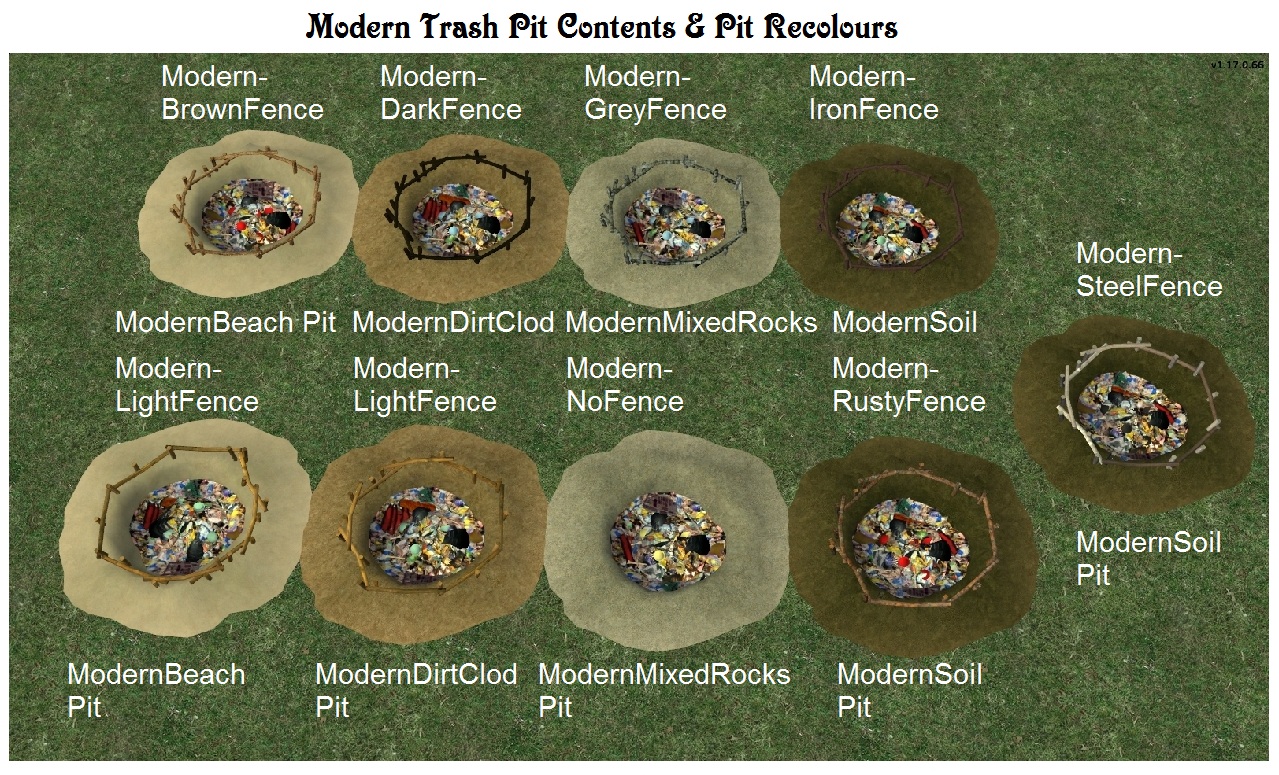
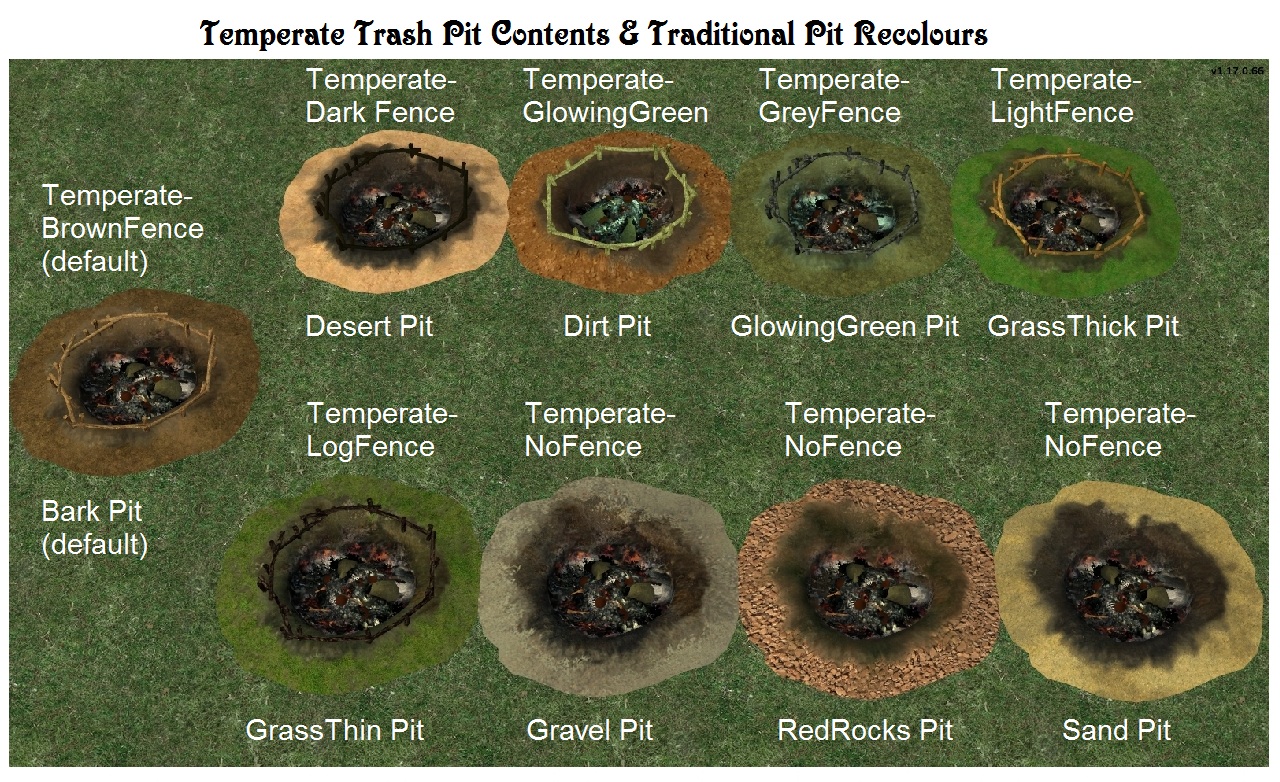
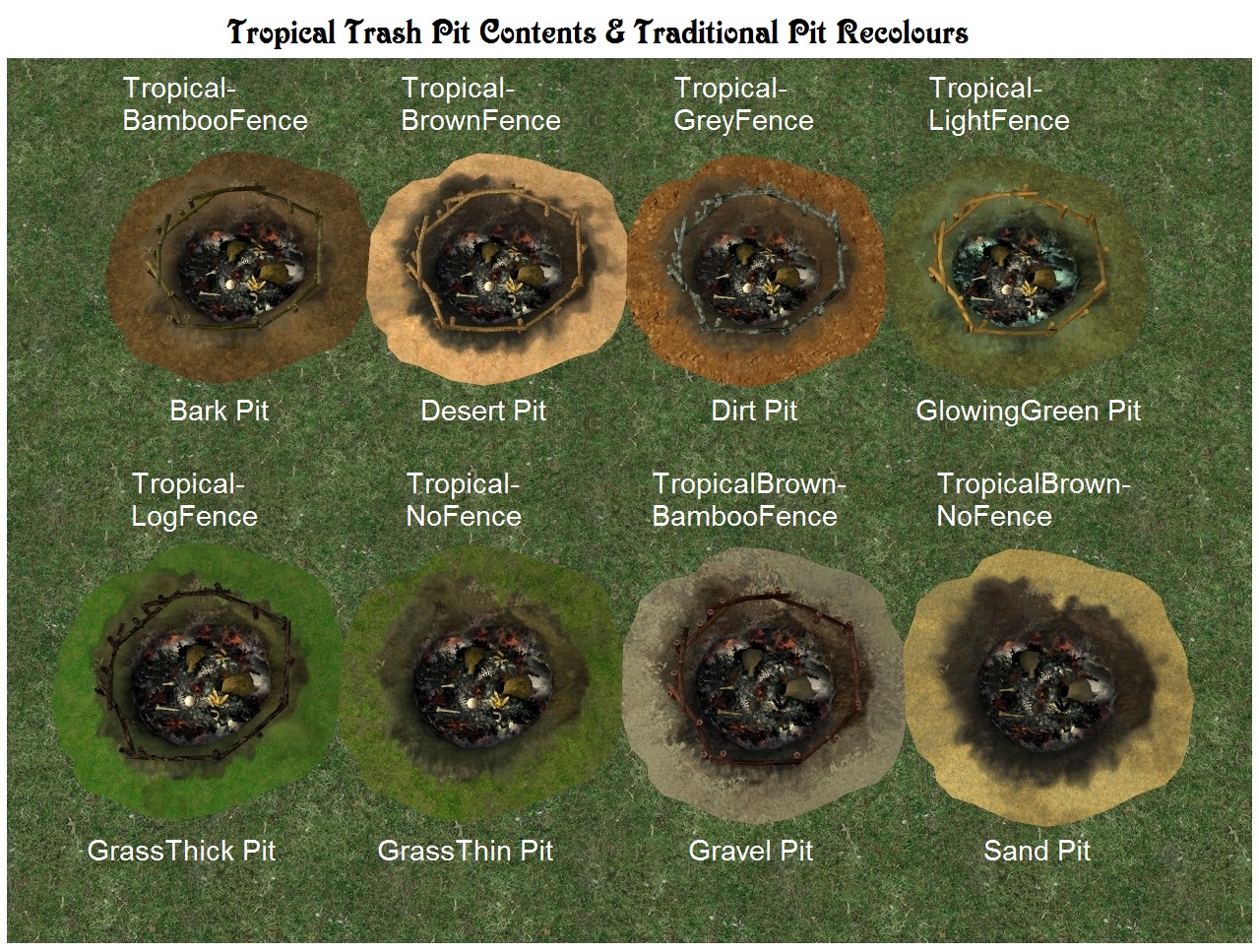
Themed Contents Recolour List
Modern - Brown Fence, Modern - Dark Fence, Modern - Grey Fence, Modern - Iron Fence, Modern - Light Fence, Modern - No Fence, Modern - Rusty Fence, Modern - Steel Fence, Temperate - Brown Fence (built-in default), Temperate - Dark Fence, Temperate - Glowing Green, Temperate - Grey Fence, Temperate - Light Fence, Temperate - Log Fence, Temperate - No Fence, Tropical - Bamboo Fence, Tropical - Brown Fence, Tropical - Grey Fence, Tropical - Light Fence, Tropical - Log Fence, Tropical - No Fence, Tropical Brown - Bamboo Fence, Tropical Brown - No Fence
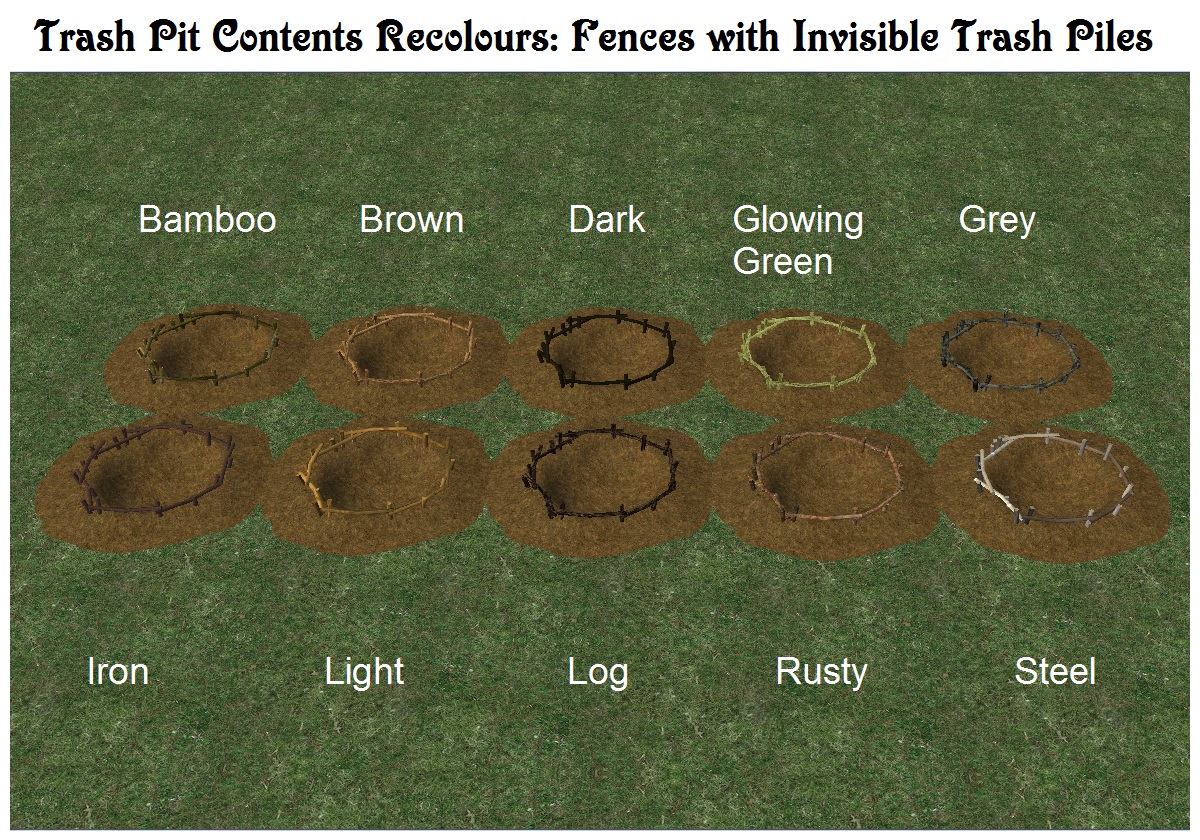
Invisible Contents Recolour List
Completely Invisible (built-in), Bamboo Fence, Brown Fence, Dark Fence, Glowing Green Fence, Grey Fence, Iron Fence, Light Fence, Log Fence, Rusty Fence, Steel Fence
12) This project comes with 25 Pit recolours, most of them using a variety of basegame terrain textures to make it easier for them to blend in. Used with the built-in Invisible Contents recolour, and a "Clean" pit recolour, the Trash Pit can appear to be a simple "hole in the ground" if desired.
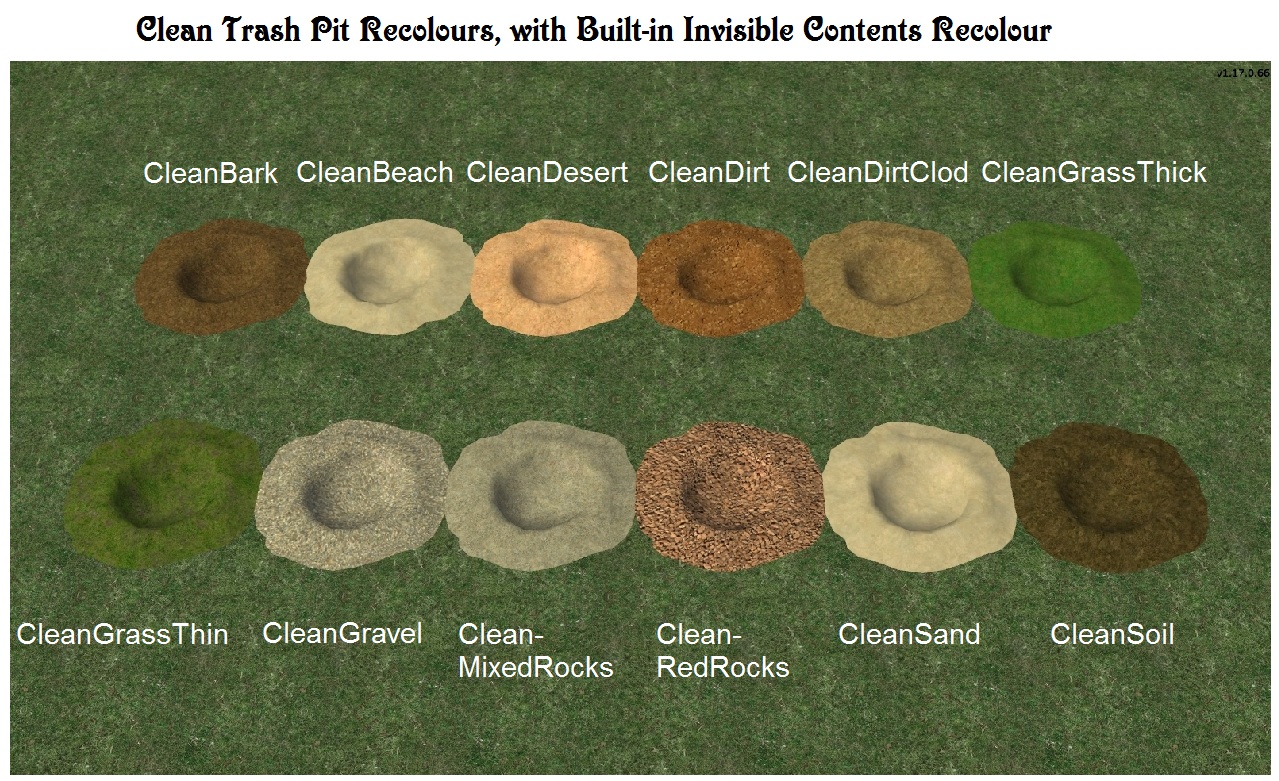
Pit Recolour List
Clean Bark, Clean Beach, Clean Desert, Clean Dirt, Clean Dirt Clod, Clean Grass Thick, Clean Grass Thin, Clean Gravel, Clean Mixed Rocks, Clean Red Rocks, Clean Sand, Clean Soil, Desert, Dirt, Glowing Green, Grass Thick, Grass Thin, Gravel, Modern Beach, Modern Dirt Clod, Modern Mixed Rocks, Modern Soil, Red Rocks, Sand.
Terms of Use
You may include this object and its recolours in any uploaded lots, whether for free or pay. It is nice but not necessary to provide a credit and link to this page.
Credits
Almighty Hat's default replacement garbage bag is featured in the screenshots
GIMP 2, Microsoft Paint and Photo Editor for graphics texturing, processing, sizing, and labeling
Jfade's Compressorizer for minimizing file size
Milkshape 3D, Ultimate Unwrap3D Pro and UV Mapper Professional, for 3D modeling and mapping
Numenor's AnyGameStarter, for development and testing
SimPE, PJSE, and CEP for Sims 2 object creation
The Shaman's Hut shown in the screenshots features a great many Castaway Stories objects from More Awesome Than You! (see Reply #19).
Polygon Counts
2431 faces and 1963 vertices
|
sdTrashPit.zip
| Basegame Trash Pit with Effects & Recolours
Download
Uploaded: 13th Jul 2016, 5.32 MB.
2,352 downloads.
|
||||||||
| For a detailed look at individual files, see the Information tab. | ||||||||
Install Instructions
1. Download: Click the download link to save the .rar or .zip file(s) to your computer.
2. Extract the zip, rar, or 7z file.
3. Place in Downloads Folder: Cut and paste the .package file(s) into your Downloads folder:
- Origin (Ultimate Collection): Users\(Current User Account)\Documents\EA Games\The Sims™ 2 Ultimate Collection\Downloads\
- Non-Origin, Windows Vista/7/8/10: Users\(Current User Account)\Documents\EA Games\The Sims 2\Downloads\
- Non-Origin, Windows XP: Documents and Settings\(Current User Account)\My Documents\EA Games\The Sims 2\Downloads\
- Mac: Users\(Current User Account)\Documents\EA Games\The Sims 2\Downloads
- Mac x64: /Library/Containers/com.aspyr.sims2.appstore/Data/Library/Application Support/Aspyr/The Sims 2/Downloads
- For a full, complete guide to downloading complete with pictures and more information, see: Game Help: Downloading for Fracking Idiots.
- Custom content not showing up in the game? See: Game Help: Getting Custom Content to Show Up.
- If you don't have a Downloads folder, just make one. See instructions at: Game Help: No Downloads Folder.
Loading comments, please wait...



Uploaded: 12th Jul 2016 at 7:49 PM
Updated: 4th Jan 2020 at 7:46 AM - Minor change in text.
-
by outcast 24th Mar 2007 at 9:27pm
 8
16.9k
11
8
16.9k
11
-
Trash Chute Shiftable + Gold & Copper Recolors
by Honeywell updated 27th Oct 2020 at 2:52am
+1 packs
18 28.1k 44 Apartment Life
-
-
Mailboxes and Trash Can Recolours
by Michelle 24th Dec 2013 at 10:03am
+1 packs
4 16.3k 55 Apartment Life
-
-
-
-
Grunge Mailbox and Trash Can Recolours
by Michelle 15th Apr 2019 at 12:57am
+1 packs
7 7.9k 29 Apartment Life
-
Trash-Tahk Trash Chute Recolours
by Michelle 16th Nov 2022 at 5:11am
+1 packs
6 3.1k 16 Apartment Life
-
by Corax 10th Dec 2022 at 11:58pm
2
1.8k
11


-
Eight Maxis Match "Value" Mirrors for FFS Dragon Dressers
by Sophie-David 26th Aug 2007 at 9:46pm
Title Eight Maxis Match "Value" Mirrors for FFS Dragon's Horde Dressers Description These downloads contain recolours more...
15
14.2k
23
-
UPDATE Sept 29, 2019: Recolours of Elaine's Enchanted Picture (Television)
by Sophie-David updated 29th Sep 2019 at 8:18pm
Frame and screen recolours for Elaine's Enchanted Picture: The Lady of Shalott - a painting that functions as a television more...
5
7.2k
11
-
Tiny Filesize Invisible Appliances for Lot Builders with Targa SupaFridge Recolour
by Sophie-David updated 26th Feb 2014 at 3:45am
Four Basegame & one University invisible appliance recolours more...
30
42.6k
68
-
Toybox Recolours Matched to the Craftmeister Cheap Bed
by Sophie-David 3rd Oct 2011 at 5:23pm
22 basegame toybox recolours with 9 matched to the cheap single bed more...
9
27.1k
28
-
Three Tile Holographic Television
by Sophie-David 5th Oct 2019 at 10:56pm
Three Tile Holographic Television with Double Sided Viewing, optional framing in Basegame "Rolling Hills" wall decor more...
4
6.2k
11
-
FreeTime & Later "View Many" Anywhere Patch
by Sophie-David 15th Feb 2011 at 3:57am
Enables "View Many" on all lots, with a minimum of 2, 5, or 10 decorative objects more...
+1 packs
13 24.1k 17 Free Time
-
Orb & Pillars of Enlightenment
by Sophie-David updated 6th Aug 2017 at 5:36am
A crystal ball used to teach the Lifelong Happiness Skill, and support magical healings & blessings. Pillars included. more...
14
19.1k
34
-

Ye Olde Cooper's Food Contents Recolours
by Sophie-David 17th Jul 2016 at 11:08pm
Food contents recolours for Ye Olde Cooper's barrel project. more...
-
Sophie-David's Autonomous View Controller
by Sophie-David 25th Jan 2014 at 11:51pm
A deco pocket book that automatically enables autonomous viewing for all Sophie-David objects on a particular lot more...
4
10.1k
15
-
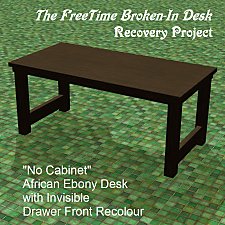
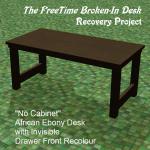
The FreeTime "Broken-In" Desk Recovery Project
by Sophie-David 29th Mar 2015 at 9:01pm
FreeTime "Broken-In" (Bohemian) Desk in Basegame and Natural Wood Recolours, with and without the Cabinet and Palette Accessories more...
+1 packs
14 8.1k 17 Free Time
By Function » Surfaces » Desks

