Sign in to Mod The Sims
 Rotting Casket
 Rotting Casket


Rotting Casket 2.jpg - width=600 height=450
Swamp.jpg - width=600 height=450
Rotting Casket.jpg - width=633 height=610
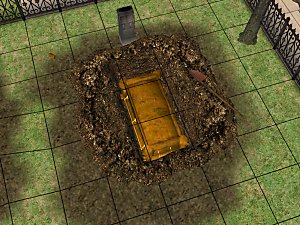
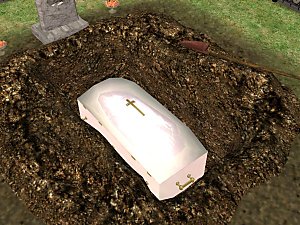
Another request done, I was thinking so hard my head was pounding, How to make a low poly casket the you could see in - Then it hit me put a flat image in side that looked 3d.
I give you the half excavated casket for your sims grave this will give that graveyard that creapy look you have been after. :taekwondo
Poly Count:
Rotting Casket - 3,980
Use's My Owen unique GUID, if you have a conflict tell me.
NOTE: Over write the old files of mine.
Alway feel free to do what you want with stuff posted by Me.
As long as it stays free.
If you dont have a rar extractor for a free file unziper goto.
http://www.7-zip.org/
instruction for installation are in rar as a txt.
:baloons:
You maybe a king or a little street sweeper but sooner or later you'll dance with the reaper.
Bill and Teds Bogus Journey
This is a new mesh, and means that it's a brand new self contained object that usually does not require a specific Pack (although this is possible depending on the type). It may have Recolours hosted on MTS - check below for more information.
|
MTS-120505-Rotting-Casket-for-Hole.rar
Download
Uploaded: 14th May 2005, 371.2 KB.
9,498 downloads.
|
||||||||
| For a detailed look at individual files, see the Information tab. | ||||||||
Install Instructions
1. Download: Click the download link to save the .rar or .zip file(s) to your computer.
2. Extract the zip, rar, or 7z file.
3. Place in Downloads Folder: Cut and paste the .package file(s) into your Downloads folder:
- Origin (Ultimate Collection): Users\(Current User Account)\Documents\EA Games\The Sims™ 2 Ultimate Collection\Downloads\
- Non-Origin, Windows Vista/7/8/10: Users\(Current User Account)\Documents\EA Games\The Sims 2\Downloads\
- Non-Origin, Windows XP: Documents and Settings\(Current User Account)\My Documents\EA Games\The Sims 2\Downloads\
- Mac: Users\(Current User Account)\Documents\EA Games\The Sims 2\Downloads
- Mac x64: /Library/Containers/com.aspyr.sims2.appstore/Data/Library/Application Support/Aspyr/The Sims 2/Downloads
- For a full, complete guide to downloading complete with pictures and more information, see: Game Help: Downloading for Fracking Idiots.
- Custom content not showing up in the game? See: Game Help: Getting Custom Content to Show Up.
- If you don't have a Downloads folder, just make one. See instructions at: Game Help: No Downloads Folder.
Loading comments, please wait...



Uploaded: 14th May 2005 at 6:42 AM
Updated: 7th Nov 2008 at 1:47 AM by Canoodle
-
-
by mickyss 7th May 2005 at 6:49am
 29
46.8k
42
29
46.8k
42
-
-
by mickyss 16th May 2005 at 5:20am
33
39.8k
21
-
-
Quidditch Hoops [testers wanted for No-Ep required!!]
by lorelly 29th Jul 2005 at 2:40pm
27
37.6k
13
-
by cwirsing 6th Aug 2005 at 11:13pm
11
11.8k
4
-
-
-
Transparent cowplant recolor (request)
by pfish 9th Nov 2005 at 12:58am
+1 packs
18 9.1k 1 University


-
-
-

-
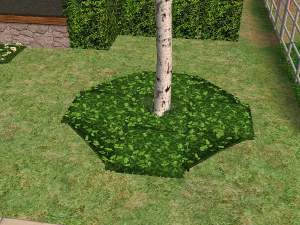
Baby Tears PLANT Full Tile and Half Tile -- with New Look
by mickyss 5th Jul 2005 at 4:42am
Baby Tears --------------------------------------------------- DONT USE OR EXTRACT MY MESH OR TEXTURES --------------------------------------------------- Please Don't Steal my work.. more...
11
19.1k
14
-

-
-


-
-

-

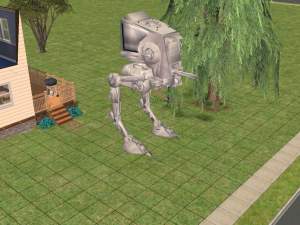
Garden - 13 NEW PLANTS UPDATE 27/06/05
by mickyss 25th Jun 2005 at 6:59am
--------------------------------------------------- DON'T USE OR EXTRACT MY MESH OR TEXTURES --------------------------------------------------- Please Don't Steal my work.. more...
105
95k
71