
 Sign in to Mod The Sims
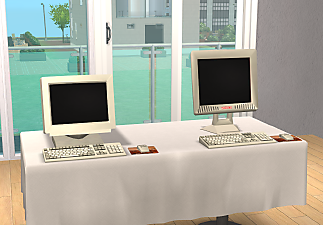
 Decorative Computers by ScottyG89
 Decorative Computers by ScottyG89


decomp6.png - width=1195 height=683
The computers displayed using OMSPS
decomp6.png - width=822 height=498
Monitor and Keyboard
decomp7.png - width=885 height=589
Custom Mesh Upright and Maxis Sideways computers
decomp3.png - width=857 height=541
Rear view of computers
decomp5.png - width=875 height=545
Rear view of monitor and keyboard
decomp9.png - width=737 height=523
Little mouse
| Filename | Type | Size |
|---|---|---|
| ScottyG89 Decorative computers.7z | 7z | |
| Scottygcomputer.package | package | 198976 |
| Scottygkeyboard.package | package | 163729 |
| Scottygmonitor.package | package | 182136 |
| ScottygMouse.package | package | 152671 |
| Scottyguprightcomputer.package | package | 176948 |
This is a new mesh, and means that it's a brand new self contained object that usually does not require a specific Pack (although this is possible depending on the type). It may have Recolours hosted on MTS - check below for more information.
|
ScottyG89 Decorative computers.7z
| All (5) fles
Download
Uploaded: 18th Jan 2024, 85.8 KB.
857 downloads.
|
||||||||
| For a detailed look at individual files, see the Information tab. | ||||||||
Install Instructions
1. Download: Click the download link to save the .rar or .zip file(s) to your computer.
2. Extract the zip, rar, or 7z file.
3. Place in Downloads Folder: Cut and paste the .package file(s) into your Downloads folder:
- Origin (Ultimate Collection): Users\(Current User Account)\Documents\EA Games\The Sims™ 2 Ultimate Collection\Downloads\
- Non-Origin, Windows Vista/7/8/10: Users\(Current User Account)\Documents\EA Games\The Sims 2\Downloads\
- Non-Origin, Windows XP: Documents and Settings\(Current User Account)\My Documents\EA Games\The Sims 2\Downloads\
- Mac: Users\(Current User Account)\Documents\EA Games\The Sims 2\Downloads
- Mac x64: /Library/Containers/com.aspyr.sims2.appstore/Data/Library/Application Support/Aspyr/The Sims 2/Downloads
- For a full, complete guide to downloading complete with pictures and more information, see: Game Help: Downloading for Fracking Idiots.
- Custom content not showing up in the game? See: Game Help: Getting Custom Content to Show Up.
- If you don't have a Downloads folder, just make one. See instructions at: Game Help: No Downloads Folder.
Loading comments, please wait...
Uploaded: 18th Jan 2024 at 11:36 PM
-

-
by GaryCXJk 30th Jun 2005 at 12:47pm
 13
4.7k
2
13
4.7k
2
-
by simsistic 26th Oct 2005 at 7:31pm
10
27.8k
14
-
by maree464 11th Dec 2005 at 4:45am
34
28.8k
18
-
by xolilree92ox 28th Jan 2006 at 8:39pm
5
7.6k
2
-
-
by maree464 3rd Mar 2006 at 9:43pm
7
16.9k
13
-
by ScottyG89 21st Jan 2024 at 7:48pm
3
2.4k
11
By Function » Surfaces » Desks
-
-

-
Towerless LCD and CRT Computers by ScottyG89
by ScottyG89 21st Jan 2024 at 7:46pm
I have for a while wanted a bit of freedom and variety when it comes to the cheaper computers in more...
8
4.4k
27
-
.png)
by ScottyG89 21st Jan 2024 at 7:48pm
Inspired by Office and School desks from the 50s up until the present day, I present you two desks. more...
3
2.5k
11
By Function » Surfaces » Desks
-
.png)
ScottyG89's Decorative Maxis Video Players
by ScottyG89 6th Sep 2024 at 9:27pm
For a little bit more decoration, I took the many video players in the sims and converted them to be more...
2
1.5k
10
