
 Sign in to Mod The Sims
 House nº1
 House nº1


Screenshot-129.jpg - width=1360 height=768
Screenshot-85.jpg - width=1360 height=768
Screenshot-103.jpg - width=1360 height=768
Screenshot-104.jpg - width=1360 height=768
Screenshot-98.jpg - width=1360 height=768
Screenshot-97.jpg - width=1360 height=768
Screenshot-95.jpg - width=1360 height=768
Screenshot-92.jpg - width=1360 height=768
Screenshot-89.jpg - width=1360 height=768
Screenshot-93.jpg - width=1360 height=768
Screenshot-90.jpg - width=1360 height=768
Screenshot-88.jpg - width=1360 height=768
Screenshot-116.jpg - width=1360 height=768
Screenshot-130.jpg - width=1360 height=768


Lot type: Residential
Bedrooms: 1
Bathrooms: 2
CC: No custom content
Furnished price: $78.852
unfurnished price $60.403
| Filename | Type | Size |
|---|---|---|
| House nº1.zip | zip | |
| House n§1.Sims3Pack | sims3pack | 3955948 |
| 0xba370f1ce29fe59647ed6439625bcba3.package | package | 507823 |
| d84e7fc7-00000000-f9a200ed88bfecd0.png | png | 408412 |
| d84e7fc7-00000001-f9a200ed88bfecd0.png | png | 374764 |
| d84e7fc7-00000002-f9a200ed88bfecd0.png | png | 369881 |
| d84e7fc7-00000003-f9a200ed88bfecd0.png | png | 376279 |
| d84e7fc7-00000004-f9a200ed88bfecd0.png | png | 365555 |
| d84e7fc7-00000005-f9a200ed88bfecd0.png | png | 375588 |
| d84e7fc7-00000006-f9a200ed88bfecd0.png | png | 385105 |
| d84e7fc7-00000007-f9a200ed88bfecd0.png | png | 388817 |
| d84e7fc7-00000008-f9a200ed88bfecd0.png | png | 397318 |
|
House nº1.zip
Download
Uploaded: Today, 3.57 MB.
7 downloads.
|
||||||||
| For a detailed look at individual files, see the Information tab. | ||||||||
Install Instructions
1. Click the filename or the download button to download the file to your computer.
2. Extract the zip, rar, or 7z file.
2. Select the .sims3pack file you got from extracting.
3. Cut and paste it into your Documents\Electronic Arts\The Sims 3\Downloads folder. If you do not have this folder yet, it is recommended that you open the game and then close it again so that this folder will be automatically created. Then you can place the .sims3pack into your Downloads folder.
5. Load the game's Launcher, and click on the Downloads tab. Select the house icon, find the lot in the list, and tick the box next to it. Then press the Install button below the list.
6. Wait for the installer to load, and it will install the lot to the game. You will get a message letting you know when it's done.
7. Run the game, and find your lot in Edit Town, in the premade lots bin.
Extracting from RAR, ZIP, or 7z: You will need a special program for this. For Windows, we recommend 7-Zip and for Mac OSX, we recommend Keka. Both are free and safe to use.
Need more help?
If you need more info, see Game Help:Installing TS3 Packswiki for a full, detailed step-by-step guide!
Loading comments, please wait...


 + 3 SPs


Uploaded: Today at 4:47 PM
-
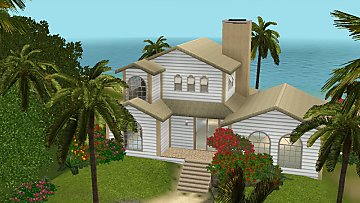
A small house with a sea view.
by Anariitta 13th Jan 2026 at 7:13pm
This cozy home has 2 bedrooms and 2 bathrooms, a modern kitchen, and a comfortable living room, offering comfort and more...
 +9 packs
4 1.4k 2
+9 packs
4 1.4k 2 High-End Loft Stuff
 Outdoor Living Stuff
 Town Life Stuff
 Master Suite Stuff
 Showtime
 Diesel Stuff
 Seasons
 Island Paradise
 Into the Future


Packs Needed
| Expansion Pack | |
|---|---|
| World Adventures |
| Ambitions |
| Late Night |
| Generations |
| Pets |
| Seasons |
| University Life |
| Island Paradise |
| Into the Future |
| Stuff Pack | |
|---|---|
| High-End Loft Stuff |
| Outdoor Living Stuff |
| Master Suite Stuff |
