
 Sign in to Mod The Sims
 SimPE 0.8.4.10 for Windows, Mac, and Linux
 SimPE 0.8.4.10 for Windows, Mac, and Linux


simpeshotforMTS.png - width=2550 height=1495
Screenshot 2026-03-17 142353.png - width=2556 height=1524
Screenshot 2026-03-17 142325.png - width=2553 height=1533
Screenshot 2026-03-16 223643.png - width=1213 height=709
Screenshot 2026-03-17 142536.png - width=879 height=640
Screenshot 2026-03-17 142459.png - width=1671 height=1048
Screenshot 2026-07-16 132837.png - width=2559 height=1503
0.8.4.9 PJSE: open STR# without a full game scan; scan only PJSE folder, Resource list: first click after wheel-scrolling selects clicked, Memory cache: keep memory icons across save/load
Extended SDSC Browser: find Apartment Life / FreeTime want labels, Bump to 8.4.9
0.8.4.7 Add History button now works in Wants and Fears Editor.
0.8.4.6 now recognizes Neighborhoods with names longer than 4 characters -but be aware that ALL the files in the neighborhood with the N00x prefix must be changed to the new prefix, or the game will not recognize them. This includes character and lot files. I have also updated the About and Welcome screens to direct to my Github instead of the dead Quaxi website, and added WHoward as a contributor for his additional BHAV primitives.
Found a nasty bug in 0.8.4.4 when working on the Mac release. Incorrect language codes were allowing a fall-through such that placeholder names would be displayed in Sim Desciption rather than the actual Sims in the Neighborhood. All fixed in 0.8.4.5.
Now with Themes!!! including an imperfect Dark theme for those with sensitive eyes. and that pesky BCON and BHAV label issue fixed, Again.
This is SimPE modernized, a 64 bit app running on .Net 8. The dependence on NVidia DDS utilities has been eliminated. The dependence on DirectX has been eliminated. It no longer relies on the Windows Registry for locating the game, but does a system scan. There are bugs, but the ones I know about are also in Quaxi's 0.75 version. To the best of my knowledge, everything works. I have tried to keep the original look, so that the existing tutorials will still work to help people. Please notify me of any bugs you find. If you have downloaded a previous version, please delete the old version and empty your trash before extracting the new version.
There is now a Mac version, which is the Windows version in a Wine wrapper, patched to Mac file paths and to fix Wine oddities. It is click and run, no messing around with Wine configuration! It is too large be hosted on MTS, 1.5 gig, but you can download the .dmg file: https://github.com/rhiamom/SimPE-Mac-Wine/releases
And a Linux version, too. It is the Windows version patched for Wine oddities. Version/edition-agnostic: GameRootAutoScanner finds game files by scanning a folder for TSData subfolders, not by reading Windows registry keys a specific installer wrote — so Steam Legacy Collection, Origin Ultimate Collection, GOG, disc installs, repacks, whatever, all work the same way once you point it at the folder using the Z: path.
Launches from the exe directly: no install.sh/simpe-launch.sh, no runtime-install step — wine SimPE.Main.exe (in any prefix) just works.
Dotnet detection fixed: self-contained publish means the apphost never consults DOTNET_ROOT/registry/global paths, so the leaked-env-var bug that was causing false "runtime not installed" errors is gone.
Does not need to be installed in the same prefix as the Sims 2 game.
Does require Wine11 or newer, or Proton Experimental.Download below, or at https://github.com/rhiamom/SimPE-Fixed-Linux/releases
I am looking for somebody to help with maintenance of this app. People, I am 73 years old. I need to hand this off to somebody younger. Link to public Github source code: https://github.com/rhiamom
The following custom content is included in the downloadable files:
- SimPe 0.8.0 by rhiamom
Custom installation instructions! READ ME!
In addition to the normal installation instructions, this download also has a custom instruction, as follows:
1. Download: Click the download link to save the .rar or .zip file(s) to your computer.
2. Extract the zip, rar, or 7z file.
3. Extract the files to a folder wherever you want the app to be. Click on SimPE.Main.exe to run the app. When you open the app the first time, run the Game Locater from the Settings menu. Make sure that the File Table writes by watching for a progress bar in the lower left of the big SimPE window when you click OK in the Game Locater window. If you do not see that progress bar, if the Game Locater window disappears immediately, open it again and click OK again. Then it will write the File table correctly.
Need more information?
- For a full, complete guide to downloading complete with pictures and more information, see: Game Help: Downloading for Fracking Idiots.
- Custom content not showing up in the game? See: Game Help: Getting Custom Content to Show Up.
Loading comments, please wait...

Uploaded: 4th Apr 2026 at 12:36 PM
Updated: 1st Nov 2026 at 12:23 AM
-
-

-
-
-

-
-

-
-
by 33615 18th Feb 2014 at 3:28pm
 19
22.7k
29



-
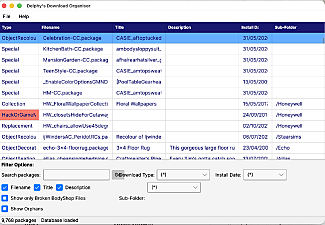
Delphy's Download Organizer for Mac
by rhiamom 20th Jun 2026 at 12:08am
This is Delphy's C# code, upgraded to .Net 8 and with a Mac compatible Avalonia front end. more...
530
1
-
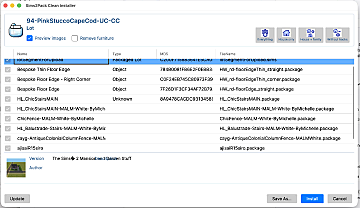
Testers needed! Clean Installer for Mac
by rhiamom updated 19th Jun 2026 at 2:21am
This is a Mac version of Mootilda's Clean Installer. more...
6
510
2
