
 Sign in to Mod The Sims
 Queue barrier fence
 Queue barrier fence


allfences.png - width=1602 height=775
imagefence.png - width=1247 height=811
Screenshot 2026-08-24 004533.png - width=1526 height=797
airport2.png - width=1612 height=866
Credits: SimPE, CEP, Blender, PhotoScape, PineTools, participants in tutorial about creating fence
| Filename | Type | Size |
|---|---|---|
| queueBarriers.zip | zip | |
| QueueBarrierBlackBlack.package | package | 58964 |
| QueueBarrierBlackBlue.package | package | 59020 |
| QueueBarrierBlackRed.package | package | 58852 |
| QueueBarrierGrayBlue.package | package | 58757 |
| QueueBarrierGreyBlack.package | package | 58682 |
| QueueBarrierGreyRed.package | package | 58798 |
| QueueBarrierGreyTeal.package | package | 58743 |
This is a new mesh, and means that it's a brand new self contained object that usually does not require a specific Pack (although this is possible depending on the type). It may have Recolours hosted on MTS - check below for more information.
|
queueBarriers.zip
Download
Uploaded: 6th Sep 2026, 109.0 KB.
75 downloads.
|
||||||||
| For a detailed look at individual files, see the Information tab. | ||||||||
Install Instructions
1. Download: Click the download link to save the .rar or .zip file(s) to your computer.
2. Extract the zip, rar, or 7z file.
3. Place in Downloads Folder: Cut and paste the .package file(s) into your Downloads folder:
- Origin (Ultimate Collection): Users\(Current User Account)\Documents\EA Games\The Sims™ 2 Ultimate Collection\Downloads\
- Non-Origin, Windows Vista/7/8/10: Users\(Current User Account)\Documents\EA Games\The Sims 2\Downloads\
- Non-Origin, Windows XP: Documents and Settings\(Current User Account)\My Documents\EA Games\The Sims 2\Downloads\
- Mac: Users\(Current User Account)\Documents\EA Games\The Sims 2\Downloads
- Mac x64: /Library/Containers/com.aspyr.sims2.appstore/Data/Library/Application Support/Aspyr/The Sims 2/Downloads
- For a full, complete guide to downloading complete with pictures and more information, see: Game Help: Downloading for Fracking Idiots.
- Custom content not showing up in the game? See: Game Help: Getting Custom Content to Show Up.
- If you don't have a Downloads folder, just make one. See instructions at: Game Help: No Downloads Folder.
Loading comments, please wait...

Uploaded: 6th Sep 2026 at 3:20 PM
-
by Supertramp 13th Sep 2005 at 10:31am
 13
14.6k
11
13
14.6k
11
-
by blondmermaid 19th Sep 2005 at 3:27am
20
35.3k
13
-
-
-
by naschev 23rd Dec 2005 at 3:20pm
61
55.2k
39
-
by Lezibeth 10th Jan 2006 at 1:39pm
13
23.4k
19
-
by JohnBrehaut1 20th Apr 2006 at 3:54am
+1 packs
10 17.1k 2 Nightlife
-
by frillen 17th Oct 2006 at 1:45am
22
45.4k
64
-
by poundingheart 19th Dec 2006 at 9:37am
+1 packs
11 13.5k 6 University
-
by crocobaura 17th Jun 2007 at 11:47pm
18
17.6k
17


-
Championship belt (wall decor)
by weird_ghost updated 19th Jun 2026 at 8:02pm
Carlos Contender can finally be a contender. more...
603
1
-


by weird_ghost updated 9th Sep 2026 at 7:52pm
Here are 4 recolors of Nightlife painting "Two dogs and an olive", where the painting is cosplaying a weather forecast more...
+1 packs
7 833 8 Nightlife
-
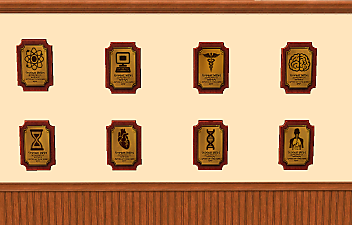
by weird_ghost 25th Jan 2026 at 11:31pm
Hello, this is my first upload. Here are some plaques for fields other than in-game ones, and they are buyable (not more...
+1 packs
7 2.4k 6 Free Time
-


-


by weird_ghost 11th Apr 2026 at 3:09pm
Meow. Sorry for bad photos. Here are some neon lamps for walls, in shape of cat. more...
4
1.7k
10
-


Forever rose: Decor & Table lamp
by weird_ghost 14th May 2026 at 3:51pm
Joined this community to post wall hangings, end up being some lamp enthusiast. more...
972
1
-


by weird_ghost 8th May 2026 at 6:18pm
Here is a table lamp in a shape of the clef, based on one irl lamp that i saw on more...
1.8k
5
-


Home, smart home (painting recolors)
by weird_ghost 3rd Aug 2026 at 12:42pm
Here are some smart home wall screens or screen savers, made by recoloring the game paintings. more...
5
1k
5


About Me
Please don't post these creations on pay sites. Other than that, feel free to do whatchuwanna :)