Sign in to Mod The Sims
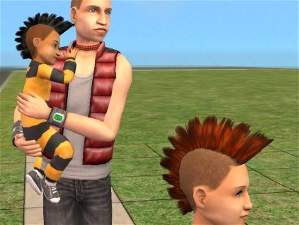
 Testers wanted: toddler, boy and teen fauxhawk
 Testers wanted: toddler, boy and teen fauxhawk

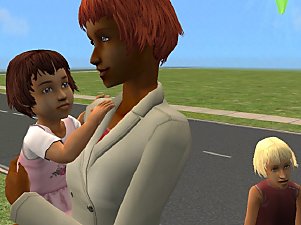
fauxhawk.JPG - width=200 height=150
(if you want to keep them in the custom bin you could just create new hair in bodyshop using my files and those new hairs will automatically go in the custom bin)
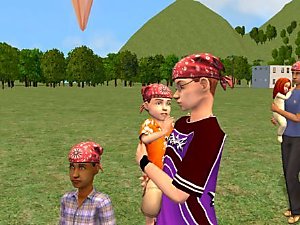
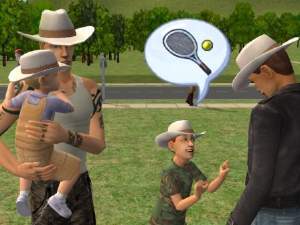
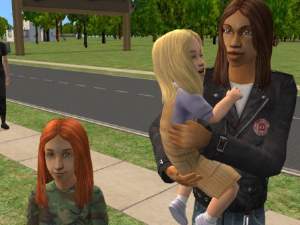
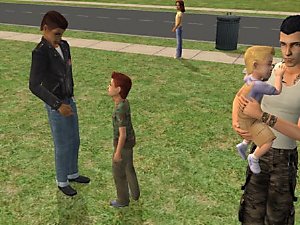
Not really a new mesh but an adaptation of the maxis'sone to toddler, boy and teen. It includes the 4 Maxis basic colors. Made using SimPE and wes_h plugin. Clone and recolor as you like.
Please note that all the hairs i did are in the 4 Maxis colors (black, brown, blond and red) and that they are available from the toddler to the elder.
(you will need the three meshes included in this file if you want the hair to be available to the toddler, boy and teen)
This is a University expansion hair.
This is a new mesh, and means that it's a brand new self contained object that usually does not require a specific Pack (although this is possible depending on the type). It may have Recolours hosted on MTS - check below for more information.
|
fauxhawkrightcolorbin.zip
Download
Uploaded: 11th Sep 2005, 1.07 MB.
24,164 downloads.
|
||||||||
| For a detailed look at individual files, see the Information tab. | ||||||||
Install Instructions
1. Download: Click the download link to save the .rar or .zip file(s) to your computer.
2. Extract the zip, rar, or 7z file.
3. Place in Downloads Folder: Cut and paste the .package file(s) into your Downloads folder:
- Origin (Ultimate Collection): Users\(Current User Account)\Documents\EA Games\The Sims™ 2 Ultimate Collection\Downloads\
- Non-Origin, Windows Vista/7/8/10: Users\(Current User Account)\Documents\EA Games\The Sims 2\Downloads\
- Non-Origin, Windows XP: Documents and Settings\(Current User Account)\My Documents\EA Games\The Sims 2\Downloads\
- Mac: Users\(Current User Account)\Documents\EA Games\The Sims 2\Downloads
- Mac x64: /Library/Containers/com.aspyr.sims2.appstore/Data/Library/Application Support/Aspyr/The Sims 2/Downloads
- For a full, complete guide to downloading complete with pictures and more information, see: Game Help: Downloading for Fracking Idiots.
- Custom content not showing up in the game? See: Game Help: Getting Custom Content to Show Up.
- If you don't have a Downloads folder, just make one. See instructions at: Game Help: No Downloads Folder.
Loading comments, please wait...


Uploaded: 23rd Aug 2005 at 5:47 PM
Updated: 11th Sep 2005 at 5:44 PM


-
-
-
-
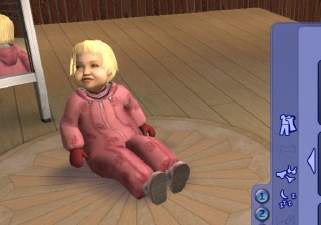
Fat family and Slim family toddler season's clothes
by melodie9 6th May 2007 at 9:23pm
those are outdoor toddler's clothes for the season expansion Enjoy more...
 +1 packs
5 23.6k 11
+1 packs
5 23.6k 11 Seasons
Body Types » Female » Toddler
-
-
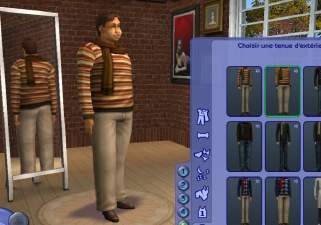
Fat family and Slim family young adult and adult season's clothes
by melodie9 6th May 2007 at 11:49pm
those are outdoor young adult and adult's clothes for the season expansion Enjoy more...
+1 packs
8 38.5k 28 Seasons
Body Types » Male » Adult
-
Fat family and Slim family child season's clothes
by melodie9 6th May 2007 at 10:36pm
those are outdoor child's clothes for the season expansion Enjoy ://thumbs2.modthesims2.com/img/5/7/4/5/1/MTS_melodie9-521774-slimScreenshot.JPG Polygon Counts: fatchildRainslickergirl.package: 1 more...
+1 packs
4 26.8k 19 Seasons
Body Types » Male » Child
-
-
Fat family and Slim family young adult new clothes
by melodie9 25th Mar 2007 at 7:44pm
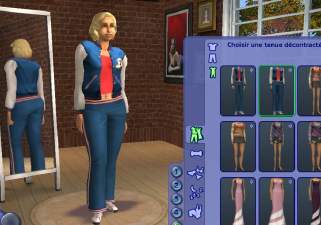
those are new casual and formal clothes for the fat family and slim family young adult Enjoy more...
2
26.7k
11
-