
 Sign in to Mod The Sims
 Fashion Paintings Part 2
 Fashion Paintings Part 2


justmoi_Fashion01.jpg - width=600 height=450
justmoi_Fashion02.jpg - width=600 height=450
justmoi_Fashion03.jpg - width=600 height=450
justmoi_Fashion04.jpg - width=600 height=450
justmoi_Fashion05.jpg - width=600 height=450
justmoi_Fashion06.jpg - width=600 height=450
justmoi_Fashion07.jpg - width=600 height=450
justmoi_Fashion08.jpg - width=600 height=450
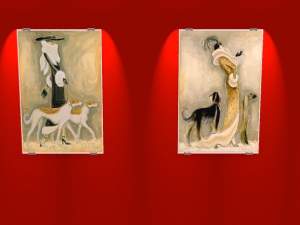
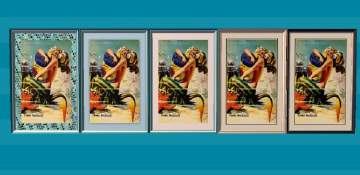
* They are based on the "Pineapple" painting from Nightlife so you have to have Nightlife to use them.
As always, they work in my game but please let me know if you have any problems with them in your game. Each file is an individual *.package file and screenshots are included in the zips. Thanks.
COLOUR ENABLED PACKAGES REQUIRED: This recoloured object was made using the colour enabling package features in SimPE Object Workshop. This enables Maxis objects which only had 1 color option available to turn the option on if content is added to provide more colour/texture items. If you do not have these colour enable packages installed this object will not be available in your game. To download the colour enabled packages and install on your system please see http://www.modthesims2.com/showthread.php?t=92541 and follow the installation instructions there.
This custom content if it is not clothing, may require a seperate download to work properly. This is available at Colour Enable Package (CEP) by Numenor.
|
justmoi_Paintings_Fashion02.zip
Download
Uploaded: 26th Nov 2005, 1.83 MB.
1,922 downloads.
|
||||||||
| For a detailed look at individual files, see the Information tab. | ||||||||
Install Instructions
1. Download: Click the download link to save the .rar or .zip file(s) to your computer.
2. Extract the zip, rar, or 7z file
3. Place in Downloads Folder: Cut and paste the .package file(s) into your Downloads folder:
- Origin (Ultimate Collection): Users\(Current User Account)\Documents\EA Games\The Sims™ 2 Ultimate Collection\Downloads\
- Non-Origin, Windows Vista/7/8/10: Users\(Current User Account)\Documents\EA Games\The Sims 2\Downloads\
- Non-Origin, Windows XP: Documents and Settings\(Current User Account)\My Documents\EA Games\The Sims 2\Downloads\
- Mac: Users\(Current User Account)\Documents\EA Games\The Sims 2\Downloads
- Mac x64:
/Library/Containers/com.aspyr.sims2.appstore/Data/Library/Application Support/Aspyr/The Sims 2/Downloads
Need more information?
- For a full, complete guide to downloading complete with pictures and more information, see: Game Help: Downloading for Fracking Idiots.
- Custom content not showing up in the game? See: Game Help: Getting Custom Content to Show Up.
- If you don't have a Downloads folder, just make one. See instructions at: Game Help: No Downloads Folder.
Loading comments, please wait...


-

by maree464 3rd Oct 2005 at 6:41am
 6
5.4k
1
6
5.4k
1
-
12 More Fashion Paintings - Collection 3
by justmoi 29th Nov 2005 at 3:49am
+1 packs
8 8.4k 3 Nightlife
-
by maree464 2nd Jan 2006 at 10:40am
4
5.7k
2
-

-

-
by Mirjam 25th Jan 2006 at 9:31am
8
6.7k
2
-
by Sirella 20th Apr 2006 at 7:59pm
3
5.4k
1
-
-
by Sirella 11th May 2006 at 4:33pm
2
6.8k
4
-


-
Rio & Mermaid Request (gigglesmagnolia)
by justmoi 19th Jan 2005 at 7:09am
UPDATE: These objects have been updated using the latest version of SimPE and should be compatible with the University more...
9
6.4k
2
-
-

-

-


New Mesh: "Peas in a Pod" Painting
by justmoi 9th Jan 2006 at 3:58am
justmoi's "Peas in a Pod" Last post for the night - I promise. more...
+1 packs
12 11.9k 8 Nightlife
-
-
-

-


justmoi's "Sleek Line" Recolours
by justmoi 21st Jan 2006 at 4:52pm
Here are a few recolours I've made of my "Sleek Line" mesh to decorate your Sims' place of business, kitchen, more...
+1 packs
8 5.4k 2 Nightlife
-
New Mesh: "Sentiments" Painting
by justmoi 21st May 2006 at 5:17pm
I made this square painting as a companion piece to the "Geometry 101" painting that came with Open For Business. more...
+1 packs
1 4.2k 2 Open for Business


Packs Needed
| Expansion Pack | |
|---|---|
 | Nightlife |