Sign in to Mod The Sims
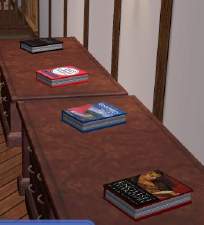
 Baby Books.....
 Baby Books.....


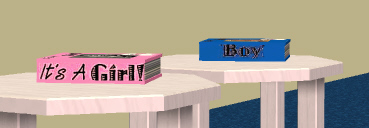
Set1.jpg - width=390 height=311
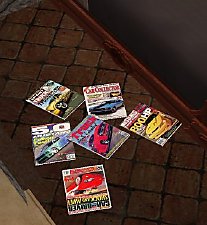
set2.JPG - width=501 height=402
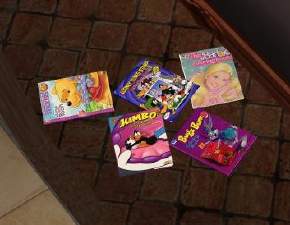
333.jpg - width=369 height=128
These are recolors of the book mesh from bienchen83's Sim2World....
I have included the mesh below with her permission...
You will find it under downloads/meshes/page2 where you can find quite a few other recolors for this mesh also.
My other downloads you can find here:
http://www.modthesims2.com/member.php?u=13188
(Thank you bienchen83)
|
bienchen83_buch_MESH.rar
Download
Uploaded: 8th Mar 2006, 58.9 KB.
3,374 downloads.
|
||||||||
|
Set2.rar
Download
Uploaded: 20th Dec 2005, 118.4 KB.
3,888 downloads.
|
||||||||
|
Set1.rar
Download
Uploaded: 20th Dec 2005, 114.8 KB.
4,327 downloads.
|
||||||||
| For a detailed look at individual files, see the Information tab. | ||||||||
Install Instructions
1. Download: Click the download link to save the .rar or .zip file(s) to your computer.
2. Extract the zip, rar, or 7z file.
3. Place in Downloads Folder: Cut and paste the .package file(s) into your Downloads folder:
- Origin (Ultimate Collection): Users\(Current User Account)\Documents\EA Games\The Sims™ 2 Ultimate Collection\Downloads\
- Non-Origin, Windows Vista/7/8/10: Users\(Current User Account)\Documents\EA Games\The Sims 2\Downloads\
- Non-Origin, Windows XP: Documents and Settings\(Current User Account)\My Documents\EA Games\The Sims 2\Downloads\
- Mac: Users\(Current User Account)\Documents\EA Games\The Sims 2\Downloads
- Mac x64: /Library/Containers/com.aspyr.sims2.appstore/Data/Library/Application Support/Aspyr/The Sims 2/Downloads
- For a full, complete guide to downloading complete with pictures and more information, see: Game Help: Downloading for Fracking Idiots.
- Custom content not showing up in the game? See: Game Help: Getting Custom Content to Show Up.
- If you don't have a Downloads folder, just make one. See instructions at: Game Help: No Downloads Folder.
Loading comments, please wait...

Uploaded: 20th Dec 2005 at 3:56 PM
Updated: 30th Jan 2008 at 6:28 PM
-
-

-
by GaryCXJk 30th Jun 2005 at 12:47pm
 13
4.7k
2
13
4.7k
2
-
by simsistic 26th Oct 2005 at 7:31pm
10
27.8k
14
-
-
by maree464 11th Dec 2005 at 4:45am
34
28.8k
18
-
by maree464 11th Dec 2005 at 5:45am
7
13.4k
16
-
by maree464 23rd Jan 2006 at 9:14am
20
19.6k
24
-
by karialSim 17th May 2006 at 11:15pm
8
6.9k
2
-

by Wille 30th May 2006 at 8:09pm
14
21.7k
3


-


-
-


Jessica Simpson Posters..........
by maree464 9th Jan 2006 at 4:08pm
You will need the big poster mesh by Qortex. Thank you Qortex..... more...
3
6.8k
3
-
-
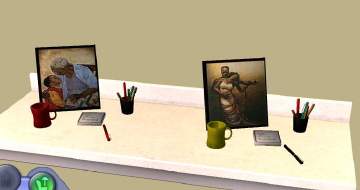
Desktop Picture plus clutter recolor
by maree464 19th Feb 2006 at 3:06pm
These are Dr Pixel Recolors, you will need his mesh that you can get here: Credit and Thanks more...
8
21.6k
26
-


-

-


Lindsay Lohan and Audrey Tautou Posters (Requested)
by maree464 20th Feb 2006 at 8:04pm
Two of these are Maxis Recolors of the "Grilled Cheese", The others you will need the following meshes: more...
6
12.1k
2
-
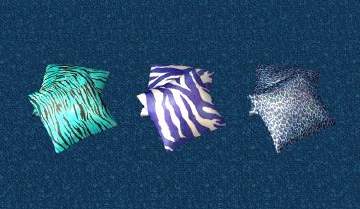

Animal Print Pillows 3 (The Last of...I promise)
by maree464 18th Dec 2005 at 3:20am
I promise this will be the last set.......... more...
7
8.1k
9
-