Sign in to Mod The Sims
 10 new beddings part 2
 10 new beddings part 2


beautiandthebeastbedding.jpg - width=477 height=421
fantasticfourbedding.jpg - width=439 height=390
gradientbluebedding.jpg - width=626 height=565
indianbedding.jpg - width=567 height=518
keithbedding.jpg - width=427 height=385
kingkongbedding.jpg - width=570 height=508
orlandobloombedding.jpg - width=514 height=431
stargateatlantisbedding1.jpg - width=627 height=523
 im just finish making 10 new beddings for u.
 hope u like it
u can find part 1 here. its 7 of them
happy sleeping

anita
PS since i can only upload 8 pictures,u have to go to my simsistic page to see them all,and if u want to download them seperatly !!!
This custom content if it is not clothing, may require a seperate download to work properly. This is available at Colour Enable Package (CEP) by Numenor.
|
10beddingssimsistic190106.zip
Download
Uploaded: 19th Jan 2006, 1.28 MB.
1,301 downloads.
|
||||||||
| For a detailed look at individual files, see the Information tab. | ||||||||
Install Instructions
1. Download: Click the download link to save the .rar or .zip file(s) to your computer.
2. Extract the zip, rar, or 7z file
3. Place in Downloads Folder: Cut and paste the .package file(s) into your Downloads folder:
- Origin (Ultimate Collection): Users\(Current User Account)\Documents\EA Games\The Sims™ 2 Ultimate Collection\Downloads\
- Non-Origin, Windows Vista/7/8/10: Users\(Current User Account)\Documents\EA Games\The Sims 2\Downloads\
- Non-Origin, Windows XP: Documents and Settings\(Current User Account)\My Documents\EA Games\The Sims 2\Downloads\
- Mac: Users\(Current User Account)\Documents\EA Games\The Sims 2\Downloads
- Mac x64:
/Library/Containers/com.aspyr.sims2.appstore/Data/Library/Application Support/Aspyr/The Sims 2/Downloads
Need more information?
- For a full, complete guide to downloading complete with pictures and more information, see: Game Help: Downloading for Fracking Idiots.
- Custom content not showing up in the game? See: Game Help: Getting Custom Content to Show Up.
- If you don't have a Downloads folder, just make one. See instructions at: Game Help: No Downloads Folder.
Loading comments, please wait...

Uploaded: 19th Jan 2006 at 10:13 PM
-
-
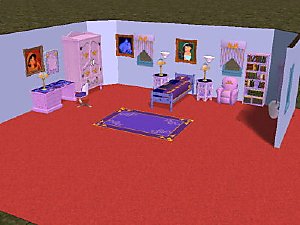
Disney Aladdin bedroom (part 1)
by simdan877 14th Jan 2006 at 10:21pm
-
-
-
-
-
-
-
-

-
-
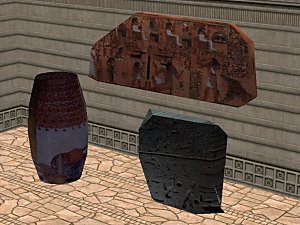
Egyptian Sarcophagus and some egypt relics
by simsistic 8th Jan 2006 at 9:17am
ok here we go again with one of my crazy meshes lol. more...
 15
22.4k
10
15
22.4k
10
-
new mesh stargate comand pic and monitorcart
by simsistic 16th Feb 2006 at 12:13pm
hi all :) long time no see. more...
7
16k
6
-
new mesh by request. big lipton tea box
by simsistic 8th Nov 2005 at 11:11pm
by request i made a bigger lipton teabox hope this is big enough Enchanted ? ;) anita :) more...
8
16.1k
16
-
-
-
-
-
-