Sign in to Mod The Sims
 Vintage Transistor Radio **UPDATED**
 Vintage Transistor Radio **UPDATED**

transistorradio.jpg - width=488 height=469
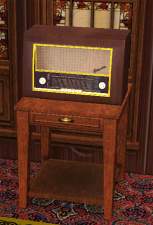
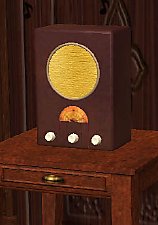
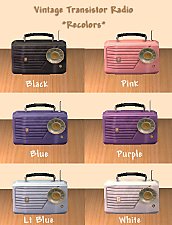
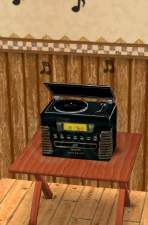
so I made this vintage style portable radio.
Much more stylin!
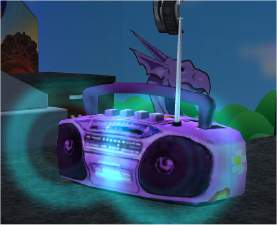
Its based on the Boombox that comes with the original game.
The Aqua version is the "Mesh", Red & Lime are recolors.
Recolors are welcome, distribution policy information
and all that mumbo jumbo is in the zip file. I won't
bore you with it here...

Polys: 302
Vertices: 307
** Updated 5/15/06 - Will now work with OFB shelves, and I have also made it base game compliant, so no EPs (even OFB) are required now for this to work in your game. If you have the previous version, this file will save over the old one. **
This is a new mesh, and means that it's a brand new self contained object that usually does not require a specific Pack (although this is possible depending on the type). It may have Recolours hosted on MTS - check below for more information.
|
skf_vintagetransradio.zip
Download
Uploaded: 3rd Feb 2006, 182.9 KB.
18,613 downloads.
|
||||||||
| For a detailed look at individual files, see the Information tab. | ||||||||
Install Instructions
1. Download: Click the download link to save the .rar or .zip file(s) to your computer.
2. Extract the zip, rar, or 7z file.
3. Place in Downloads Folder: Cut and paste the .package file(s) into your Downloads folder:
- Origin (Ultimate Collection): Users\(Current User Account)\Documents\EA Games\The Sims™ 2 Ultimate Collection\Downloads\
- Non-Origin, Windows Vista/7/8/10: Users\(Current User Account)\Documents\EA Games\The Sims 2\Downloads\
- Non-Origin, Windows XP: Documents and Settings\(Current User Account)\My Documents\EA Games\The Sims 2\Downloads\
- Mac: Users\(Current User Account)\Documents\EA Games\The Sims 2\Downloads
- Mac x64: /Library/Containers/com.aspyr.sims2.appstore/Data/Library/Application Support/Aspyr/The Sims 2/Downloads
- For a full, complete guide to downloading complete with pictures and more information, see: Game Help: Downloading for Fracking Idiots.
- Custom content not showing up in the game? See: Game Help: Getting Custom Content to Show Up.
- If you don't have a Downloads folder, just make one. See instructions at: Game Help: No Downloads Folder.
Loading comments, please wait...

Uploaded: 3rd Feb 2006 at 5:36 AM
Updated: 28th Jan 2009 at 3:12 PM by -Maylin-
-
-
-
-
-
-
-
-
by Maximum_spider 8th May 2006 at 4:08pm
 +1 packs
30 23.8k 12
+1 packs
30 23.8k 12 Nightlife
-
by muaka2 4th Jan 2007 at 11:13am
5
12.1k
4
-


-

by shannanisims 14th Feb 2006 at 3:51am
What happens when you combine and Evil Genius cartoon baby with an adorable cartoon son of a Devil? You get more...
-
by shannanisims 14th Feb 2006 at 4:02am
This is a recolor of the "Marketing Print by Seph Epia" Large Picture Bunch from Nightlife. more...
+1 packs
6 6.3k 4 Nightlife
-
Retro Stove & Rangehood - Cherry Red Recolor
by shannanisims 18th Feb 2006 at 6:37am
Next round of recolors in Cherry Red.... more...
3
23.2k
28
-


by shannanisims 18th Jan 2006 at 4:51pm
Sorry I can't remember the name of the Maxis Painting/Poster.... but its from the Nightlife Expansion... more...
+1 packs
6 8.5k 6 Nightlife
-
by shannanisims 19th Jan 2006 at 5:49am
Here is my recolor of the Studio Bakonmi (sp?) Sofa, Loveseat and Chair. more...
4
6.4k
5
-

by shannanisims 30th Jun 2006 at 10:22pm
I have been asked so many times where the hair from my Avatar came from... so I'm finally uploading it. more...
-
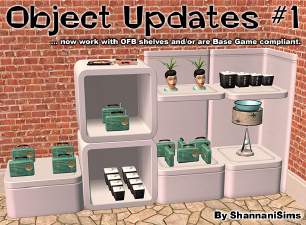
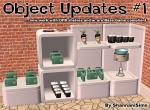
OFB Object Update #1 (Transistor Radio, Lady Head Vase, etc)
by shannanisims 15th May 2006 at 5:09pm
Hey Gang, I am slowly going back through my custom meshes and updating them for various reasons. more...
12
26.7k
13
-
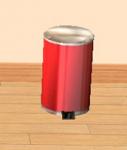
Maxis Recolors for Retro Kitchen - Cherry Red
by shannanisims 18th Feb 2006 at 6:45am
Just a sink & trash can to go with my Cherry Red Kitchen. more...
-
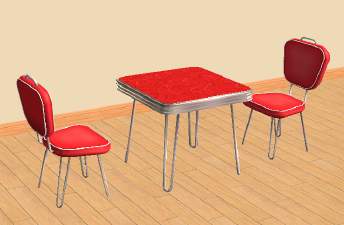
Retro Dinette Set - Cherry Red Recolor
by shannanisims 18th Feb 2006 at 6:41am
Recolor of my Dinette Set. Cherry Red! more...
-
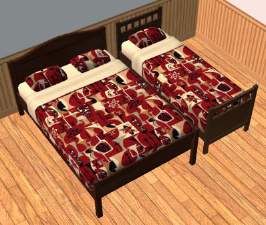
MidCentury Modern Bedroom Set #3
by shannanisims 19th Jan 2006 at 5:42am
I've been stock piling a bunch of stuff and finally getting around to uploading... so here is set #3. more...