
 Sign in to Mod The Sims
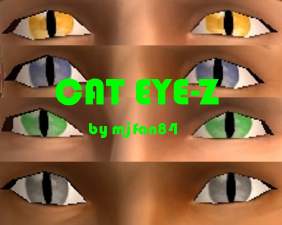
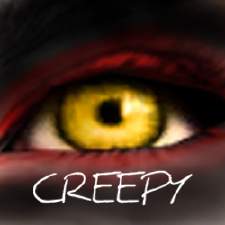
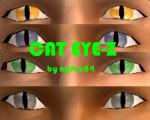
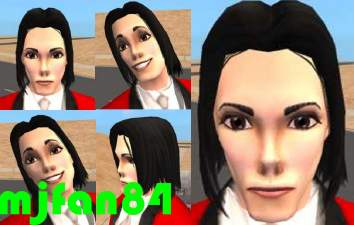
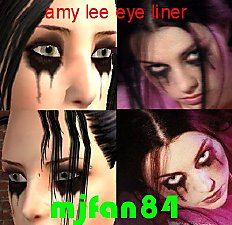
 Creepy Eyes set 1 by mjfan84
 Creepy Eyes set 1 by mjfan84


eyesshot2.jpg - width=431 height=413
eyesshot1.jpg - width=663 height=788
this is my second set of eyes, and i should be coming out with more costume eyes very soon. i have another set waiting to be skinned, only i figured id post them in sets, or there would be too many. so go ahead and try these out, lemme know what you think!
mjfan84
p.s. if you experience any problems or difficulties please notify me and i will be glad to resolve the issue ASAP
|
costume eyes set 1.rar
Download
Uploaded: 16th Apr 2006, 96.0 KB.
746 downloads.
|
||||||||
| For a detailed look at individual files, see the Information tab. | ||||||||
Install Instructions
1. Download: Click the download link to save the .rar or .zip file(s) to your computer.
2. Extract the zip, rar, or 7z file.
3. Place in Downloads Folder: Cut and paste the .package file(s) into your Downloads folder:
- Origin (Ultimate Collection): Users\(Current User Account)\Documents\EA Games\The Sims™ 2 Ultimate Collection\Downloads\
- Non-Origin, Windows Vista/7/8/10: Users\(Current User Account)\Documents\EA Games\The Sims 2\Downloads\
- Non-Origin, Windows XP: Documents and Settings\(Current User Account)\My Documents\EA Games\The Sims 2\Downloads\
- Mac: Users\(Current User Account)\Documents\EA Games\The Sims 2\Downloads
- Mac x64: /Library/Containers/com.aspyr.sims2.appstore/Data/Library/Application Support/Aspyr/The Sims 2/Downloads
- For a full, complete guide to downloading complete with pictures and more information, see: Game Help: Downloading for Fracking Idiots.
- Custom content not showing up in the game? See: Game Help: Getting Custom Content to Show Up.
- If you don't have a Downloads folder, just make one. See instructions at: Game Help: No Downloads Folder.
Loading comments, please wait...

Uploaded: 16th Apr 2006 at 10:21 PM
-
-

-
-
-
by RaggedDoll 6th Dec 2005 at 5:34am
-
-
-
-
-


-
-
-
-
-
Michael Jackson's Thiller and Moonwalker Bedding NOW IN SINGLES!
by mjfan84 22nd Sep 2005 at 12:11am
THIS IS THRILLER! THRILER NIGHT!! more...
-
-
-
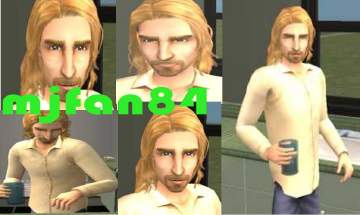
Chad Kroeger (lead singer of nickelback)
by mjfan84 29th Sep 2005 at 5:05am
ok i was in body shop right? when i pressed random it came up with the exact same face as more...
 12
13.5k
3
12
13.5k
3
-
-
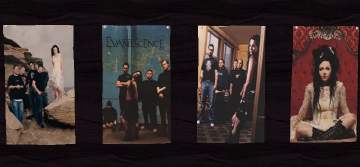
Evanescence Posters by mjfan84
by mjfan84 30th Jul 2006 at 6:23pm
hello there, this is mjfan84 and have i got a big treat for all you fellow evanescence fans! more...
+1 packs
21 12.4k 5 University

