
 Sign in to Mod The Sims
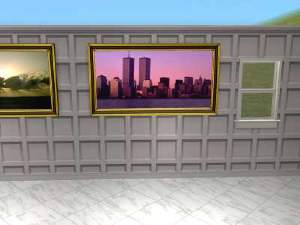
 Mixed set of Oregon Coast Pictures for walls
 Mixed set of Oregon Coast Pictures for walls


snapshot_00000008_51681c26.jpg - width=600 height=450
snapshot_00000008_11680b86.jpg - width=483 height=374
snapshot_00000008_11681c17.jpg - width=424 height=371
snapshot_00000008_d1681cbf.jpg - width=309 height=261
snapshot_00000008_d1681ce9.jpg - width=459 height=301
anyway I made these and they looked really nice in my game so I'm sharing. The credits for the original mesh files go to Phelana and Birgit43 of Meshkiste.
they allow posting of thier mesh files so a seperate zip for thier meshes is included in this post. Thanks to both these creators for allowing the use of thier mesh files for recoloring and for allowing the posting of thier meshes. Makes everything alot easier for posting . You will need the latest CEP files by Numenor installed in your game for some recolors to appear. I see the OFB icon was ticked when I posted but it is not needed for these recolors.
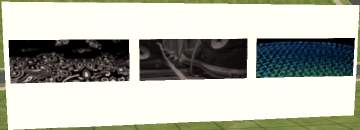
This set includes 7 mixed size wallhangings and one whole wall collage.
Thanks to everyone who make creating possible and to MTS2 for giving us a place to share.
|
SwtNess2VacationOnTheOregonCoast2006.zip
Download
Uploaded: 7th May 2006, 1.22 MB.
832 downloads.
|
||||||||
|
PhelanaWallHangingMeshes.zip
Download
Uploaded: 7th May 2006, 379.7 KB.
804 downloads.
|
||||||||
|
B43WallhangingsMeshes.zip
Download
Uploaded: 7th May 2006, 774.5 KB.
858 downloads.
|
||||||||
| For a detailed look at individual files, see the Information tab. | ||||||||
Install Instructions
1. Download: Click the download link to save the .rar or .zip file(s) to your computer.
2. Extract the zip, rar, or 7z file.
3. Place in Downloads Folder: Cut and paste the .package file(s) into your Downloads folder:
- Origin (Ultimate Collection): Users\(Current User Account)\Documents\EA Games\The Sims™ 2 Ultimate Collection\Downloads\
- Non-Origin, Windows Vista/7/8/10: Users\(Current User Account)\Documents\EA Games\The Sims 2\Downloads\
- Non-Origin, Windows XP: Documents and Settings\(Current User Account)\My Documents\EA Games\The Sims 2\Downloads\
- Mac: Users\(Current User Account)\Documents\EA Games\The Sims 2\Downloads
- Mac x64: /Library/Containers/com.aspyr.sims2.appstore/Data/Library/Application Support/Aspyr/The Sims 2/Downloads
- For a full, complete guide to downloading complete with pictures and more information, see: Game Help: Downloading for Fracking Idiots.
- Custom content not showing up in the game? See: Game Help: Getting Custom Content to Show Up.
- If you don't have a Downloads folder, just make one. See instructions at: Game Help: No Downloads Folder.
Loading comments, please wait...


-
by UTCSimers 20th Sep 2005 at 3:31am
 2
6k
2
6k
-
-
-

-
Pictures for the teens and children
by chynableu 12th Jan 2006 at 6:52am
+1 packs
1 6.3k 3 Nightlife
-
-
by conage 25th Jan 2006 at 6:13pm
4
5.4k
-
-
-

Pictures for children - Part 3
by Grito 4th Feb 2007 at 1:54am
+1 packs
12 10.8k 15 Open for Business


-
-
-
-
-
-

-
Bleeding Roses Nursery items(requested)
by SwtNess2 20th Oct 2005 at 7:19am
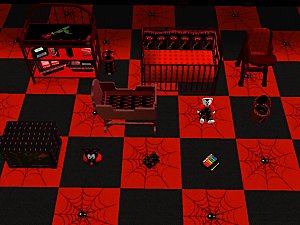
here are the nursery objects that go with the Bleeding Roses Bedroom set posted earlier this week, as requested by: more...
-
-
-


Packs Needed
| Expansion Pack | |
|---|---|
 | Open for Business |