
 Sign in to Mod The Sims
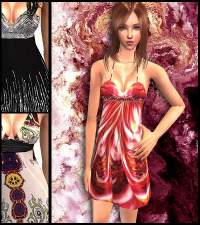
 Fall/Winter dresses
 Fall/Winter dresses


mauveplaidpleatedboot.jpg - width=353 height=534
mauve.jpg - width=152 height=392
bluepatternhoodie.jpg - width=353 height=534
bluepatternhoodgame.jpg - width=198 height=524
olivecreamsweatercuff.jpg - width=223 height=461
sweaterdresscuffs.jpg - width=353 height=542
multisweatercuffs.jpg - width=246 height=548
purplesweaterhoodie.jpg - width=231 height=469
purplesweaterhoodieback.jpg - width=218 height=418
Hope you like them!
|
5f403caf_KLhoodiepurple.rar
Download
Uploaded: 8th Oct 2006, 396.9 KB.
1,137 downloads.
|
||||||||
|
5fd684e7_KLmulticuffs.rar
Download
Uploaded: 8th Oct 2006, 993.6 KB.
1,117 downloads.
|
||||||||
|
5f75e76f_KLswtrdresscuff.rar
Download
Uploaded: 8th Oct 2006, 295.9 KB.
1,127 downloads.
|
||||||||
|
5f502e3b_KLhoodieoutfit.rar
Download
Uploaded: 8th Oct 2006, 290.4 KB.
1,191 downloads.
|
||||||||
|
5f62afc9_KLmauvepleatboot.rar
Download
Uploaded: 8th Oct 2006, 120.7 KB.
2,318 downloads.
|
||||||||
| For a detailed look at individual files, see the Information tab. | ||||||||
Install Instructions
1. Download: Click the download link to save the .rar or .zip file(s) to your computer.
2. Extract the zip, rar, or 7z file.
3. Place in Downloads Folder: Cut and paste the .package file(s) into your Downloads folder:
- Origin (Ultimate Collection): Users\(Current User Account)\Documents\EA Games\The Sims™ 2 Ultimate Collection\Downloads\
- Non-Origin, Windows Vista/7/8/10: Users\(Current User Account)\Documents\EA Games\The Sims 2\Downloads\
- Non-Origin, Windows XP: Documents and Settings\(Current User Account)\My Documents\EA Games\The Sims 2\Downloads\
- Mac: Users\(Current User Account)\Documents\EA Games\The Sims 2\Downloads
- Mac x64: /Library/Containers/com.aspyr.sims2.appstore/Data/Library/Application Support/Aspyr/The Sims 2/Downloads
- For a full, complete guide to downloading complete with pictures and more information, see: Game Help: Downloading for Fracking Idiots.
- Custom content not showing up in the game? See: Game Help: Getting Custom Content to Show Up.
- If you don't have a Downloads folder, just make one. See instructions at: Game Help: No Downloads Folder.
Meshes needed
This download requires one or more meshes to work properly. Please check the Description tab for information about the meshes needed, then download them below:| MTS cannot guarantee any off-site links will be available |
| 2-f0r-u.de/startsims2.htm (non-MTS link) |
Loading comments, please wait...

-
-
-
-
-
-
-
-
-
-
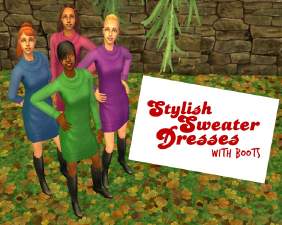
Stylish Sweater Dresses - with boots
by javabean_dreams updated 7th Sep 2008 at 5:30am


-
-
-
-
Recolor of plant from Around the Sims
by karialSim 17th May 2006 at 11:05pm
Isn't this a great little plant? It fits beautifully on those great lighted shelves. more...
 3.8k
3.8k
-
-
-

-
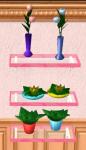
More Around the Sims plant recolors
by karialSim 19th May 2006 at 8:49pm
The meshes are included. Hope you like them! more...
1
6.8k
1
-
-
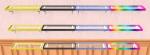
8 more Illumutation lighted shelf recolors!
by karialSim 19th May 2006 at 8:57pm
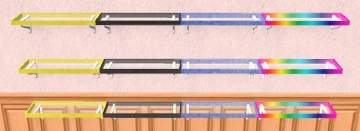
Is it obvious how much I love these shelves?? LOL Here are 8 more recolors for you. Just frame recolors. more...
3
20.8k
16

