
 Sign in to Mod The Sims
 The Sims 2 Halloween Pack (30 objects, recolors, clothes, walls, music, etc!)
 The Sims 2 Halloween Pack (30 objects, recolors, clothes, walls, music, etc!)


s2hprenderscreenofficial04.jpg - width=800 height=615
s2hpmts2a.jpg - width=800 height=999
s2hpmts2b.jpg - width=800 height=1000
s2hpmts2c.jpg - width=800 height=801
s2hpmts2d.jpg - width=800 height=1000


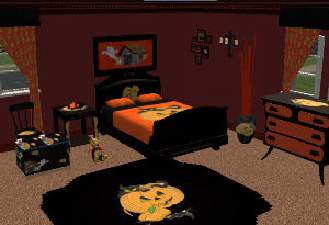
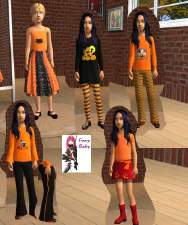
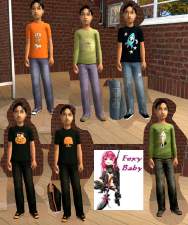
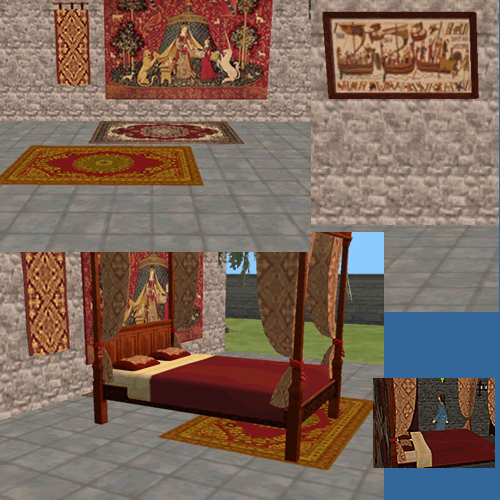
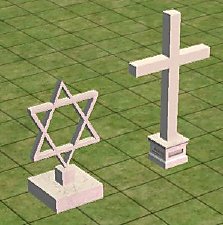
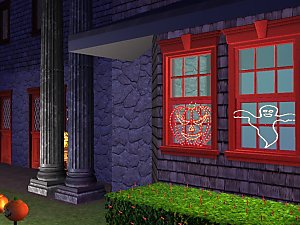
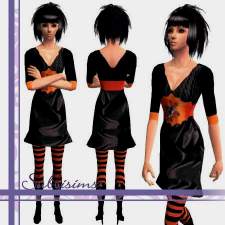
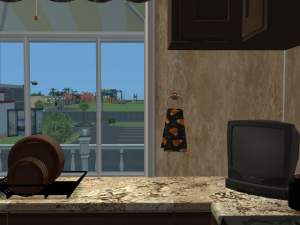
This is my third pack but i've had much less time to work on it! So here you go! This pack includes 30 objects, with many recolors, new clothes, walls, floors, music, etc. I hope you enjoy this pack as much as the Summer Life pack or even more! Please post comments. Entire site can be found here:
http://www.simfantastic2.com/halloweenpack.htm
Here are the instructions - if you want an automatic .exe setup file you can only download that in the link above.
INSTALLATION
The Sims 2 Halloween Pack is all in one zip file that includes several zips in it. So here is how you install the zip files. PLEASE READ THIS TO INSTALL CORRECTLY (MUST USE THIS IF YOUR GAME IS NOT IN ENGLISH) You can choose anyway you want to install it. Manually or with the setup.exe.
1. Save the zip file to the desktop when you click on download now.
2. Open up the zip file and extract those zips to your desktop.
3. Now open the s2halpdownloads.zip and extract all the files to My Documents / EA Games / The Sims 2 / Downloads.
4. Next open the s2halpcollections.zip and extract those files to My Documents / EA Games / The Sims 2 / Collections.
5. That's it! Your done, go in the game and check it out! If you have music go to the next step to put it in your game.
6. Now open the s2halpmusic.zip and extract all the files to My Documents / EA Games / The Sims 2 / Music which will be in techno in the game but don't include that in the extracting and when you play it on a stereo in the game it will be there! Enjoy! If you need help email me!
This pack took me only 1 month and a half since i only had that much time to do it, so i usually have 4 months to make a pack with 40 objects, but i think i managed my time well. I'm still 14, lol. Just like when i made the summer and easter pack. That age won't change until march. Thank you for everything and thanks for people who've helped some of my problems on the way!
 Enjoy the pack! Best wishes and Happy Halloween!
All objects and recolors and other things can be seen at my site, there is just too many images to post here.
This is a new mesh, and means that it's a brand new self contained object that usually does not require a specific Pack (although this is possible depending on the type). It may have Recolours hosted on MTS - check below for more information.
|
s2halpdownloadspart2.zip
Download
Uploaded: 13th Oct 2006, 5.88 MB.
41,602 downloads.
|
||||||||
|
s2halpdownloadspart1.zip
Download
Uploaded: 13th Oct 2006, 6.95 MB.
42,894 downloads.
|
||||||||
|
s2halpcollections.zip
Download
Uploaded: 13th Oct 2006, 57.0 KB.
143,864 downloads.
|
||||||||
| For a detailed look at individual files, see the Information tab. | ||||||||
Install Instructions
1. Download: Click the download link to save the .rar or .zip file(s) to your computer.
2. Extract the zip, rar, or 7z file.
3. Place in Downloads Folder: Cut and paste the .package file(s) into your Downloads folder:
- Origin (Ultimate Collection): Users\(Current User Account)\Documents\EA Games\The Sims™ 2 Ultimate Collection\Downloads\
- Non-Origin, Windows Vista/7/8/10: Users\(Current User Account)\Documents\EA Games\The Sims 2\Downloads\
- Non-Origin, Windows XP: Documents and Settings\(Current User Account)\My Documents\EA Games\The Sims 2\Downloads\
- Mac: Users\(Current User Account)\Documents\EA Games\The Sims 2\Downloads
- Mac x64: /Library/Containers/com.aspyr.sims2.appstore/Data/Library/Application Support/Aspyr/The Sims 2/Downloads
- For a full, complete guide to downloading complete with pictures and more information, see: Game Help: Downloading for Fracking Idiots.
- Custom content not showing up in the game? See: Game Help: Getting Custom Content to Show Up.
- If you don't have a Downloads folder, just make one. See instructions at: Game Help: No Downloads Folder.
Loading comments, please wait...


Uploaded: 13th Oct 2006 at 11:45 PM
Updated: 14th Oct 2006 at 1:33 AM
#halloween pack, #halloween, #fall, #autumn, #witches, #ghosts, #simfantastic, #skeletons, #tombs
-
-
-
-
-
-
-
-
by Fresh-Prince 18th Sep 2006 at 2:13am
 57
78.5k
67
57
78.5k
67
-
-


-
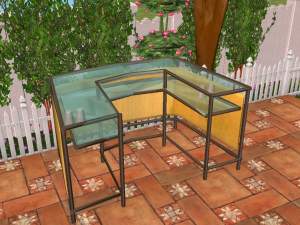
New Outdoor Tiki Bar Set! Including Table,chairs,high chairs,bar, and plant!5 meshes!
by simfantastic2 21st Jul 2005 at 3:36pm
It is already summer so lets start making summer objects! more...
-
Texture this New Single Dish Mesh!
by simfantastic2 23rd Feb 2005 at 6:21pm
I made a mesh for the sims 2, but i don't know how to put textures on objects. more...
4
8.3k
-
by simfantastic2 26th Aug 2006 at 9:21am
A new glass picture frame with a black exterior to add finish to your home: Object Type : more...
6
10.7k
1
-
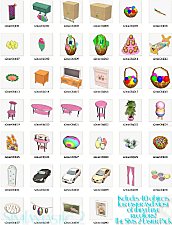
The Sims 2 Easter Pack by Simfantastic 2 over 40 easter objects!
by simfantastic2 2nd Apr 2006 at 3:34pm
Well i have been working on this for a long time and I hope everyone enjoys it. more...
94
100k
43
-
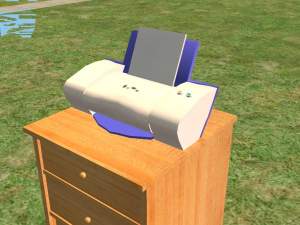
UPDATED - 2003 Lexmark Z23 Printer, Added Better Recolors!
by simfantastic2 27th Aug 2005 at 11:10am
This is my printer so i thought i would make it! more...
46
44k
26
-
The Sims 2 Summer Life Pack (40 new objs, over 200 new walls and floors, and more!)
by simfantastic2 27th Aug 2006 at 8:39am
This is my second pack after creating the succesfully easter pack, i hope you like this as much or even more...
116
240.1k
152
-
Wooden Snack Closet (Includes 4 colors - Animated)
by simfantastic2 26th Aug 2006 at 8:47am
I wanted to upload to MTS2 since I haven't uploaded here for so long, well this works as a regular more...
-
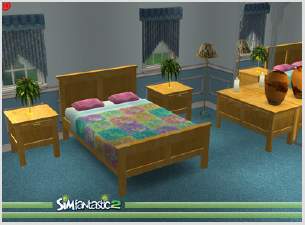
by simfantastic2 18th Feb 2006 at 8:13pm
Have this dazzling bedroom set to fill up your bedroom, and to let the fun begin! more...
-
by simfantastic2 27th Mar 2005 at 11:05am
Here is my new object. Happy easter! Sorry got to go... Found in Decorative-in Plants. Sorry about the small screen! more...
30
20.3k
-
by simfantastic2 5th Jun 2005 at 8:16am
:D Hello everybody, i hope you enjoy my latest object. more...
78
65.2k
72
About Me
Most of all, enjoy. It is an honor and pleasure to see anyone that has used items from me or made recolors. I enjoy looking at them and it is a lot of fun.