
 Sign in to Mod The Sims
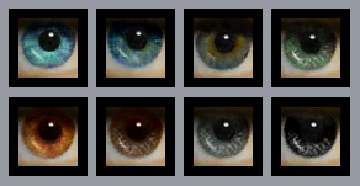
 Realistic Eyes Set 3
 Realistic Eyes Set 3


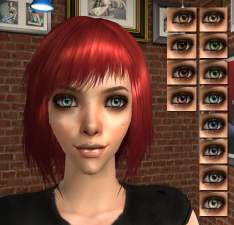
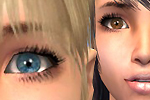
RealisticEyesSet3.JPG - width=269 height=470
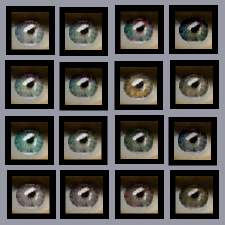
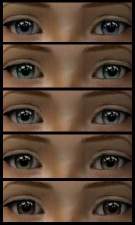
RealisticEyesSet32.JPG - width=218 height=497
It is okay to include these eyes with your uploaded sims, just make sure to give a link back to this thread or my MTS2 profile.
Enjoy!
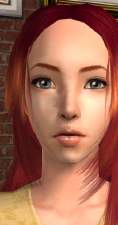
And in case you're wondering where I got the content on my model sim, here's where it's from so you don't have to ask me:
-Eyebrows and eyelashes by www.helaene.com
-Skin is Louis #7 Lin's Edition at MTS2
-Hair by Sims2Sisters at TSR
-Lipgloss by me
|
RealisticEyesS3.zip
Download
Uploaded: 9th Nov 2006, 159.9 KB.
1,392 downloads.
|
||||||||
| For a detailed look at individual files, see the Information tab. | ||||||||
Install Instructions
1. Download: Click the download link to save the .rar or .zip file(s) to your computer.
2. Extract the zip, rar, or 7z file.
3. Place in Downloads Folder: Cut and paste the .package file(s) into your Downloads folder:
- Origin (Ultimate Collection): Users\(Current User Account)\Documents\EA Games\The Sims™ 2 Ultimate Collection\Downloads\
- Non-Origin, Windows Vista/7/8/10: Users\(Current User Account)\Documents\EA Games\The Sims 2\Downloads\
- Non-Origin, Windows XP: Documents and Settings\(Current User Account)\My Documents\EA Games\The Sims 2\Downloads\
- Mac: Users\(Current User Account)\Documents\EA Games\The Sims 2\Downloads
- Mac x64: /Library/Containers/com.aspyr.sims2.appstore/Data/Library/Application Support/Aspyr/The Sims 2/Downloads
- For a full, complete guide to downloading complete with pictures and more information, see: Game Help: Downloading for Fracking Idiots.
- Custom content not showing up in the game? See: Game Help: Getting Custom Content to Show Up.
- If you don't have a Downloads folder, just make one. See instructions at: Game Help: No Downloads Folder.
Loading comments, please wait...

Uploaded: 9th Nov 2006 at 12:18 AM
Updated: 9th Nov 2006 at 8:50 PM
-
-

-
-
-
Realistic Eyes by MissSimGameFan
by MissSimGameFan 30th Oct 2006 at 5:10am
-
-
-
-
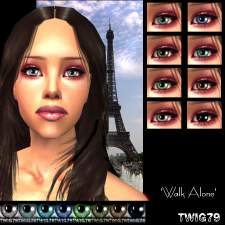
'Walk Alone' realistic eyes set
by twig79 23rd May 2007 at 11:16pm
-


-
by MissSimGameFan 4th Nov 2006 at 5:19am
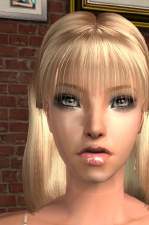
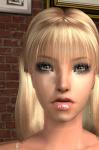
Here's a new, juicy lip gloss I made. There's ten colors. more...
-

by MissSimGameFan 18th Dec 2006 at 5:19am
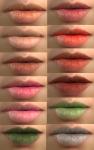
Here's some natural lipstick, great for male sims or sims that are going for the natural look. more...
-
Blue-ish/Green-ish Formal Dress
by MissSimGameFan 13th Dec 2006 at 8:47pm
The mesh by Marvine is not included. You can download it here. Please read my Terms of Use. more...
-
by MissSimGameFan 11th Dec 2006 at 2:06am
Another lipstick by me, I hope you like it. Please read my Terms Of Use Enjoy! more...
-
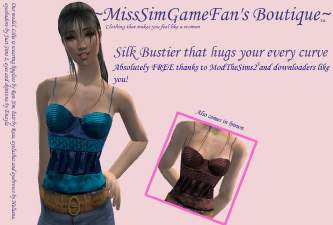
by MissSimGameFan 9th Apr 2007 at 8:17pm
The mesh is by Maxis. It comes in two colors, blue and brown. more...
-
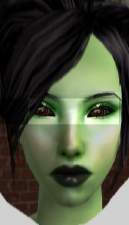
by MissSimGameFan 9th Apr 2007 at 8:10pm
Here's a set of eyes for your alien sims. more...
-
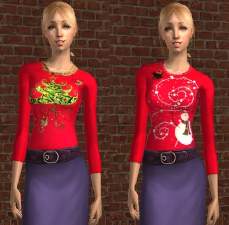
by MissSimGameFan 5th Dec 2006 at 3:07am
Here's two Christmas sweaters for you. The mesh is by Maxis. more...
-
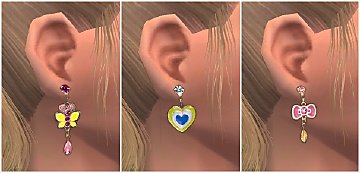
4 Sets of earrings for Children
by MissSimGameFan 5th Dec 2007 at 7:21pm
The mesh from is NOT included. The mesh is on page 7 of Accessories. more...
 9
30.8k
43
9
30.8k
43
-
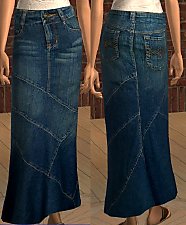
by MissSimGameFan 16th Jan 2007 at 10:35pm
The mesh is by Maxis. Enjoy! more...
-
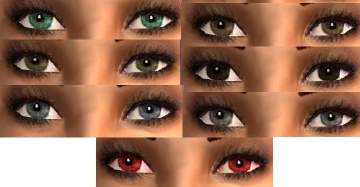
Adriana Lima Eyes *UPDATED* Default replacements added
by MissSimGameFan 11th Dec 2006 at 2:00am
Here's some eyes I made using a photograph of Adriana Lima's eyes. Please read my Terms of Use. more...


About Me
You can upload sims wearing my content to any FREE sites. Please, NEVER claim my content as your own, and please make sure to tell people where you got the content from and that I made it when including it with a sim.
------------Recoloring------------
You can recolor my work, just make sure to give me credit for the original creation. And I would love it if you sent me a privet messege telling me where you're uploading the recolor, because I would love to see it.
------------Requests------------
I do not take requests.
Have a nice day. :)