
 Sign in to Mod The Sims
 Natural Fun Colours for xm Sim's #49 hair
 Natural Fun Colours for xm Sim's #49 hair
SCREENSHOTS


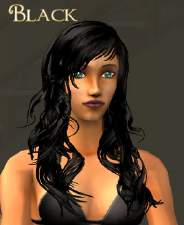
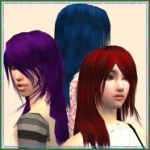
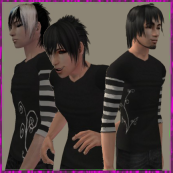
naturalxmhr49retexturerealphaportrait.png - width=328 height=319
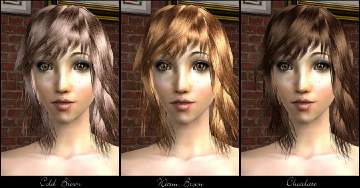
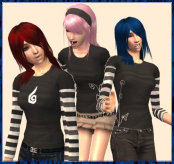
naturalxmhr49retexturerealphacollauge.jpg - width=585 height=319
Downloaded 1,985 times
145 Thanks
10 Favourited
21,826 Views
Say Thanks!
Thanked!
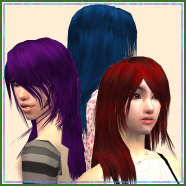
So I made exciting vibrant colours and then got a request to do some natural colours, so I did, yay!! I know the unnatural colours are very vivid compared to these but I personally feel that natural colour aren't ment to be bright or "deep" or whatever them hair dye makers call em. I think they should be mousey looking so yeah... mousey colours for all of you!! Oh yes, they are colour binned, hurryay for colour binning...ness? Almost forgot, there are 5 colours: black, brown, blonde, red and ginger. Have fun simming!!
PS I have pets therefore you need pets!!
PS I have pets therefore you need pets!!
Advertisement:
This is a new mesh recolour, and means that you will need to download the particular mesh itself in order for this to show up in your game. See the Meshes Needed section or read the text for more information.
|
cyphiefhair49red_Red.rar
Download
Uploaded: 26th Dec 2006, 545.3 KB.
3,038 downloads.
|
||||||||
|
cyphiefhair49ginger_Red.rar
Download
Uploaded: 26th Dec 2006, 521.6 KB.
2,848 downloads.
|
||||||||
|
cyphiefhair49brown_Brown.rar
Download
Uploaded: 26th Dec 2006, 431.8 KB.
3,820 downloads.
|
||||||||
|
cyphiefhair49blonde_Blond.rar
Download
Uploaded: 26th Dec 2006, 447.5 KB.
3,633 downloads.
|
||||||||
|
cyphiefhair49black_Black.rar
Download
Uploaded: 26th Dec 2006, 407.4 KB.
4,060 downloads.
|
||||||||
| For a detailed look at individual files, see the Information tab. | ||||||||
Install Instructions
Basic Download and Install Instructions:
1. Download: Click the download link to save the .rar or .zip file(s) to your computer.
2. Extract the zip, rar, or 7z file.
3. Place in Downloads Folder: Cut and paste the .package file(s) into your Downloads folder:
1. Download: Click the download link to save the .rar or .zip file(s) to your computer.
2. Extract the zip, rar, or 7z file.
3. Place in Downloads Folder: Cut and paste the .package file(s) into your Downloads folder:
- Origin (Ultimate Collection): Users\(Current User Account)\Documents\EA Games\The Sims™ 2 Ultimate Collection\Downloads\
- Non-Origin, Windows Vista/7/8/10: Users\(Current User Account)\Documents\EA Games\The Sims 2\Downloads\
- Non-Origin, Windows XP: Documents and Settings\(Current User Account)\My Documents\EA Games\The Sims 2\Downloads\
- Mac: Users\(Current User Account)\Documents\EA Games\The Sims 2\Downloads
- Mac x64: /Library/Containers/com.aspyr.sims2.appstore/Data/Library/Application Support/Aspyr/The Sims 2/Downloads
- For a full, complete guide to downloading complete with pictures and more information, see: Game Help: Downloading for Fracking Idiots.
- Custom content not showing up in the game? See: Game Help: Getting Custom Content to Show Up.
- If you don't have a Downloads folder, just make one. See instructions at: Game Help: No Downloads Folder.
Meshes needed
This download requires one or more meshes to work properly. Please check the Description tab for information about the meshes needed, then download them below:| MTS cannot guarantee any off-site links will be available |
| xmsims.com/sims2/ehtm/hair/hair49.htm (non-MTS link) |
Advertisement:
Loading comments, please wait...

Other Download Recommendations:
-
-
-
-
-
by heidilarking 26th May 2007 at 4:00pm
-
-
-
-
-


More downloads by cyphie:
See more
-
-
-
-
-
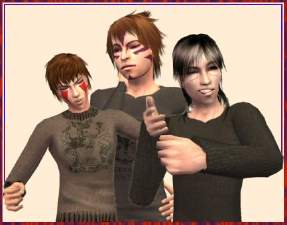
Kankuro, Kiba and Itachi Face... Things
by cyphie 26th Dec 2006 at 3:09am
I looked around for Naruto character face stuffs because I'm a huge Narutard (read it BEFORE it came out on more...
 +1 packs
31 74.7k 33
+1 packs
31 74.7k 33 Pets
Pets
-
-
Packs Needed
| Expansion Pack | |
|---|---|
 | Pets |