
 Sign in to Mod The Sims
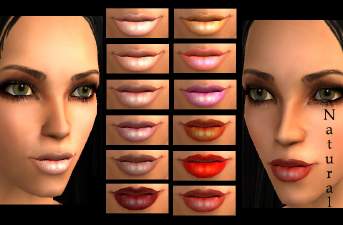
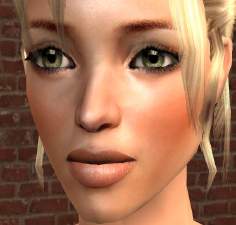
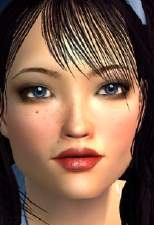
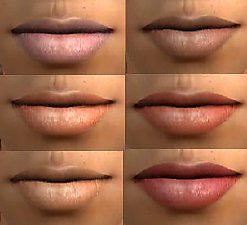
 Smile like a goddess with these new, superglossy lips!
 Smile like a goddess with these new, superglossy lips!


glosslipsprew.jpg - width=357 height=336
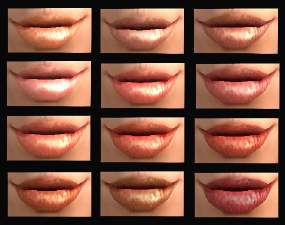
glosslipsshow.jpg - width=543 height=440
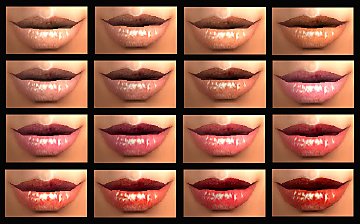
glosslipsscroll.jpg - width=698 height=583
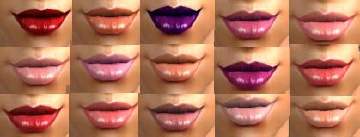
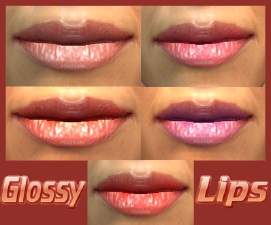
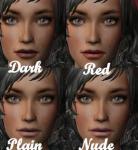
Today, I bring you these supershiny lips to put that little extra into your game. There are 8 colors altogether and in various tones to suit any skintone. Personally, I must say they look great in game and goes with pretty much any look you want for your sim. I really hope you enjoy them as much as I do!

Constructive feedback is wanted,
and as always, remember not to upload on the exchange blahblah. Ypu may include these in a uploaded sim here on mts2 or any other free site as long as you give me credit. That's all for now! See you again soon!
PS. Check out my other uploads too!
|
glossylipsbylovani.rar
Download
Uploaded: 4th Feb 2007, 553.6 KB.
561 downloads.
|
||||||||
| For a detailed look at individual files, see the Information tab. | ||||||||
Install Instructions
1. Download: Click the download link to save the .rar or .zip file(s) to your computer.
2. Extract the zip, rar, or 7z file.
3. Place in Downloads Folder: Cut and paste the .package file(s) into your Downloads folder:
- Origin (Ultimate Collection): Users\(Current User Account)\Documents\EA Games\The Sims™ 2 Ultimate Collection\Downloads\
- Non-Origin, Windows Vista/7/8/10: Users\(Current User Account)\Documents\EA Games\The Sims 2\Downloads\
- Non-Origin, Windows XP: Documents and Settings\(Current User Account)\My Documents\EA Games\The Sims 2\Downloads\
- Mac: Users\(Current User Account)\Documents\EA Games\The Sims 2\Downloads
- Mac x64: /Library/Containers/com.aspyr.sims2.appstore/Data/Library/Application Support/Aspyr/The Sims 2/Downloads
- For a full, complete guide to downloading complete with pictures and more information, see: Game Help: Downloading for Fracking Idiots.
- Custom content not showing up in the game? See: Game Help: Getting Custom Content to Show Up.
- If you don't have a Downloads folder, just make one. See instructions at: Game Help: No Downloads Folder.
Loading comments, please wait...

-
-
-
-
-
-
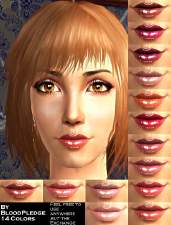
by BloodPledge 20th Dec 2006 at 7:53am
-
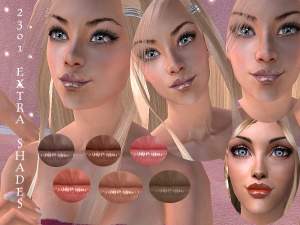
by Rock Chick 28th Jan 2007 at 9:43pm
-

by jo_perfect 10th Feb 2007 at 4:30pm
-
-
by TheSweetSimmer 21st Feb 2017 at 7:16pm


-
-
-
-
-
-
-
New "Dreamy Eyes" by lovani - 9 colors!
by lovani 2nd Sep 2006 at 10:26am
Hello everybody! Today I decided to try something new - eyes! more...
-
Packs Needed
| Expansion Pack | |
|---|---|
 | Pets |
About Me
See more of my work in the future or today at www.charmedsims.org