Sign in to Mod The Sims
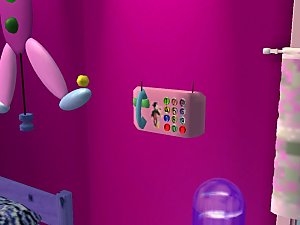
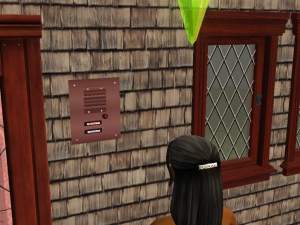
 New Mesh Recolor-Intercom!
 New Mesh Recolor-Intercom!


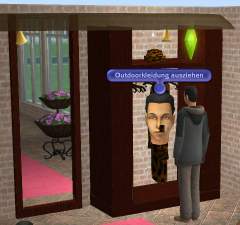
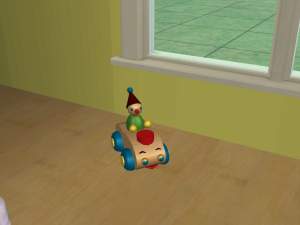
snapshot_b2f367cd_73049ec3.jpg - width=600 height=450
snapshot_b2f367cd_33049ee8.jpg - width=600 height=450
snapshot_b2f367cd_73049ef3.jpg - width=600 height=450
snapshot_b2f367cd_f3049efc.jpg - width=600 height=450
If you wanted it also recolorieren,
Credit go to: http://www.feeessen-sims-objekte.de....php?path=start
Thank you!
Have fun!
feeEssen
|
Gegensprechanlage_Mesh_Recolor_feeEssen.zip
Download
Uploaded: 14th Mar 2007, 51.1 KB.
12,748 downloads.
|
||||||||
| For a detailed look at individual files, see the Information tab. | ||||||||
Install Instructions
1. Download: Click the download link to save the .rar or .zip file(s) to your computer.
2. Extract the zip, rar, or 7z file.
3. Place in Downloads Folder: Cut and paste the .package file(s) into your Downloads folder:
- Origin (Ultimate Collection): Users\(Current User Account)\Documents\EA Games\The Sims™ 2 Ultimate Collection\Downloads\
- Non-Origin, Windows Vista/7/8/10: Users\(Current User Account)\Documents\EA Games\The Sims 2\Downloads\
- Non-Origin, Windows XP: Documents and Settings\(Current User Account)\My Documents\EA Games\The Sims 2\Downloads\
- Mac: Users\(Current User Account)\Documents\EA Games\The Sims 2\Downloads
- Mac x64: /Library/Containers/com.aspyr.sims2.appstore/Data/Library/Application Support/Aspyr/The Sims 2/Downloads
- For a full, complete guide to downloading complete with pictures and more information, see: Game Help: Downloading for Fracking Idiots.
- Custom content not showing up in the game? See: Game Help: Getting Custom Content to Show Up.
- If you don't have a Downloads folder, just make one. See instructions at: Game Help: No Downloads Folder.
Meshes needed
This download requires one or more meshes to work properly. Please check the Description tab for information about the meshes needed, then download them below:| MTS cannot guarantee any off-site links will be available |
| sims2-feeEssen.de (non-MTS link) |
| sims2-feeEssen.de (non-MTS link) |
| sims2-feeEssen.de (non-MTS link) |
Loading comments, please wait...


Uploaded: 14th Mar 2007 at 10:13 PM
Updated: 31st Jan 2010 at 8:14 PM
-
General Recolour of Boblishman's LED Moving Message Sign
by Cazkiwi 9th Oct 2005 at 11:42am
 57
37.2k
19
57
37.2k
19
-
-
-
by feeEssen 15th Jun 2006 at 6:27pm
10
11.1k
2
-
by feeEssen 30th Oct 2006 at 12:42am
10
26k
5
-
-
by feeEssen 14th Mar 2007 at 12:07am
13
30.6k
14
-
by feeEssen 7th Apr 2007 at 1:48pm
11
22.6k
22
-
by soloyo 30th Aug 2007 at 2:38am
22
31.2k
42
-


-

-
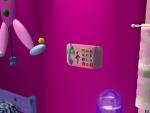
New Mesh-Wall phone for children !
by feeEssen 17th Feb 2007 at 5:47pm
New Mesh-Wall phone for children! Vertices:1087 Triangles:1872 You find it: Buy Mode Object/Electronics/small Electronics! more...
9
31.3k
27
-
New Meshes-Washing tub and washing board-small and big!
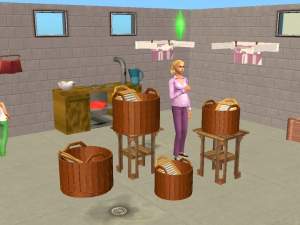
by feeEssen 7th May 2007 at 11:52pm
New Meshes-Washing tub and washing board small and big! more...
5
18.5k
10
-
-
-
For New Years Eve party Fondue!
by feeEssen 30th Dec 2006 at 9:15am
From today there are new things for your New Year's Eve party over and over again. more...
13
13k
8
-
-
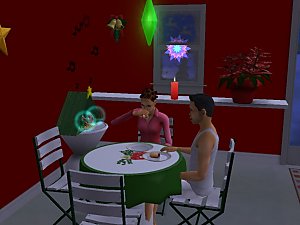
New Mesh-round dining table with Christmas cover!
by feeEssen 26th Nov 2006 at 12:37am
New Mesh-round dining table with Christmas cover! You need no Addon! Vertices:208 Triangles:408 Have fun! more...
-
-