Sign in to Mod The Sims
 Blooming Marvellous Nursery Set
 Blooming Marvellous Nursery Set


Bed1.jpg - width=600 height=450
Bed2.jpg - width=600 height=450
Chair.jpg - width=600 height=450
Crib.jpg - width=600 height=450
Nursery.jpg - width=600 height=450
Table.jpg - width=600 height=450
I made this at the beginning of the year in anticipation of the Seasons EP, i.e. country style objects etc. So here's a nice, albeit very pink & girly, nursery set. Lots of pink flowers & blooms. zip includes:
Crib Bedding
Highchair
Changing Table Cover
Bedding
**N.B. The furniture I used to show off the recolours are from WDS (Well Dressed Sim) and are not included in this download. All the recolours work with Maxis objects and with many other nursery objects that pull the Maxis textures. **
This custom content if it is not clothing, may require a seperate download to work properly. This is available at Colour Enable Package (CEP) by Numenor.
|
Blooming Marvellous.zip
Download
Uploaded: 22nd Apr 2007, 517.4 KB.
9,692 downloads.
|
||||||||
| For a detailed look at individual files, see the Information tab. | ||||||||
Install Instructions
1. Download: Click the download link to save the .rar or .zip file(s) to your computer.
2. Extract the zip, rar, or 7z file
3. Place in Downloads Folder: Cut and paste the .package file(s) into your Downloads folder:
- Origin (Ultimate Collection): Users\(Current User Account)\Documents\EA Games\The Sims™ 2 Ultimate Collection\Downloads\
- Non-Origin, Windows Vista/7/8/10: Users\(Current User Account)\Documents\EA Games\The Sims 2\Downloads\
- Non-Origin, Windows XP: Documents and Settings\(Current User Account)\My Documents\EA Games\The Sims 2\Downloads\
- Mac: Users\(Current User Account)\Documents\EA Games\The Sims 2\Downloads
- Mac x64:
/Library/Containers/com.aspyr.sims2.appstore/Data/Library/Application Support/Aspyr/The Sims 2/Downloads
Need more information?
- For a full, complete guide to downloading complete with pictures and more information, see: Game Help: Downloading for Fracking Idiots.
- Custom content not showing up in the game? See: Game Help: Getting Custom Content to Show Up.
- If you don't have a Downloads folder, just make one. See instructions at: Game Help: No Downloads Folder.
Loading comments, please wait...

Uploaded: 22nd Apr 2007 at 12:44 AM
-
-
-
-
-
-
-
-
-
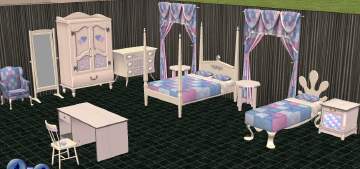
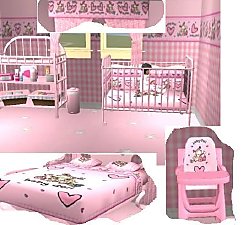
Candy Hearts Bedroom & Nursery Set
by kishma_ash 28th Feb 2006 at 2:56pm
-


-
-
-
-
-
-
-
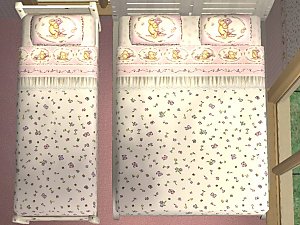
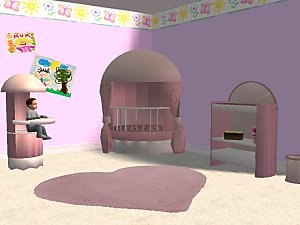
Foxybaby's Pink A.A. Milne Pooh Nursery Set
by Foxybaby 12th Dec 2005 at 8:06pm
Hi Same as the blue, but this time in pink! more...
-
-
-