
 Sign in to Mod The Sims
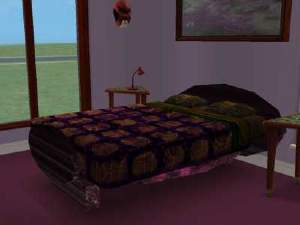
 New Mesh-Garret
 New Mesh-Garret


snapshot_5308779a_3357e3f6.jpg - width=600 height=450
snapshot_5308779a_5357e133.jpg - width=600 height=450
snapshot_5308779a_7357e52f.jpg - width=600 height=450
snapshot_5308779a_9357e3ac.jpg - width=600 height=450
snapshot_5308779a_b357e15f.jpg - width=600 height=450
snapshot_5308779a_b357e444.jpg - width=600 height=450
snapshot_5308779a_f357e1d1.jpg - width=600 height=450
It can be used for every wall width.
No lamp can be fastened,so there is in the lower edge of the garret light.
You can recolor it.
Credit go to http://www.sims2-feeEssen.de
Thanks!
have fun
Many greetings
feeEssen

Polygon Counts:
Vertices: 122
Triangles: 184
This is a new mesh, and means that it's a brand new self contained object that usually does not require a specific Pack (although this is possible depending on the type). It may have Recolours hosted on MTS - check below for more information.
|
Mansarde_Mesh_feeEssen.zip
Download
Uploaded: 17th May 2007, 83.0 KB.
1,474 downloads.
|
||||||||
| For a detailed look at individual files, see the Information tab. | ||||||||
Install Instructions
1. Download: Click the download link to save the .rar or .zip file(s) to your computer.
2. Extract the zip, rar, or 7z file.
3. Place in Downloads Folder: Cut and paste the .package file(s) into your Downloads folder:
- Origin (Ultimate Collection): Users\(Current User Account)\Documents\EA Games\The Sims™ 2 Ultimate Collection\Downloads\
- Non-Origin, Windows Vista/7/8/10: Users\(Current User Account)\Documents\EA Games\The Sims 2\Downloads\
- Non-Origin, Windows XP: Documents and Settings\(Current User Account)\My Documents\EA Games\The Sims 2\Downloads\
- Mac: Users\(Current User Account)\Documents\EA Games\The Sims 2\Downloads
- Mac x64: /Library/Containers/com.aspyr.sims2.appstore/Data/Library/Application Support/Aspyr/The Sims 2/Downloads
- For a full, complete guide to downloading complete with pictures and more information, see: Game Help: Downloading for Fracking Idiots.
- Custom content not showing up in the game? See: Game Help: Getting Custom Content to Show Up.
- If you don't have a Downloads folder, just make one. See instructions at: Game Help: No Downloads Folder.
Loading comments, please wait...


Uploaded: 17th May 2007 at 2:17 AM
Updated: 22nd Oct 2008 at 2:34 PM by -Maylin-
-
-
-
-
by simsistic 4th Dec 2005 at 7:19am
 6
7.8k
6
7.8k
-
-
Recolour of maxis Lunatech "lighten up" lighting fixture
by sims1234 3rd Aug 2006 at 5:27pm
+3 packs
2 14.2k 5 University
 Nightlife
 Open for Business
-
by feeEssen 30th Oct 2006 at 12:42am
10
26k
5
-
-
by WitchyWoman 31st Aug 2007 at 6:35am
+5 packs
3 9k 5 Family Fun
 Glamour Life
Open for Business
Glamour Life
Open for Business
 Pets
Pets
 Seasons
-


-
-
New Mesh-Pipi Bucket for Toddler!
by feeEssen 4th Jun 2007 at 1:41am
New Mesh-Pipi Bucket for Toddler! You can recolor it. Credit go to Thanks! Have fun! more...
14
21.7k
21
-
-
New Mesh-Doll carriages for toddlers.
by feeEssen 25th Oct 2006 at 7:37pm
New Mesh-Doll carriages for toddlers. It's only for toddler. You need no Addon. more...
-
-
-
-
-
-
by feeEssen 25th Feb 2007 at 3:52pm
New Mesh-Eat bar! Vertices:982 Triangles:1920 You can recolor it! Credit go to Thanks! I with many Fun! more...
3
11.7k
3
By Function » Surfaces » Desks
