Sign in to Mod The Sims
 Bright Candy Eyes by serafinaa
 Bright Candy Eyes by serafinaa
SCREENSHOTS


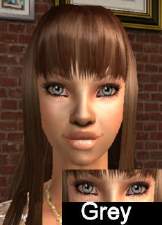
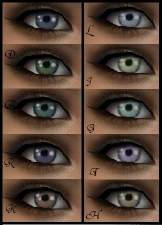
CandyEyes.jpg - width=261 height=174
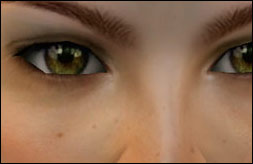
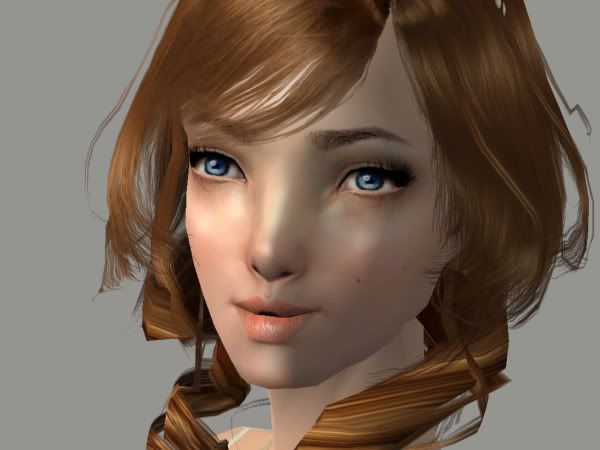
CandyEyesBlueberry.jpg - width=600 height=450
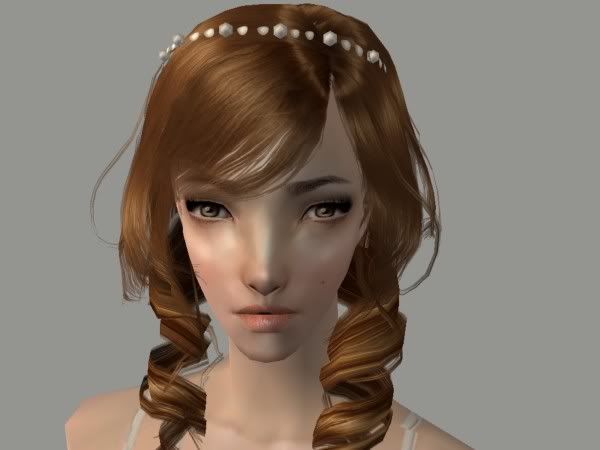
CandyEyesCaramel.jpg - width=600 height=450
CandyEyesChocolate.jpg - width=600 height=450
CandyEyesGrape.jpg - width=600 height=450
CandyEyesLiquorice.jpg - width=600 height=450
CandyEyesMint.jpg - width=600 height=450
Downloaded 58 times
32 Thanks
0 Favourited
4,310 Views
Say Thanks!
Thanked!
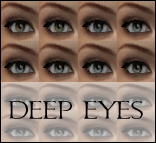
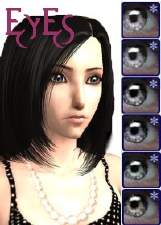
For my first upload, I've made some gorgeous eyes for you in 6 colours - Mint, Blueberry, Chocolate, Caramel, Liquorice and Grape.
They look very yummy in-game and I'm sure at least one will suit your tastebuds ;]
Tell me what you think, and if you like them please comment and press the thank you button!
You may redistribute and recolour these eyes, as long as you give credits!

Blueberry
Caramel
Mint

Sorry, I'm only allowed 4 pics hahaha xD
They look very yummy in-game and I'm sure at least one will suit your tastebuds ;]
Tell me what you think, and if you like them please comment and press the thank you button!
You may redistribute and recolour these eyes, as long as you give credits!
Blueberry
Caramel
Mint
Sorry, I'm only allowed 4 pics hahaha xD
Advertisement:
|
Candy Eyes by serafinaa..zip
Download
Uploaded: 21st May 2007, 82.9 KB.
464 downloads.
|
||||||||
| For a detailed look at individual files, see the Information tab. | ||||||||
Install Instructions
Basic Download and Install Instructions:
1. Download: Click the download link to save the .rar or .zip file(s) to your computer.
2. Extract the zip, rar, or 7z file.
3. Place in Downloads Folder: Cut and paste the .package file(s) into your Downloads folder:
1. Download: Click the download link to save the .rar or .zip file(s) to your computer.
2. Extract the zip, rar, or 7z file.
3. Place in Downloads Folder: Cut and paste the .package file(s) into your Downloads folder:
- Origin (Ultimate Collection): Users\(Current User Account)\Documents\EA Games\The Sims™ 2 Ultimate Collection\Downloads\
- Non-Origin, Windows Vista/7/8/10: Users\(Current User Account)\Documents\EA Games\The Sims 2\Downloads\
- Non-Origin, Windows XP: Documents and Settings\(Current User Account)\My Documents\EA Games\The Sims 2\Downloads\
- Mac: Users\(Current User Account)\Documents\EA Games\The Sims 2\Downloads
- Mac x64: /Library/Containers/com.aspyr.sims2.appstore/Data/Library/Application Support/Aspyr/The Sims 2/Downloads
- For a full, complete guide to downloading complete with pictures and more information, see: Game Help: Downloading for Fracking Idiots.
- Custom content not showing up in the game? See: Game Help: Getting Custom Content to Show Up.
- If you don't have a Downloads folder, just make one. See instructions at: Game Help: No Downloads Folder.
Advertisement:
Loading comments, please wait...
Author

Download Details
Packs:
None, this is Sims 2 base game compatible!
Uploaded: 21st May 2007 at 8:44 AM
Uploaded: 21st May 2007 at 8:44 AM
Tags
Other Download Recommendations: