
 Sign in to Mod The Sims
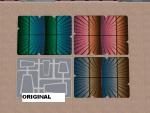
 Four Recolours of Affaire Hall of Pimp-My-Sims
 Four Recolours of Affaire Hall of Pimp-My-Sims


snapshot_00000002_535f9825.jpg - width=600 height=450
azul.jpg - width=600 height=450
blond.jpg - width=600 height=450
pino.jpg - width=600 height=450
Meshes including
Metal

Blond Wood

Blue Wood

Pine

I hope you like them
You must to use <<<moveobjects on>>> to put shelves, and boolprop snapobjectstogrid false to put the mirror too
Additional Credits:
Thank to Chrissie for to allow to upload her meshes, that are gorgeous.
|
Pine.rar
Download
Uploaded: 23rd May 2007, 376.8 KB.
1,289 downloads.
|
||||||||
|
metal.rar
Download
Uploaded: 23rd May 2007, 127.7 KB.
1,320 downloads.
|
||||||||
|
Blue.rar
Download
Uploaded: 23rd May 2007, 372.1 KB.
1,088 downloads.
|
||||||||
|
Blond.rar
Download
Uploaded: 23rd May 2007, 379.1 KB.
1,386 downloads.
|
||||||||
| For a detailed look at individual files, see the Information tab. | ||||||||
Install Instructions
1. Download: Click the download link to save the .rar or .zip file(s) to your computer.
2. Extract the zip, rar, or 7z file.
3. Place in Downloads Folder: Cut and paste the .package file(s) into your Downloads folder:
- Origin (Ultimate Collection): Users\(Current User Account)\Documents\EA Games\The Sims™ 2 Ultimate Collection\Downloads\
- Non-Origin, Windows Vista/7/8/10: Users\(Current User Account)\Documents\EA Games\The Sims 2\Downloads\
- Non-Origin, Windows XP: Documents and Settings\(Current User Account)\My Documents\EA Games\The Sims 2\Downloads\
- Mac: Users\(Current User Account)\Documents\EA Games\The Sims 2\Downloads
- Mac x64: /Library/Containers/com.aspyr.sims2.appstore/Data/Library/Application Support/Aspyr/The Sims 2/Downloads
- For a full, complete guide to downloading complete with pictures and more information, see: Game Help: Downloading for Fracking Idiots.
- Custom content not showing up in the game? See: Game Help: Getting Custom Content to Show Up.
- If you don't have a Downloads folder, just make one. See instructions at: Game Help: No Downloads Folder.
Meshes needed
This download requires one or more meshes to work properly. Please check the Description tab for information about the meshes needed, then download them below:| MTS cannot guarantee any off-site links will be available |
| pimp-my-sims.com (non-MTS link) |
Loading comments, please wait...


 View with Names
Uploaded: 23rd May 2007 at 6:39 PM
Updated: 21st Nov 2008 at 1:05 PM by -Maylin-
#hall, #miscellaneus, #wardrobe, #umbrella
-
by mickyss 9th Jun 2005 at 9:58am
 31
42.6k
9
31
42.6k
9
-
by mickyss 4th Jul 2005 at 10:14am
115
86.6k
10
-

by cwirsing 4th Aug 2005 at 9:03pm
11
13.3k
1
-
by cwirsing 4th Aug 2005 at 11:09pm
4
7.8k
3
-

by cwirsing 4th Aug 2005 at 11:16pm
1
5k
1
-

by cwirsing 4th Aug 2005 at 11:21pm
5
8.3k
2
-
by cwirsing 8th Aug 2005 at 3:09am
3
8.6k
2
-
by OpenHouseJack 16th Feb 2006 at 7:31am
8
18.3k
13
-
-


-
Six recolours Set Seaview by Holy-Simoly
by fizzbin 1st Dec 2007 at 1:07pm
They are six recolours of Set Seaview by Holy-Simoly, perfects for hotels, etc... more...
-
-
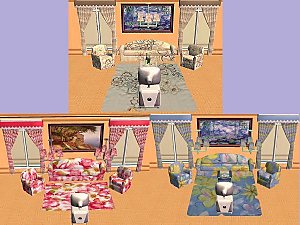
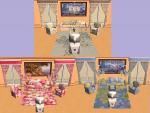
Recolours Sofas, curtains, rugs and lamp Maxis´ Original: Part 1
by fizzbin 25th Feb 2007 at 3:02pm
They are three sets with two curtains, sofa, armchair, ceiling lamp and two rugs. more...
-
-
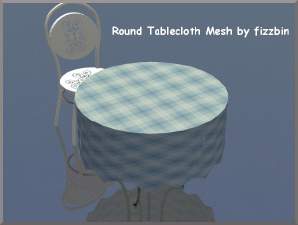
Round Tablecloth: New mesh and 12 recolours
by fizzbin 30th Aug 2008 at 12:42pm
Round tablecloth, that you can put in all round tables, maxis or others. more...
-
Recolours "Zebra" of Happy Youth by derMarcel
by fizzbin 12th May 2007 at 5:01pm
I had done a recolours of Happy Youth by derMarcel, with two differents sets. more...
-
-
-
Alfombras Guapas Bicolor (RUGS 3x4)
by fizzbin 15th Dec 2006 at 11:23pm
They are three rugs 3x4. more...
+1 packs
2 4k 3 Pets
Pets
-



Packs Needed
| Expansion Pack | |
|---|---|
| University |