
 Sign in to Mod The Sims
 *New natural shades*
 *New natural shades*

shades 2.JPG - width=1068 height=711


more stuff by me
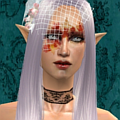
 Some new natural shades this time....hope you'll like them. Please read the post carefully...and then if you have any questions I'll be happy to answer you
  .
.*Eyelid part of the shadows
*15 colors
*Females all ages, only
*No mascara or eyeliner on the shadows
ENJOY as always....
Additional Credits:
Hair-the black hair is payed by Peggy at http://www.peggysims2.net/index.htm , the other is my recolor of newest free mesh by raonjena at http://www.***/main/main.php
|
Natural shades by L.rar
Download
Uploaded: 7th Jun 2007, 813.9 KB.
7,564 downloads.
|
||||||||
| For a detailed look at individual files, see the Information tab. | ||||||||
Install Instructions
1. Download: Click the download link to save the .rar or .zip file(s) to your computer.
2. Extract the zip, rar, or 7z file.
3. Place in Downloads Folder: Cut and paste the .package file(s) into your Downloads folder:
- Origin (Ultimate Collection): Users\(Current User Account)\Documents\EA Games\The Sims™ 2 Ultimate Collection\Downloads\
- Non-Origin, Windows Vista/7/8/10: Users\(Current User Account)\Documents\EA Games\The Sims 2\Downloads\
- Non-Origin, Windows XP: Documents and Settings\(Current User Account)\My Documents\EA Games\The Sims 2\Downloads\
- Mac: Users\(Current User Account)\Documents\EA Games\The Sims 2\Downloads
- Mac x64: /Library/Containers/com.aspyr.sims2.appstore/Data/Library/Application Support/Aspyr/The Sims 2/Downloads
- For a full, complete guide to downloading complete with pictures and more information, see: Game Help: Downloading for Fracking Idiots.
- Custom content not showing up in the game? See: Game Help: Getting Custom Content to Show Up.
- If you don't have a Downloads folder, just make one. See instructions at: Game Help: No Downloads Folder.
Loading comments, please wait...


Uploaded: 7th Jun 2007 at 6:19 PM
#new shades, #shades, #shadows
-
by Barcelonista 9th Dec 2005 at 9:32pm
-
-
-
-
-
-
Brilliant Eyes: Three New Shades
by Spicycookies 28th Jul 2008 at 6:42pm
-
-
-
by SweetAmberkins 31st Dec 2015 at 9:28pm

-
-
-
-
-
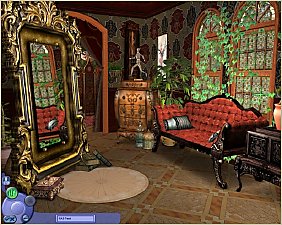
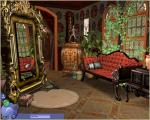
*Victorian-ish CAS Screen*-updated
by lidiqnata updated 10th Jun 2015 at 8:53am
Hello, Ever since I saw this CAS by maybesomethingdunno I just knew - I had to make one! more...
 +2 packs
19 22.3k 71
+2 packs
19 22.3k 71 Open for Business
 Mansion and Garden
-
-
-
-
-


About Me
[size=5]Re-upload of everything created by me has started at [color=#fa2742]Lidiqnata sims 2[/color][/size]
[size=5]Visit my [color=#fa2742]Patreon[/color] if you wish to support this process.[/size]