Sign in to Mod The Sims
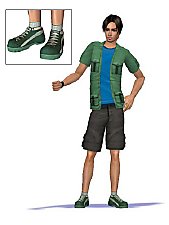
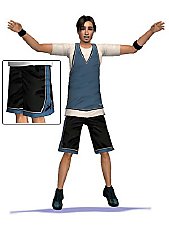
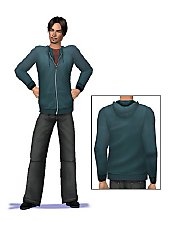
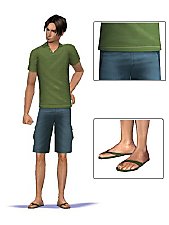
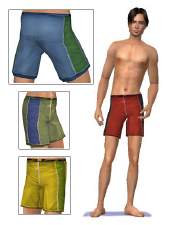
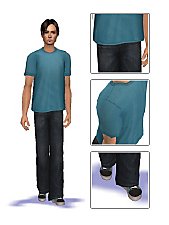
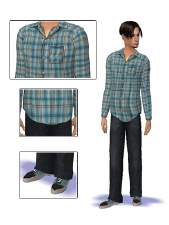
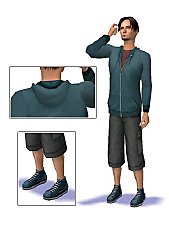
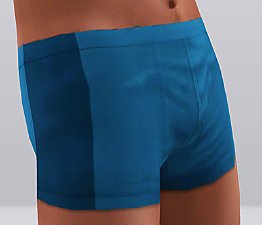
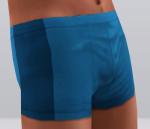
 Maxis Match sport clothing for men (6 outfits)
 Maxis Match sport clothing for men (6 outfits)


am_1.jpg - width=300 height=400
am_2.jpg - width=300 height=400
am_3.jpg - width=300 height=400
am_4.jpg - width=300 height=400
am_5.jpg - width=300 height=400
am_6.jpg - width=300 height=400
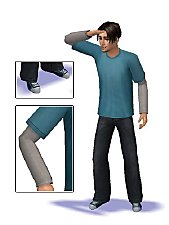
I've combined different Maxis Textures to create the outfits. You don't need any expansion pack for these outfits. Meshes are by Maxis.
Outfit No. 4 has short socks.


Here is all my stuff regarding to this project:
- Maxis Match everyday clothing for men (4 outfits)
- Maxis Match everyday clothing for men (3 outfits)
- Maxis Match everyday clothing for men (3 outfits)
- Maxis Match sport clothing for men (6 outfits)
- Maxis Match sport clothing for men (3 outfits)
|
oepu_am_06.rar
Download
Uploaded: 10th Aug 2007, 268.5 KB.
27,678 downloads.
|
||||||||
|
oepu_am_05.rar
Download
Uploaded: 10th Aug 2007, 254.7 KB.
30,539 downloads.
|
||||||||
|
oepu_am_04.rar
Download
Uploaded: 10th Aug 2007, 252.5 KB.
30,740 downloads.
|
||||||||
|
oepu_am_03.rar
Download
Uploaded: 10th Aug 2007, 266.0 KB.
32,395 downloads.
|
||||||||
|
oepu_am_02.rar
Download
Uploaded: 10th Aug 2007, 252.5 KB.
31,550 downloads.
|
||||||||
|
oepu_am_01.rar
Download
Uploaded: 10th Aug 2007, 235.6 KB.
27,889 downloads.
|
||||||||
| For a detailed look at individual files, see the Information tab. | ||||||||
Install Instructions
1. Download: Click the download link to save the .rar or .zip file(s) to your computer.
2. Extract the zip, rar, or 7z file.
3. Place in Downloads Folder: Cut and paste the .package file(s) into your Downloads folder:
- Origin (Ultimate Collection): Users\(Current User Account)\Documents\EA Games\The Sims™ 2 Ultimate Collection\Downloads\
- Non-Origin, Windows Vista/7/8/10: Users\(Current User Account)\Documents\EA Games\The Sims 2\Downloads\
- Non-Origin, Windows XP: Documents and Settings\(Current User Account)\My Documents\EA Games\The Sims 2\Downloads\
- Mac: Users\(Current User Account)\Documents\EA Games\The Sims 2\Downloads
- Mac x64: /Library/Containers/com.aspyr.sims2.appstore/Data/Library/Application Support/Aspyr/The Sims 2/Downloads
- For a full, complete guide to downloading complete with pictures and more information, see: Game Help: Downloading for Fracking Idiots.
- Custom content not showing up in the game? See: Game Help: Getting Custom Content to Show Up.
- If you don't have a Downloads folder, just make one. See instructions at: Game Help: No Downloads Folder.
Loading comments, please wait...


Uploaded: 10th Aug 2007 at 3:04 AM
Updated: 9th Oct 2008 at 6:04 AM by CatOfEvilGenius


-
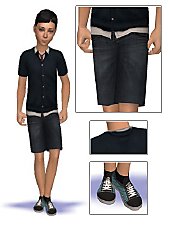
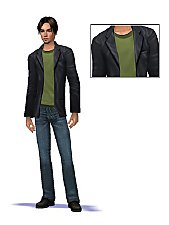
Maxis Match everyday clothing for childs (5 outfits)
by oepu 28th Oct 2007 at 12:27pm
I've started a little project: Creating clothing matching Maxis style. more...
 11
32k
38
11
32k
38
-
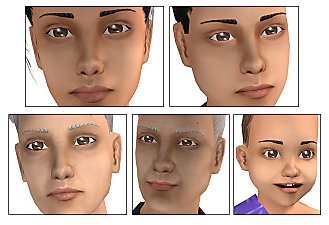
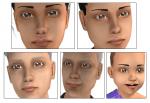
Maxis Match skin - all ages and genders - 4 tones
by oepu 20th Aug 2007 at 7:00pm
This time I upload a Maxis matching skin regarding my new project. It's different to my other skintones. more...
-
-
-
-
-
-
-
-