
 Sign in to Mod The Sims
 RealEyes Part 2: Made from Scratch
 RealEyes Part 2: Made from Scratch


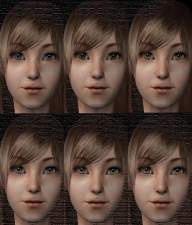
eye1.jpg - width=600 height=450
eye2.jpg - width=600 height=450
eye3.jpg - width=600 height=450
eye4.jpg - width=600 height=450
eye5.jpg - width=600 height=450
realeyes copy.jpg - width=343 height=318
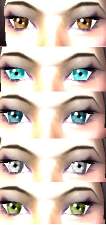
Blue
Gray
Green
Purple
Brown
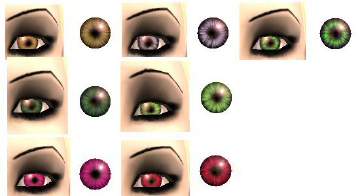
After countless times of coming up with unrealistic-looking eye colours by using only Photoshop, I finally broke down and installed Gimp, used both programs, and came out with these results.

I hope you enjoy them, and I’ll be making more, now that I know how to make them look real!
|
RealEyes Part 2.rar
Download
Uploaded: 8th Sep 2007, 55.7 KB.
254 downloads.
|
||||||||
| For a detailed look at individual files, see the Information tab. | ||||||||
Install Instructions
1. Download: Click the download link to save the .rar or .zip file(s) to your computer.
2. Extract the zip, rar, or 7z file.
3. Place in Downloads Folder: Cut and paste the .package file(s) into your Downloads folder:
- Origin (Ultimate Collection): Users\(Current User Account)\Documents\EA Games\The Sims™ 2 Ultimate Collection\Downloads\
- Non-Origin, Windows Vista/7/8/10: Users\(Current User Account)\Documents\EA Games\The Sims 2\Downloads\
- Non-Origin, Windows XP: Documents and Settings\(Current User Account)\My Documents\EA Games\The Sims 2\Downloads\
- Mac: Users\(Current User Account)\Documents\EA Games\The Sims 2\Downloads
- Mac x64: /Library/Containers/com.aspyr.sims2.appstore/Data/Library/Application Support/Aspyr/The Sims 2/Downloads
- For a full, complete guide to downloading complete with pictures and more information, see: Game Help: Downloading for Fracking Idiots.
- Custom content not showing up in the game? See: Game Help: Getting Custom Content to Show Up.
- If you don't have a Downloads folder, just make one. See instructions at: Game Help: No Downloads Folder.
Loading comments, please wait...

Uploaded: 8th Sep 2007 at 6:25 AM
-
-
-
-
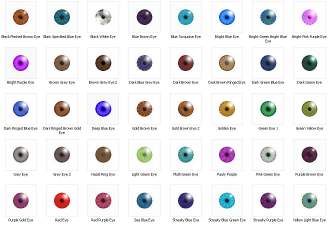
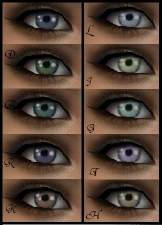
40 Eye Colours (Normal And Unusual)
by MimiRose 9th Feb 2006 at 11:32pm
-
-
-
-
-
-


-
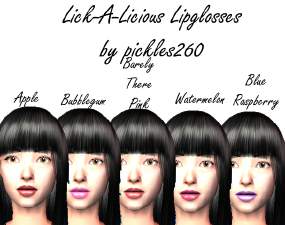
Lick-A-Licious Lipglosses in Five Colors
by pickles260 11th Sep 2007 at 9:50am
These five tasty Lick-A-Licious glosses will have you licking your lips all day long! more...
-
by pickles260 17th Sep 2007 at 2:27am
I know the picture below says "New Defaults", but that was before I realized I don't know how to package more...
-
by pickles260 10th Dec 2006 at 9:58pm
Here are four pentacle pictures to bewitch your Sim’s house! Enjoy!!! more...
 7
13.6k
7
7
13.6k
7
-

Religion Major * UPD 12/9/07* PLEASE RE-DOWNLOAD
by pickles260 10th Dec 2007 at 8:14am
Christianity. Buddhism. Paganism. Judaism. more...
+1 packs
14 16.3k 8 University
-
by pickles260 30th Sep 2007 at 7:02pm
This lovely starter home is perfect for that newlywed couple without much money. more...
+4 packs
2.3k University
 Glamour Life
 Nightlife
 Pets
Pets
-
A Touch of Japan: Ikazu's Getaway
by pickles260 25th Oct 2007 at 6:20am
Ikazu’s Getaway is the perfect home or vacation home for your Japanese sims. more...
+5 packs
5k 3 University
Glamour Life
Nightlife
Pets
 Bon Voyage
-
"Come Unto Me" Eyes Set - 10 Colors *NOW TAKING REQUESTS*
by pickles260 10th Dec 2007 at 12:54am
This set has 10 different eye colors in it including five regular eye colors—gray, dark blue, light blue, green, and more...
-
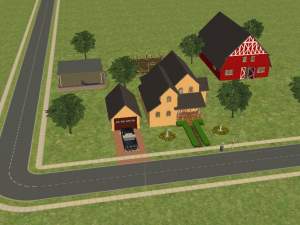
Country Farmhouse – No CC Used
by pickles260 11th Apr 2008 at 1:23am
In this lot, no custom content was used. more...
+6 packs
8.1k 1 University
Glamour Life
Nightlife
Pets
 Seasons
Bon Voyage
Seasons
Bon Voyage
-
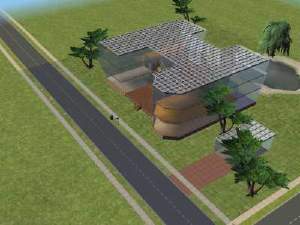

by pickles260 17th Mar 2007 at 6:05pm
This is my Glass House, and I made it using Numenor’s WallWindows, which you can find here. more...
+2 packs
3 7k 1 Nightlife
Pets
-
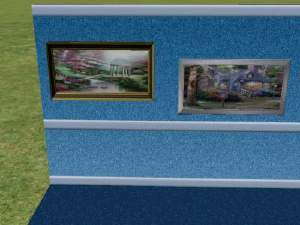
by pickles260 24th Sep 2006 at 12:45am
I love Thomas Kinkade’s art! It’s so beautiful! more...
3
5.3k
1


About Me
1. Give me full credit including a link to my original
2. NEVER EVER upload any of my stuff to paysites! Paysites are evil and I will sic my pet zombie on you if you upload my stuff to any paysites. Don't make me unleash him; he hasn't eaten in a while, and a paysite endorser is his favorite meal. ;-)
I hope you enjoy my creations! :-)
~Pickles260