
 Sign in to Mod The Sims
 9 4ESF WallBoard (TV Stand) Recolors
 9 4ESF WallBoard (TV Stand) Recolors
SCREENSHOTS

Screen Shot1.JPG - width=573 height=438
Downloaded 1,921 times
161 Thanks
11 Favourited
20,773 Views
Say Thanks!
Thanked!
So this is my first upload.
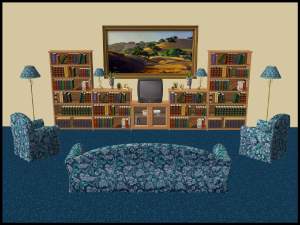
I have recolored the wallboard in 9 different colors.
You need to get the mesh from http://www.4eversimfantasy.net/living11.htm
Click on the "Bookcase & Sideboard" link, you only need the sideboard for these recolors, but it will download both.
For this object to place a TV on it you need to get a custom one. You can get some from the "4eversimfantasy" site also.
I'm pretty sure this is all i need to tell you!
(I made all the recolors myself)
I have recolored the wallboard in 9 different colors.
You need to get the mesh from http://www.4eversimfantasy.net/living11.htm
Click on the "Bookcase & Sideboard" link, you only need the sideboard for these recolors, but it will download both.
For this object to place a TV on it you need to get a custom one. You can get some from the "4eversimfantasy" site also.
I'm pretty sure this is all i need to tell you!

(I made all the recolors myself)
Advertisement:
This is a new mesh recolour, and means that you will need to download the particular mesh itself in order for this to show up in your game. See the Meshes Needed section or read the text for more information.
|
4ESF-WallBoardRecolor's.zip
Download
Uploaded: 5th Dec 2007, 1.33 MB.
4,762 downloads.
|
||||||||
| For a detailed look at individual files, see the Information tab. | ||||||||
Install Instructions
Basic Download and Install Instructions:
1. Download: Click the download link to save the .rar or .zip file(s) to your computer.
2. Extract the zip, rar, or 7z file.
3. Place in Downloads Folder: Cut and paste the .package file(s) into your Downloads folder:
1. Download: Click the download link to save the .rar or .zip file(s) to your computer.
2. Extract the zip, rar, or 7z file.
3. Place in Downloads Folder: Cut and paste the .package file(s) into your Downloads folder:
- Origin (Ultimate Collection): Users\(Current User Account)\Documents\EA Games\The Sims™ 2 Ultimate Collection\Downloads\
- Non-Origin, Windows Vista/7/8/10: Users\(Current User Account)\Documents\EA Games\The Sims 2\Downloads\
- Non-Origin, Windows XP: Documents and Settings\(Current User Account)\My Documents\EA Games\The Sims 2\Downloads\
- Mac: Users\(Current User Account)\Documents\EA Games\The Sims 2\Downloads
- Mac x64: /Library/Containers/com.aspyr.sims2.appstore/Data/Library/Application Support/Aspyr/The Sims 2/Downloads
- For a full, complete guide to downloading complete with pictures and more information, see: Game Help: Downloading for Fracking Idiots.
- Custom content not showing up in the game? See: Game Help: Getting Custom Content to Show Up.
- If you don't have a Downloads folder, just make one. See instructions at: Game Help: No Downloads Folder.
Meshes needed
This download requires one or more meshes to work properly. Please check the Description tab for information about the meshes needed, then download them below:| MTS cannot guarantee any off-site links will be available |
| 4eversimfantasy.net/living11.htm (non-MTS link) |
Advertisement:
Loading comments, please wait...

Other Download Recommendations:




More downloads by Umbroo:
See more
-
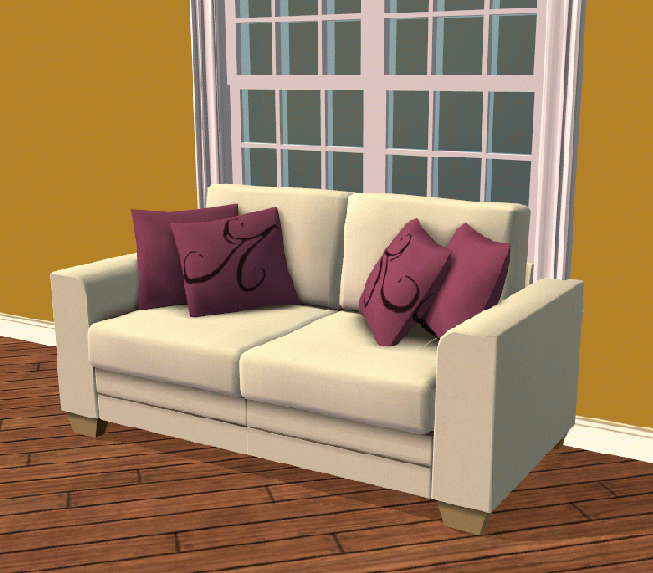
Tradtional Warmth - Golden Chocolate - Wallpaper and recolor.
by Umbroo 28th Jan 2008 at 8:30pm
Golden Chocolate These fabulous colours co-ordinate with one another. They would look astonishing in your Sims houses. more...
 3
12.9k
13
3
12.9k
13
