
 Sign in to Mod The Sims
 Maxis choppy hair replacement (non-defaults added!)
 Maxis choppy hair replacement (non-defaults added!)


choppyhairmaxis.jpg - width=795 height=300
choppyhairwacky.jpg - width=800 height=300
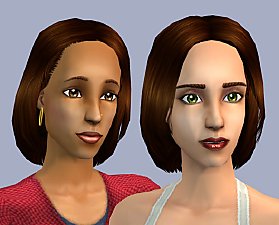
In another part of my "I would like this a whole lot better if..." series, I've alpha-ed out the bangs of this formerly terrible hairstyle. It looks a lot better now.
These are replacements for the hair; all ages [teen/adult/elder] and colors [maxis + 4 custom] for this hairstyle are replaced. The dyed colors have been toned down a bit to electric blue, dark pink, purple, and auburn. The Maxis colors have not been altered.
I haven't altered the mesh, so anything you dislike about it is still there. Any other recolors of this hairstyle will not be affected.
Filename:
palette_choppyhair_replacement.package
Additional Credits:
Eyeliner: Lyran
Eyebrows: rensim
|
palette_choppyhair_dyed.zip
Download
Uploaded: 3rd Aug 2008, 1.57 MB.
1,658 downloads.
|
||||||||
|
palette_choppyhair_maxis.zip
Download
Uploaded: 3rd Aug 2008, 1.59 MB.
1,975 downloads.
|
||||||||
|
palette_choppyhair_replacement.zip
Download
Uploaded: 27th Jun 2008, 961.9 KB.
4,551 downloads.
|
||||||||
| For a detailed look at individual files, see the Information tab. | ||||||||
Install Instructions
1. Download: Click the download link to save the .rar or .zip file(s) to your computer.
2. Extract the zip, rar, or 7z file.
3. Place in Downloads Folder: Cut and paste the .package file(s) into your Downloads folder:
- Origin (Ultimate Collection): Users\(Current User Account)\Documents\EA Games\The Sims™ 2 Ultimate Collection\Downloads\
- Non-Origin, Windows Vista/7/8/10: Users\(Current User Account)\Documents\EA Games\The Sims 2\Downloads\
- Non-Origin, Windows XP: Documents and Settings\(Current User Account)\My Documents\EA Games\The Sims 2\Downloads\
- Mac: Users\(Current User Account)\Documents\EA Games\The Sims 2\Downloads
- Mac x64: /Library/Containers/com.aspyr.sims2.appstore/Data/Library/Application Support/Aspyr/The Sims 2/Downloads
- For a full, complete guide to downloading complete with pictures and more information, see: Game Help: Downloading for Fracking Idiots.
- Custom content not showing up in the game? See: Game Help: Getting Custom Content to Show Up.
- If you don't have a Downloads folder, just make one. See instructions at: Game Help: No Downloads Folder.
Loading comments, please wait...
Uploaded: 27th Jun 2008 at 5:40 AM
Updated: 3rd Sep 2008 at 6:50 AM - added non-defaults
#maxis, #eaxis, #alpha edit, #modern, #bangs, #replacement, #default replacement
-
-
-

by indefinite 7th May 2026 at 7:11pm
-

afhairmessysideknot replaced (EP1)
by indefinite 7th May 2026 at 7:20pm
-

by indefinite 7th May 2026 at 7:23pm
-

fhairbraidsup replaced (BG + EP1 clones)
by indefinite 26th Apr 2026 at 3:24pm
-

fhairravekimono replaced (EP2)
by indefinite 8th May 2026 at 11:56am
-

fhairponytailbanks replaced (EP5)
by indefinite 13th May 2026 at 5:00pm
-

fhairfuzzylongcp replaced (BG + EP1 Clones)
by indefinite 13th May 2026 at 11:02pm
-


-
-
-
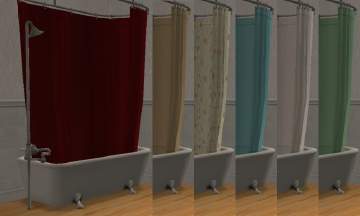
colonial shower/tub replacements
by palette 2nd Jun 2008 at 1:23am
The Maxis clawfoot tubs were too ugly to keep around. more...
 15
32.8k
68
15
32.8k
68

